SYMPTOM:
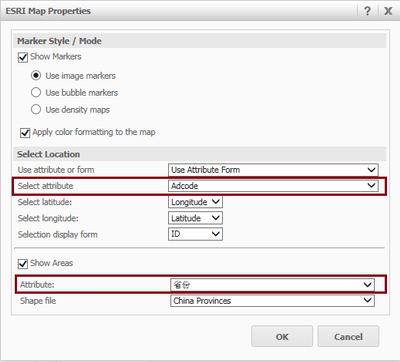
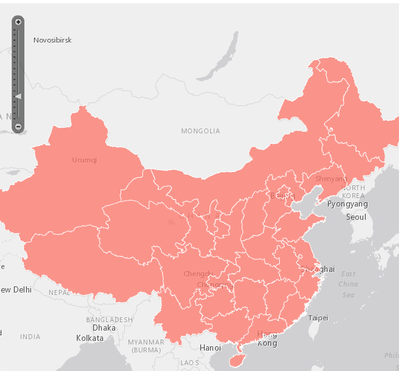
Although both Show Markers and Show Areas have been enabled in ESRI Map Properties, the markers and areas cannot be displayed simultaneously in Strategy Web 9.4.1 Hotfix 6.
STEPS TO REPRODUCE:
CAUSE:
This is a known issue of Strategy Web 9.4.1 Hotfix 6. If different GEO attributes are selected in ESRI Map Properties, only markers or areas would be displayed when executing the ESRI map.
ACTION:
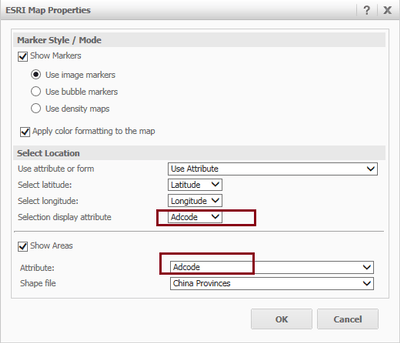
To display both markers and areas at the same time, users need to make sure the same GEO attribute has been selected for the Select Location and Show Areas sections in ESRI Map Properties.
If users import data, for instance from a local file, since it’s not supported to transform a column to an attribute form in Strategy Web 9.4.1, users need to make sure of the followings:
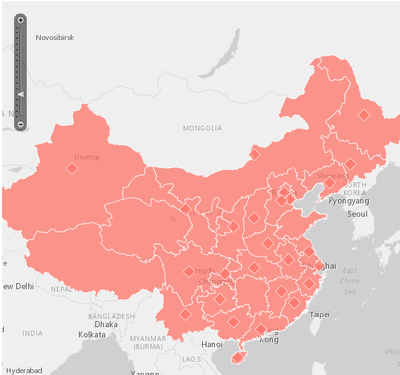
When the report services document is not executed, users can see both of the markers and areas displayed on the ESRI map:
KB221046
