SYMPTOM:
In a Transaction Document, the DateTime field doesn't provide the realtime timestamp.
STEPS TO REPRODUCE:
1. Create a document with transaction service configured on the {&DATETIME} field.
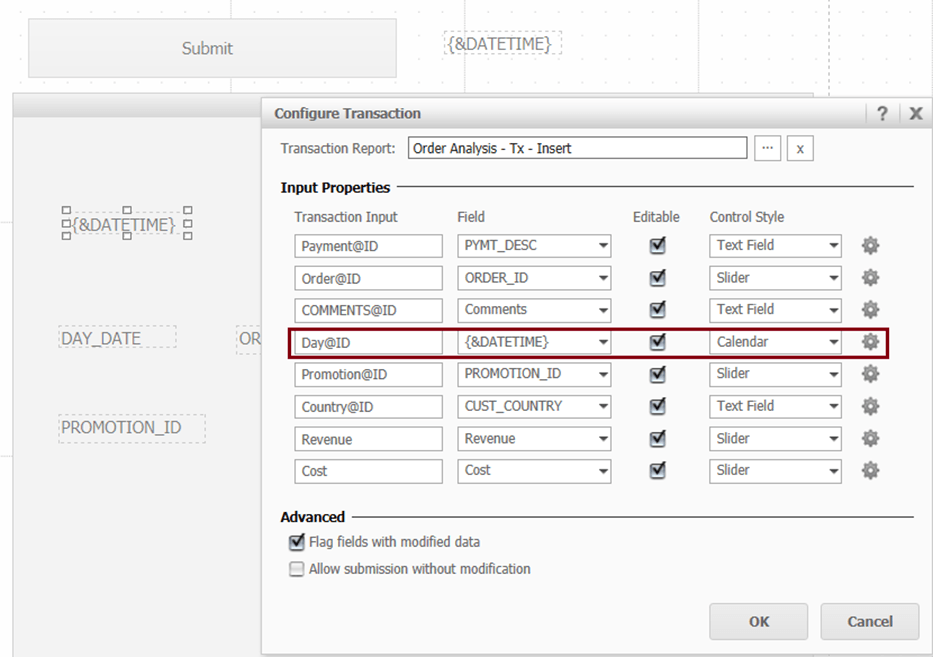
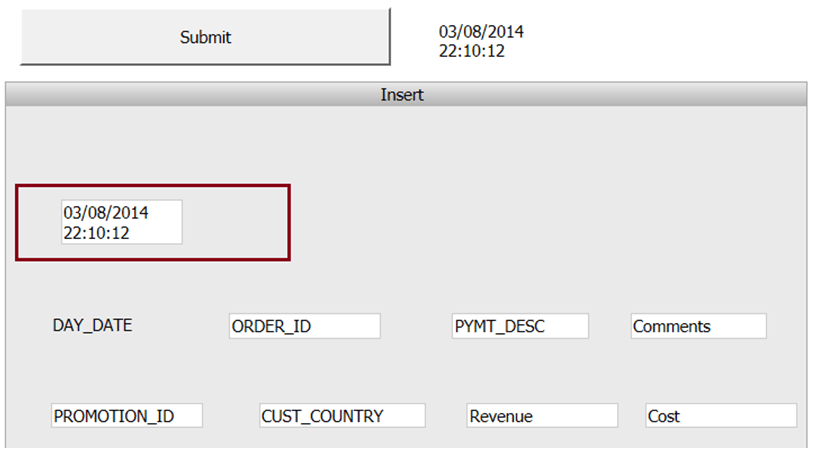
2. Run the document in Express mode in Strategy Web. {&DATETIME} shows the current date time which is correct.
3. Run the document on Strategy Mobile for iPad. {&DATETIME} returns 1/7/1900.
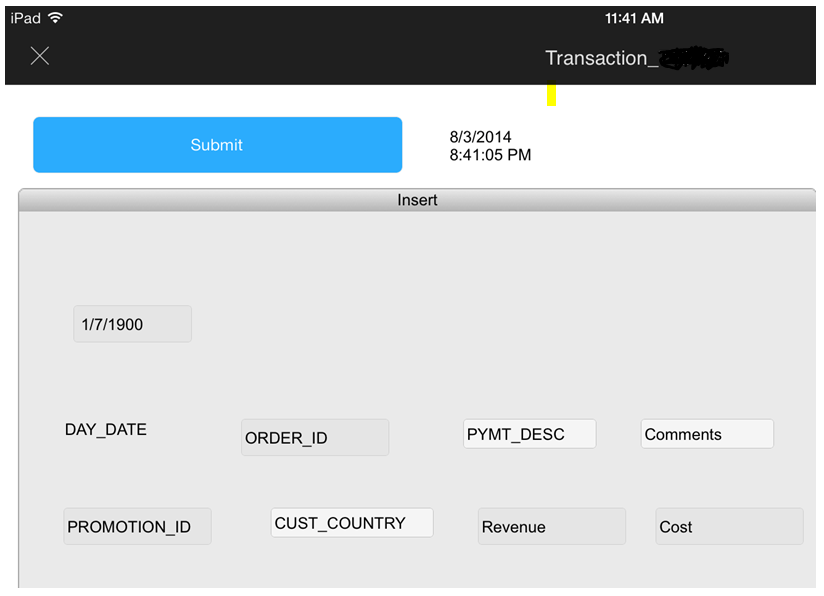
4. Switch to the offline mode and field returns 1/7/1900 as well.
CAUSE:
This is a known issue with Strategy Mobile.
ACTION:
Currently this issue is still being reviewed for feasibility by our Technology team and it is not scoped for any upcoming scheduled Strategy release.
The Strategy Internal Reference Number for the issue discussed in this technical note is 945904.
KB221139
