SUMMARY
This issue has been classified as a defect by Strategy. The impact is limited to Strategy 9.4.x when using the 'Create Group' option for attributes with long descriptions. There is a workaround available in the current document. A solution/code fix is not available in current releases but is being reviewed for a future Strategy release.
SYMPTOM
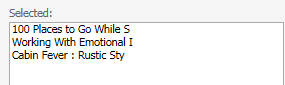
When the user selects the 'Create Group' option in Strategy Web, the attribute descriptions are truncated in the Derived Element editor. See below:
STEPS TO REPRODUCE
1. In Strategy Web, create a new report with the Item attribute.
2. Execute the Report
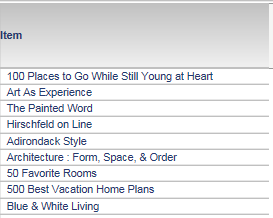
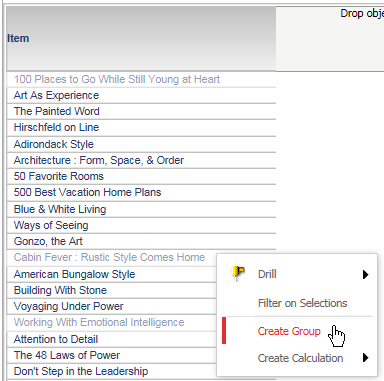
3. Highlight the attribute elements "100 Places to go while still young at heart", "Cabin Fever: Rustic Style Comes Home", and "Working with Emotional Intelligence".
4. Right click and select 'Create Group'
5. Name the new Derived Element
6. Right click the Item attribute header and choose 'Derived Elements...'

7. In the Derived Element editor, the attribute descriptions are truncated.
CAUSE
This issue has been identified as a defect in Strategy 9.4.x when using the 'Create Group' option with long attribute descriptions. Currently this issue is being reviewed for feasibility by our Technology team and is not scoped for any upcoming scheduled Strategy release.
WORKAROUND
Please use the steps below as a workaround when creating a new Derived Element:
1. Right click the Item attribute header and select 'Derived Elements...'

2. In the Derived Elements window select 'New > List'

3. In the Definition tab, choose the attribute elements "100 Places to go while still young at heart", "Cabin Fever: Rustic Style Comes Home", and "Working with Emotional Intelligence". The attribute descriptions will not be truncated

