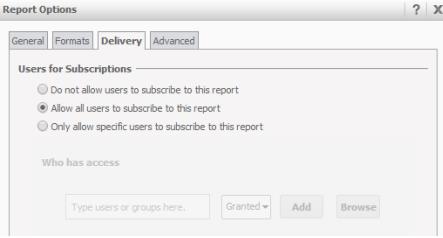
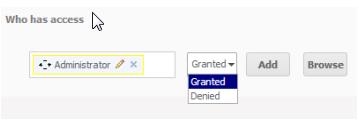
Starting with Strategy 10, users can now enable/disable subscriptions on individual reports or documents through the introduction of Subscription Access Control Lists(ACLs). Permissions can be specified for specific groups and users.
Note: Subscription ACLs can only be configured in Strategy Web after the report has been executed. They cannot be configured in Editable mode.
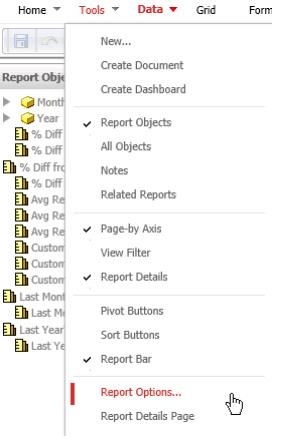
Users can follow the example below in order to use this feature:
Strategy Tutorial > Shared Reports > Subject Areas > Customer Analysis