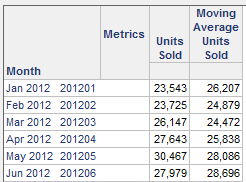
Users may notice that the first values of a moving average metric are not calculated based on the full window size, even though the data exists in the warehouse.
For example, if a report contains a metric that is the 3-month moving average of Units Sold, the first month moving average will be calculated based on one month, the second month moving average will be calculated based on two months, the third month and later will be calculated based on the full window size of 3 months.
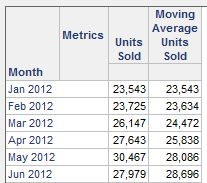
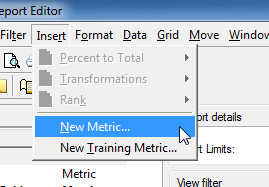
This is the expected behavior of the moving average function. If the report contains a filter, the necessary data is not returned from the warehouse to calculate a 3-month moving average for the first two months. Users can modify the report so that only 3-month moving average values are seen. This can be accomplished by following the steps below.
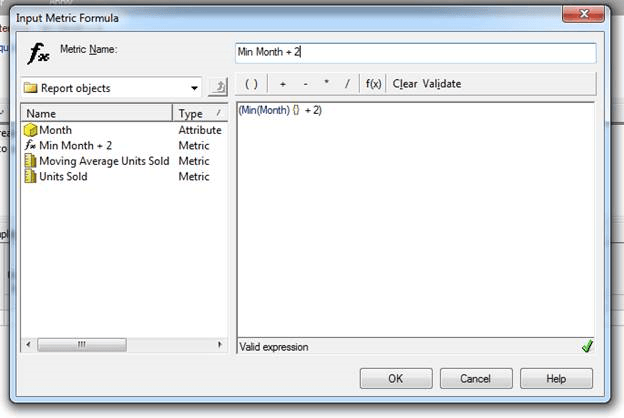
(Min(Month) {} + 2)