EducationSoftwareStrategy.com
StrategyCommunity

Knowledge Base

Product

Community

Knowledge Base

TopicsBrowse ArticlesDeveloper Zone

Product

Download SoftwareProduct DocumentationSecurity Hub

Education

Tutorial VideosSolution GalleryEducation courses

Community

GuidelinesGrandmastersEvents
x_social-icon_white.svglinkedin_social-icon_white.svg
Strategy logoCommunity

© Strategy Inc. All Rights Reserved.

LegalTerms of UsePrivacy Policy
  1. Home
  2. Topics

KB221371: Metrics are missing from the dataset objects when re-prompting on a document with a nested attribute object prompt and metric object prompt in MicroStrategy Developer 9.4.1.


Stefan Zepeda

Salesforce Solutions Architect • Strategy


This issue has been classified as a defect by MicroStrategy.  The impact is limited to MicroStrategy 9.4.1 when re-prompting a document that contains a dataset with a nested attribute object prompt and a metric object prompt. This issue has been addressed in 9.4.1 Hotfix 4.  Update to this hotfix version to receive this fix.

SUMMARY:
This issue has been classified as a defect by Strategy.  The impact is limited to Strategy 9.4.1 when re-prompting a document that contains a dataset with a nested attribute object prompt and a metric object prompt. This issue has been addressed in 9.4.1 Hotfix 4.  Update to this hotfix version to receive this fix.
 
SYMPTOM:
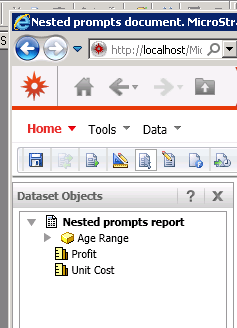
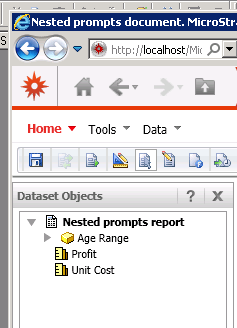
When users re-prompt a document that includes a dataset with a nested attribute object prompt and a metric object prompt, a metric chosen in the metric object prompt will be dropped and will not appear in the dataset objects.
 
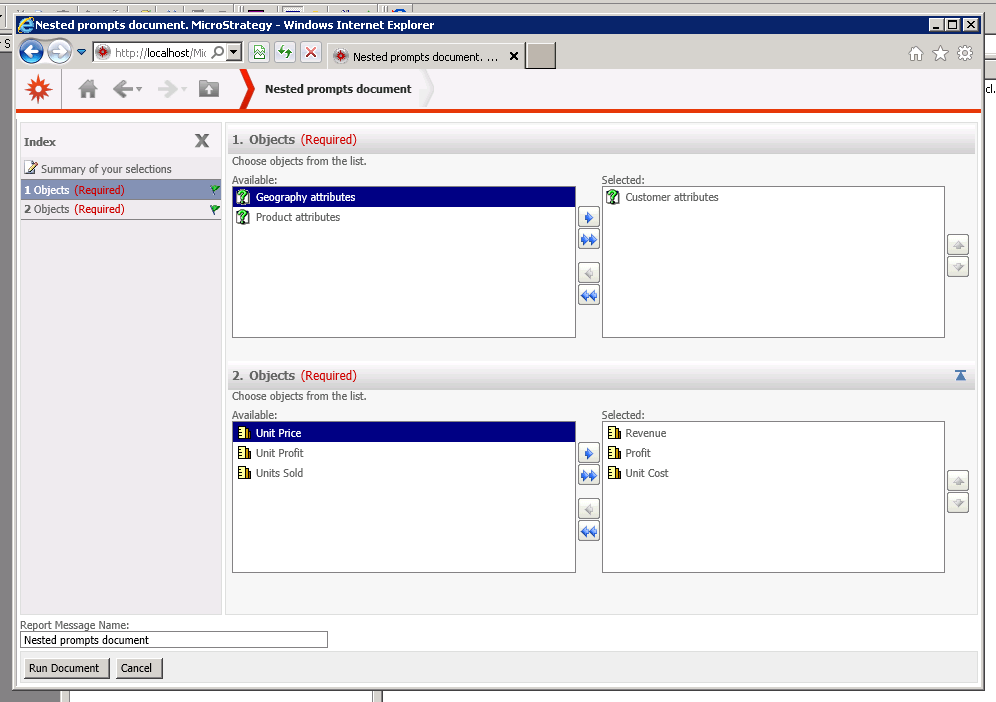
Metrics chosen in prompt:
ka02R000000kcXzQAI_0EM440000002CAb.jpeg

 
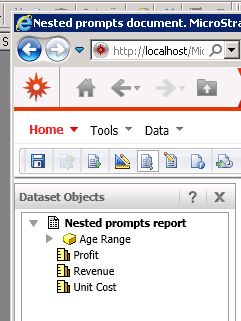
Metrics in dataset objects:

ka02R000000kcXzQAI_0EM440000002CAa.jpeg

 
STEPS TO REPRODUCE:
Follow the steps below to reproduce this issue in the Strategy Tutorial project.
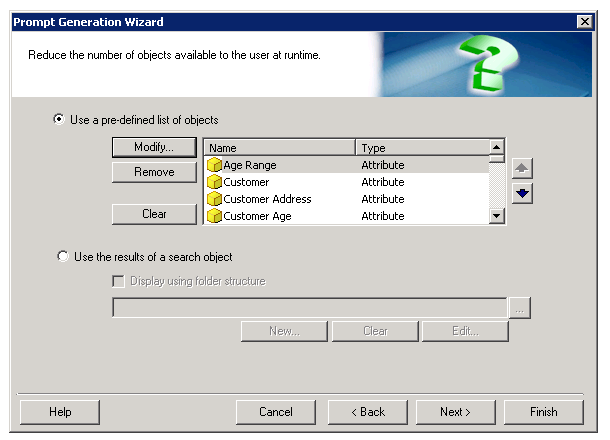
  •  Create an object prompt that contains all the attributes from the customer hierarchy.
ka02R000000kcXzQAI_0EM440000002CAY.jpeg
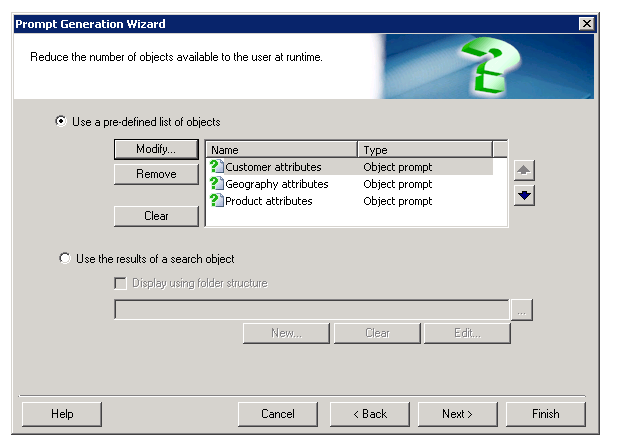
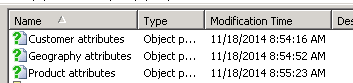
  • Create a similar object prompt for all attributes in the geography hierarchy and the product hierarchy so that there are a total of three object prompts.
ka02R000000kcXzQAI_0EM440000002CAe.jpeg
  • Create an object prompt using the Customer attributes prompt, the Geography attributes prompt, and the Product attributes prompt.
ka02R000000kcXzQAI_0EM440000002CAN.jpeg
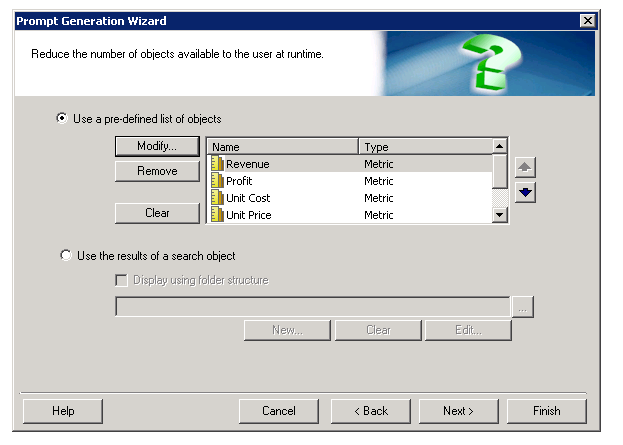
  • Create a new object prompt that contains several metrics.
ka02R000000kcXzQAI_0EM440000002CAL.jpeg
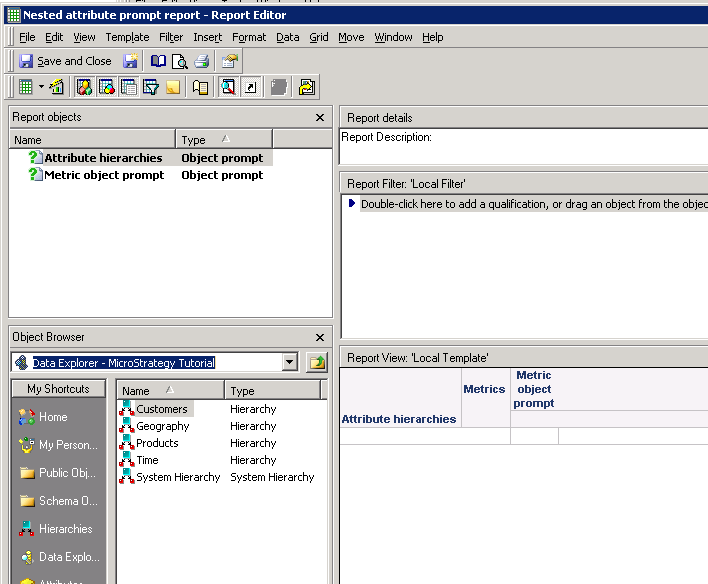
  • Create a report with the nested attribute prompt and the metric prompt.
ka02R000000kcXzQAI_0EM440000002CAd.jpeg
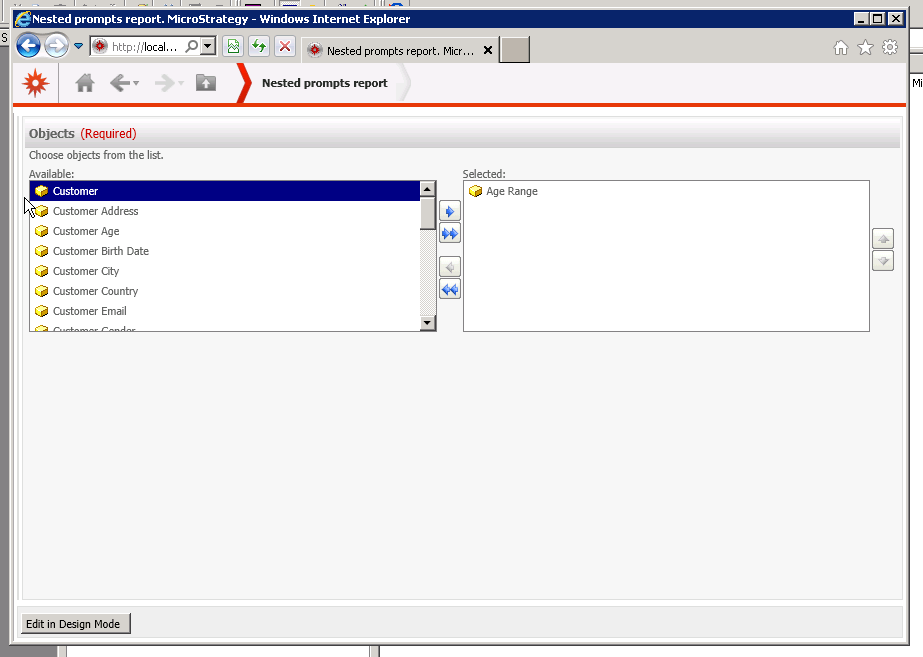
  • Create a document with this report as a dataset. In Strategy Web run the document. On the first screen, choose an attribute prompt and several metrics.
ka02R000000kcXzQAI_0EM440000002CAb.jpeg
  • On the second screen, choose an attribute(s).
ka02R000000kcXzQAI_0EM440000002CAO.jpeg
  • The first time the document is run, all of the objects chosen appear in the dataset objects.
ka02R000000kcXzQAI_0EM440000002CA7.jpeg
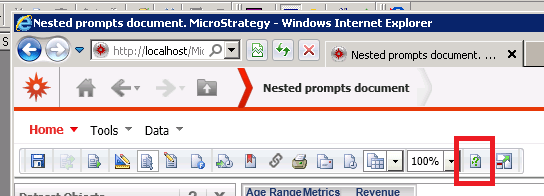
  • Re-prompt the document. Choose the same answers for the prompts.
ka02R000000kcXzQAI_0EM440000002CAc.jpeg
  • One of the metrics chosen in the metric object prompt does not appear in the dataset objects, even though it was chosen as a prompt answer.
ka02R000000kcXzQAI_0EM440000002CAg.jpeg

  
CAUSE:
This is an identified defect in Strategy Developer 9.4.1 in documents that contain a dataset with a nested attribute object prompt and a metric object prompt.
 
ACTION:
This issue has been addressed in 9.4.1 Hotfix 4.  Update to this Hotfix to receive this fix.
 
 
The Strategy Internal Reference Number for the issue discussed in this technical note is 986055.


Comment

0 comments

Details

Knowledge Article

Published:

April 13, 2017

Last Updated:

April 13, 2017