SUMMARY:
This issue has been classified as an enhancement by Strategy. The impact is limited to Strategy Web 9.x product when trying to link attributes from data import to a projects attributes. There is only one workaround available described in this document. A solution/code fix for this issue is not available in current releases but is being reviewed for a future Strategy release.
SYMPTOM:
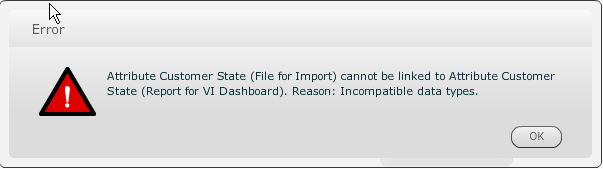
When trying to add a dataset to a VI dashboard through data import and then link an attribute on only the description form of the attribute the following error may appear:
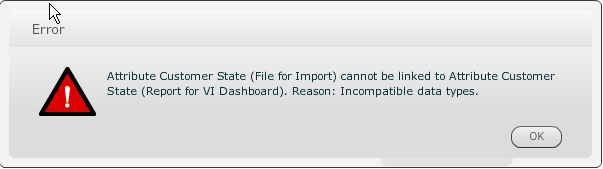
Attribute Customer State (File for Import) cannot be linked to Attribute Customer State (Report for VI Dashboard). Reason: Incompatible data types.
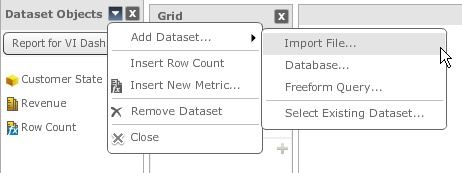
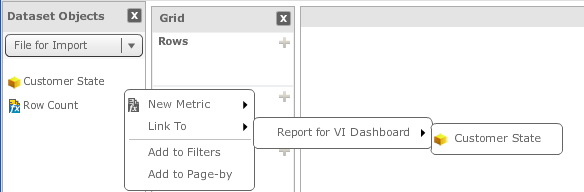
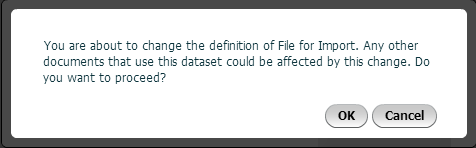
You are about to change the definition of File for Import. Any other documents that use this dataset could be affected by this change. Do you want to proceed?
CAUSE:
In Strategy 9.4.1 attributes cannot be linked solely on the description form as the ID form must also be present. An enhancement request has been submitted to allow attributes to be linked with only the description form of the attribute present in the imported dataset.
ACTION:
This issue has been resolved in Strategy 9.5.1. Please upgrade to take advantage of the fix.
