SYMPTOM
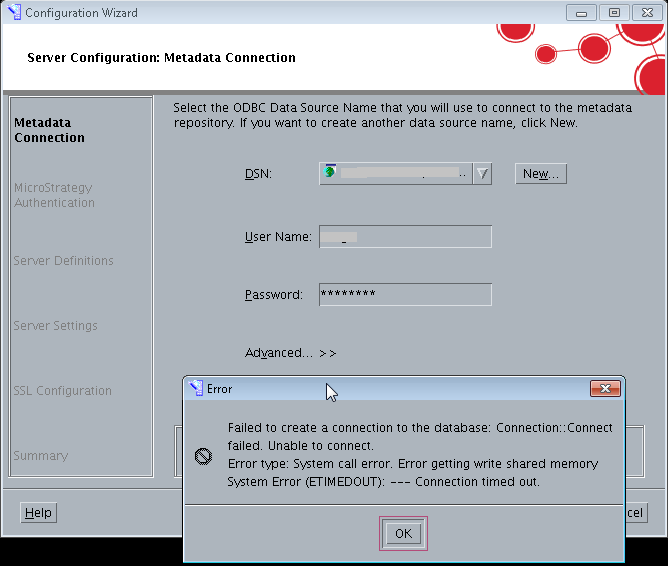
When configuring the Strategy Intelligence Server via Configuration Wizard, the following error is seen when attempting to connect to the Metadata:
Spoiler (Highlight to read)
Failed to create a connection to the database: Connection::Connect failed. Unable to connect.
Error type: System call error. Error getting write shared memory. System Error (ETIMEDOUT): ---Connection timed out.
Failed to create a connection to the database: Connection::Connect failed. Unable to connect.Error type: System call error. Error getting write shared memory. System Error (ETIMEDOUT): ---Connection timed out.
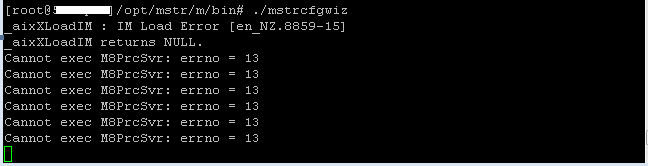
When trying to open the Configuration Wizard using command line, the following error is seen:
Spoiler (Highlight to read)
_aixXLoadIM: IM Load Error [en_NZ.8859-15]
_aixXLoadIM returns NULL.
Cannot exec M8PrcSvr: errno = 13
Cannot exec M8PrcSvr: errno = 13
Cannot exec M8PrcSvr: errno = 13
Cannot exec M8PrcSvr: errno = 13
Cannot exec M8PrcSvr: errno = 13
_aixXLoadIM: IM Load Error [en_NZ.8859-15]_aixXLoadIM returns NULL.Cannot exec M8PrcSvr: errno = 13Cannot exec M8PrcSvr: errno = 13Cannot exec M8PrcSvr: errno = 13Cannot exec M8PrcSvr: errno = 13Cannot exec M8PrcSvr: errno = 13
CAUSE
A possible cause is all binary files do not have permissions for executing as program.
ACTION
Run the command chmod +x to grant execution permission for all binary files within the Strategy installation.
