SUMMARY:
This issue has been classified as a defect by Strategy. The impact is limited to Strategy 9.4.1 product when attributes with blank values (not null) in a graph legend are displayed when using the option ‘suppress last level labels’ is selected. A solution/code fix for this issue is not available in current releases but is being reviewed for a future Strategy release.
SYMPTOM:
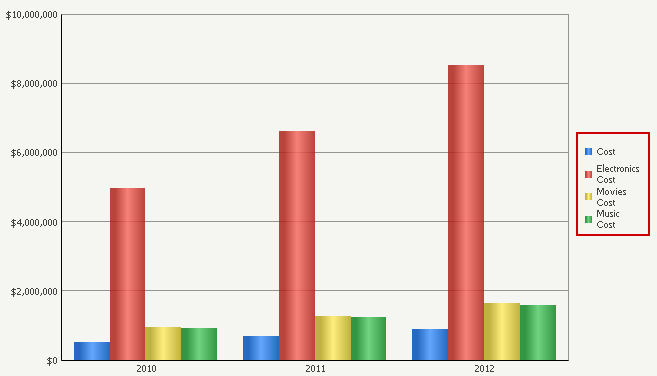
In Strategy 9.4.1, a graph legend displays the metric name for the series when an attribute element has a blank value (not null) even when the option ‘suppress last level labels’ is checked in the graph options. For example, consider a graph with the Category attribute and the Cost metric. The Category attribute has the following elements: Electronics, Movies, Music, and blank (no value). The graph legend will display the attribute elements and metric name, as shown below:
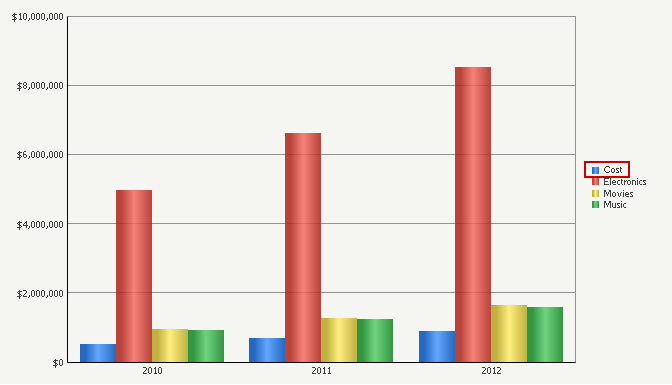
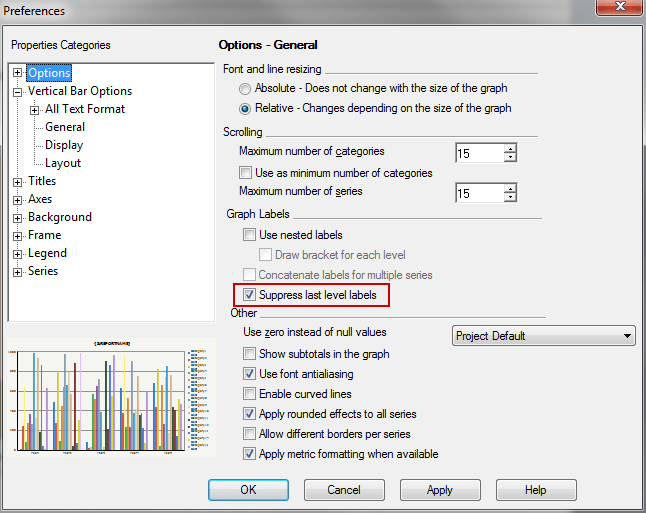
In Developer, checking the option ‘suppress last level labels’ in the graph options removes the metric name from all values except the blank value, like shown below:
STEPS TO REPRODUCE:
CAUSE:
This is a known issue in Strategy 9.4.1.
ACTION:
Currently this issue is still being reviewed for feasibility by our Technology team and it is not scoped for any upcoming scheduled Strategy release.
