EducationSoftwareStrategy.com
StrategyCommunity

Knowledge Base

Product

Community

Knowledge Base

TopicsBrowse ArticlesDeveloper Zone

Product

Download SoftwareProduct DocumentationSecurity Hub

Education

Tutorial VideosSolution GalleryEducation courses

Community

GuidelinesGrandmastersEvents
x_social-icon_white.svglinkedin_social-icon_white.svg
Strategy logoCommunity

© Strategy Inc. All Rights Reserved.

LegalTerms of UsePrivacy Policy
  1. Home
  2. Topics

KB221858: How to Return Last 5 Rows of a Grid in Report Using the Task API in MicroStrategy Web


Community Admin

• Strategy


This knowledge base article demonstrates how to build a URL via the Task API to return the last 5 rows of a grid in report in MicroStrategy Web.

SUMMARY:
In Strategy Web 9.4.1 it is possible to build a URL via the Task API to return the last 5 rows of a grid in report.
ACTION:        
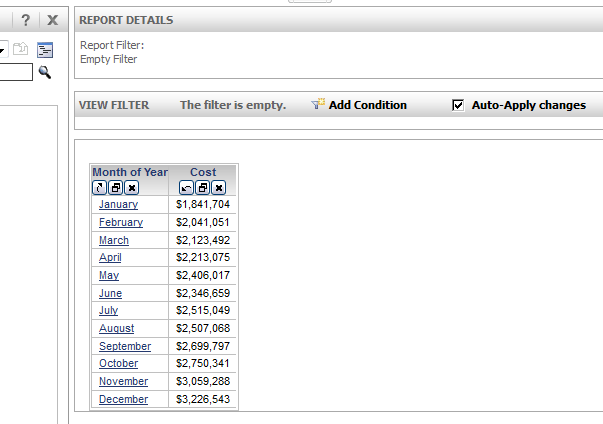
  1. Create a sample report with Month of Year and Cost
ka04W000000uG8pQAE_0EM440000002GRF.jpeg
  1. Go to TaskAdmin builder page:


http://<webserver>/MicroStrategy/ASP/TaskAdmin.aspx?pg=builder#

  1. Fill in required information as below:


Task ID= reportDataService

Task Envelope= html

Task Content Type= html[Default]

styleName = ReportGridStyle

startRow=8
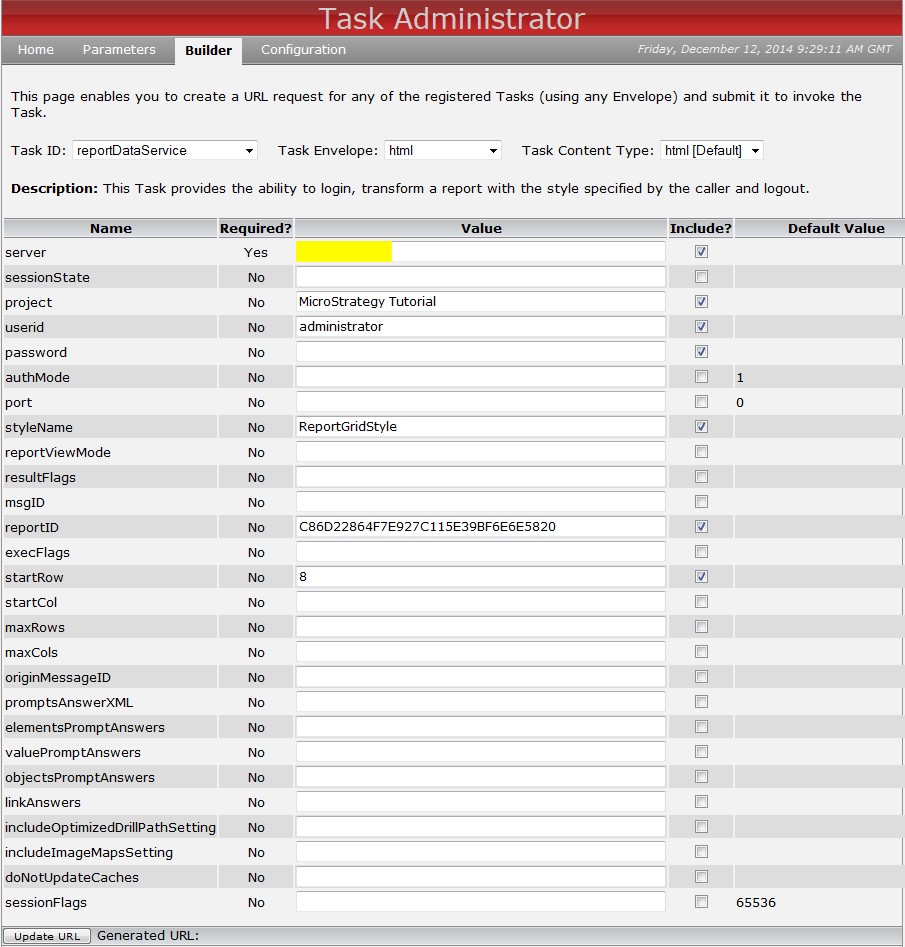
ka04W000000uG8pQAE_0EM440000002Hfv.png
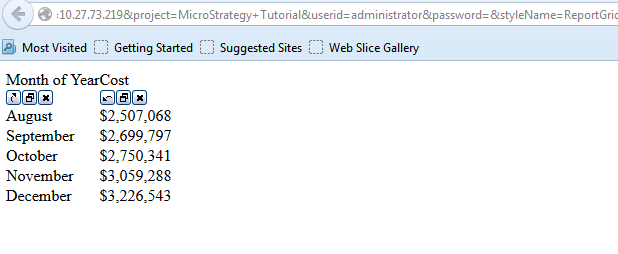
  1. Click on Update URL. Result returns as:
ka04W000000uG8pQAE_0EM440000002GRO.jpeg

In Step 3, there is an alternative way by replacing startRow and use the maxRows parameter instead:
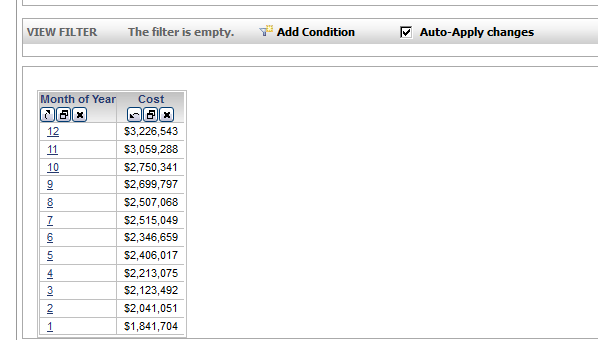
  1. Sort the grid in descending order first:
ka04W000000uG8pQAE_0EM440000002GRQ.jpeg
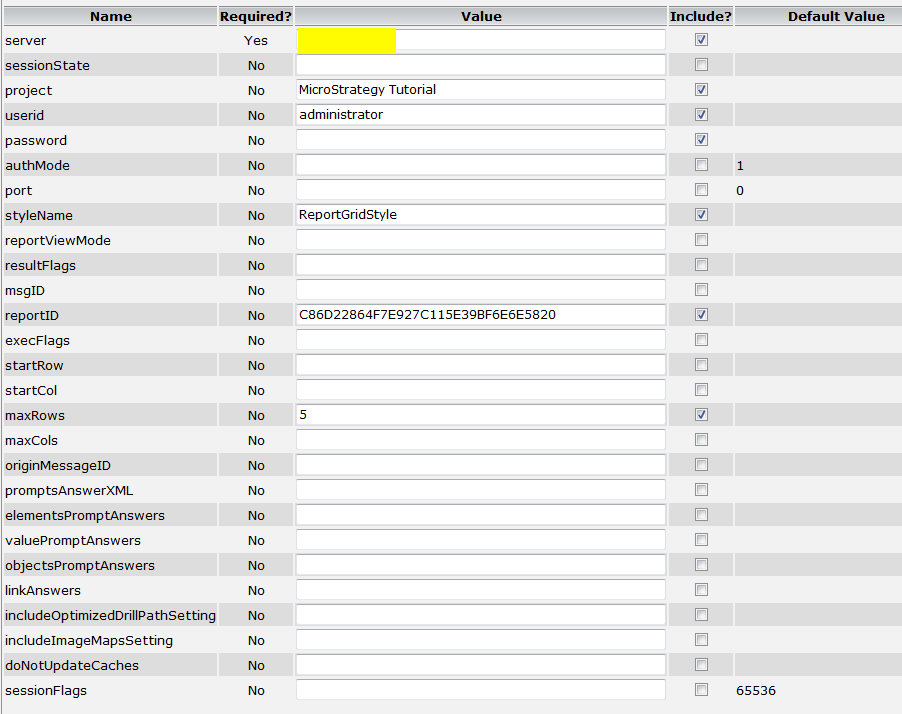
  1. Fill in required information as seen below and set maxRows = 5:
ka04W000000uG8pQAE_0EM440000002Hg0.png
  1. Click on Update URL, it’ll return the first 5 rows in descending order:​

For tomcat users, please refer to KB36022  on how to modify or remove the security constraint from the taskAdmin Servlet in Strategy Web Universal.


Comment

0 comments

Details

Knowledge Article

Published:

March 30, 2017

Last Updated:

March 31, 2017