SUMMARY
This issue has been classified as a defect by Strategy. The impact is limited to the Strategy 9.3.x-9.4.x product when linking to a standalone Derived Element object and modifying the Derived Element on the report level. This issue has been addressed in Strategy 9.4.1 Hotfix 7.
SYMPTOM
In Strategy 9.3.x-9.4.x, the user has created a standalone Derived Element object and applied formatting properties to the individual elements. If the user links a report to this Derived Element object and makes a modification such as deleting one of the elements, the formatting for all of the elements will be lost.
STEPS TO REPRODUCE
1. Create a new derived element object in Strategy Desktop with the Region attribute.
2. Create two new list elements: One called North with the Northeast and Northwest Regions and a Second called South with the South, Southeast, and Southwest Regions.
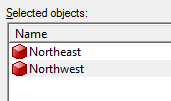
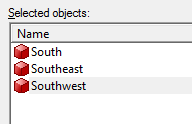
3. Click on North and select Change Element > Format > Header
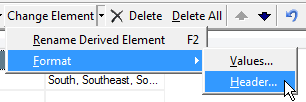
4. Set the headers to be bold and italicized
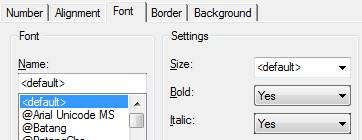
5. Create a report in Strategy Web with the Region attribute and the Profit metric
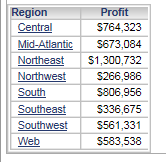
6. Right click the Region attribute and select Derived Elements
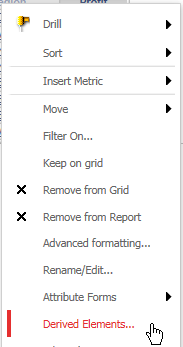
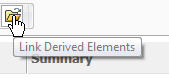
7. In the Derived Elements window, choose the option to Link Derived Elements and select the Derived Element created in step 1
8. The North element will display with the correct formatting.
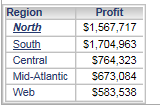
9. Right click the Region attribute and select Derived Elements
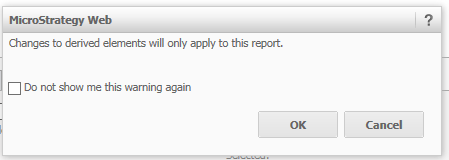
10. Delete the South element. Users will receive the message "Changes to derived elements will only apply to this report."
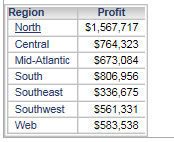
11. The formatting for the North element will revert back to default
CAUSE
This issue has been identified as a defect in Strategy 9.3.x-9.4.x where Derived Element objects lose formatting properties after being modified on the report level.
ACTION
This issue has been addressed in Strategy 9.4.1 Hotfix 7. Please update to this hotfix version to take advantage of the fix
TO LEARN MORE
KB218342: Strategy Analytics 9.4.1 Hotfix 7 Readme
KB34897: The Number tab for formatting Derived Elements in OLAP Cube reports is missing in Strategy Web 9.0.x
The Strategy Internal Reference Number for the issue discussed in this technical note is 997495
