SUMMARY:
This article covers aspects related to how Web Server URL used in History List Subscription notifications is definced and how to control it.
CONTENT:
When creating a History List subscription in Strategy Web, the option is available to send a delivery notification to a specified email address.
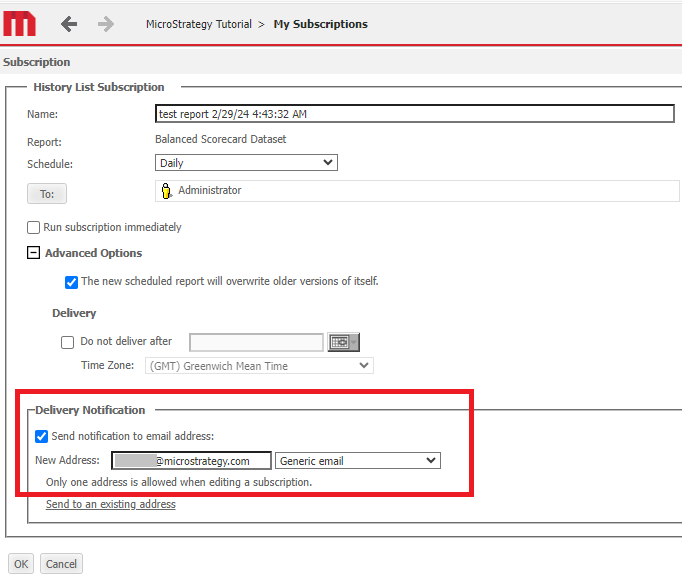
If the option is enabled, then after the History List subscription executes successfully, an email will be sent to the specified email address confirming that the delivery to History List was successful.
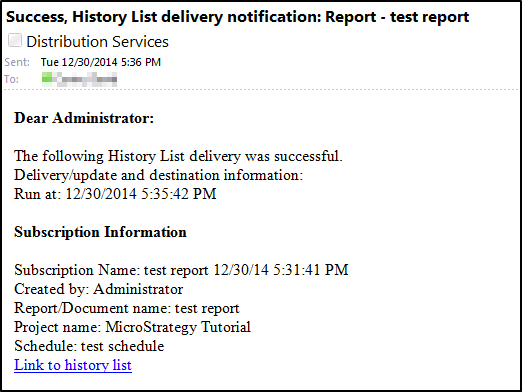
The "Link to history list" link will include a link to Strategy Web that goes straight to the History List results. This link is generated at the time when the subscription is created through Strategy Web, and uses the URL for the Strategy Web instance that the user was logged into when creating the subscription.
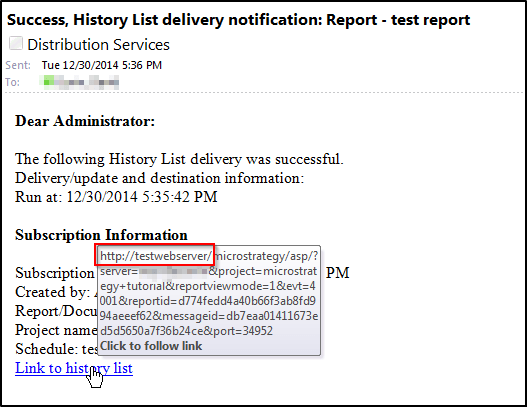
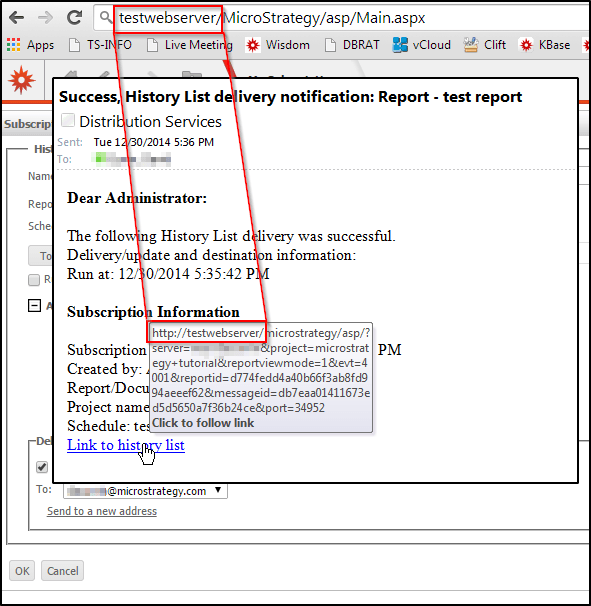
Thus, if multiple instances of Strategy Web are connected to the same Intelligence Server, and it is possible that not all instances will be accessible to the user when trying to click the "Link to history list" link in the delivery notification email, then it is necessary that the History List subscription be created while logged into the Strategy Web instance that will be accessible when clicking the "Link to history list" link.
For example, if one Intelligence Server has multiple instances of Strategy Web connected, and one instance is accessed through an internal network hostname (such as "http://testwebserver" in the above screenshots) and the other instance is accessed through a normal internet hostname (such as http://externalwebserver.Strategy.com), then if users will be accessing the History List messages from machines not connected to the internal network (which would not be able to resolve the internal hostname) the subscription should be created while logged into the http://externalwebserver.Strategy.com Web instance rather than the http://testwebserver Web instance.
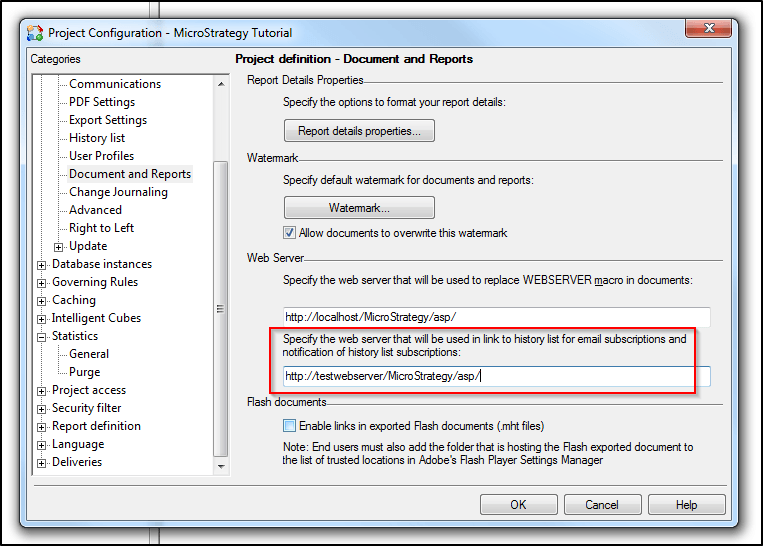
It is possible to override this behavior by manually specifying a Web instance to use in the "Project Configuration > Project definition > Document and Reports> Specify the web server that will be used in link to history list for email subscriptions and notification of history list subscriptions" dialog box - e.g. http://testwebserver/MicroStrategy/asp. This setting should always be applied regardless of which Web instance is used when creating the subscription.