SUMMARY
This document discusses a hanging behavior which is seen when duplicating only project related configuration objects with Project Duplication in Strategy 9.4.x.
SYMPTOM
When performing a Project Duplication and duplicating project related configuration objects, users notice that the duplication hangs. In the Project Duplication window, the hang appears to occur after finishing the property set objects.

CAUSE
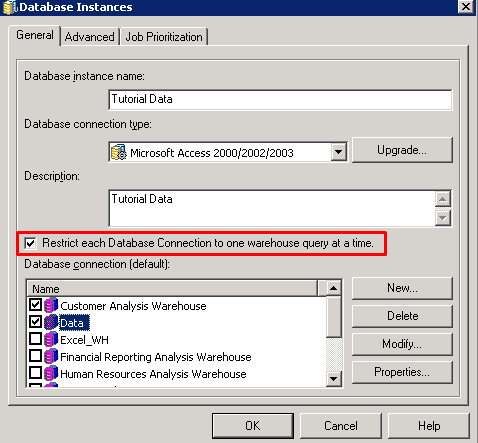
This is a known issue in Strategy 9.3.x - 9.4.x. The issue stems around the Database Instances warehouse connections when project related configuration objects are being duplicated. The hang will only occur when the database instance option “Restrict each Database Connection to one warehouse query at a time” is being used. When this option is used, it is possible to select more than one database connection for the database instance to use.
ACTION
Please contact Strategy Technical Support for an update on this issue.
WORKAROUND
Edit the database instance(s) which are used by the project being duplicated and uncheck the option to “Restrict each Database Connection to one warehouse query at a time”. The list of database instances associated with a project can be found by going into Project Configuration -> Database Instances from Strategy Eveloper as shown:

This issue is being tracked by internal reference number 992132
