SYMPTOM:
Removing an attribute from grid and drilling again to the removed attribute returns no data in Strategy 9.x.
STEPS TO REPRODUCE:
In the Strategy Tutorial project, follow the steps below to reproduce the issue:

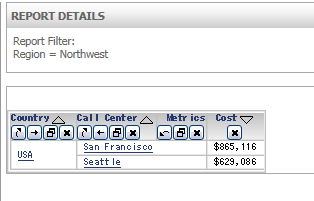


No data returned for this view. This might be because the applied filter excludes all data.
CAUSE:
This is expected behavior. When drilling within Report Objects, attribute filter is applied as a view filter as described in KB14989. Furthermore, the attribute filter definition contains attribute which is not on the grid, so the report returns no data for that view.
KB14989: An attribute element filter is not being applied but instead a view filter is created when drilling down on attribute elements in MicroStrategy Web 9.x
ACTION:
To avoid this symptom, display the Report Objects pane, right mouse click on the Attribute and select “Add to Grid”.

Now the Attribute filter is not in the View filter.

