EducationSoftwareStrategy.com
StrategyCommunity

Knowledge Base

Product

Community

Knowledge Base

TopicsBrowse ArticlesDeveloper Zone

Product

Download SoftwareProduct DocumentationSecurity Hub

Education

Tutorial VideosSolution GalleryEducation courses

Community

GuidelinesGrandmastersEvents
x_social-icon_white.svglinkedin_social-icon_white.svg
Strategy logoCommunity

© Strategy Inc. All Rights Reserved.

LegalTerms of UsePrivacy Policy
  1. Home
  2. Topics

KB226387: Data labels for line chart display overlapped with the line in VI dashboard in MicroStrategy Mobile 9.5 for iPad


Community Admin

• Strategy


Data labels for line chart display overlapped with the line in VI dashboard in MicroStrategy Mobile 9.5 for iPad. This is fixed in MicroStrategy Mobile 10 application for iPad.

SYMPTOM:
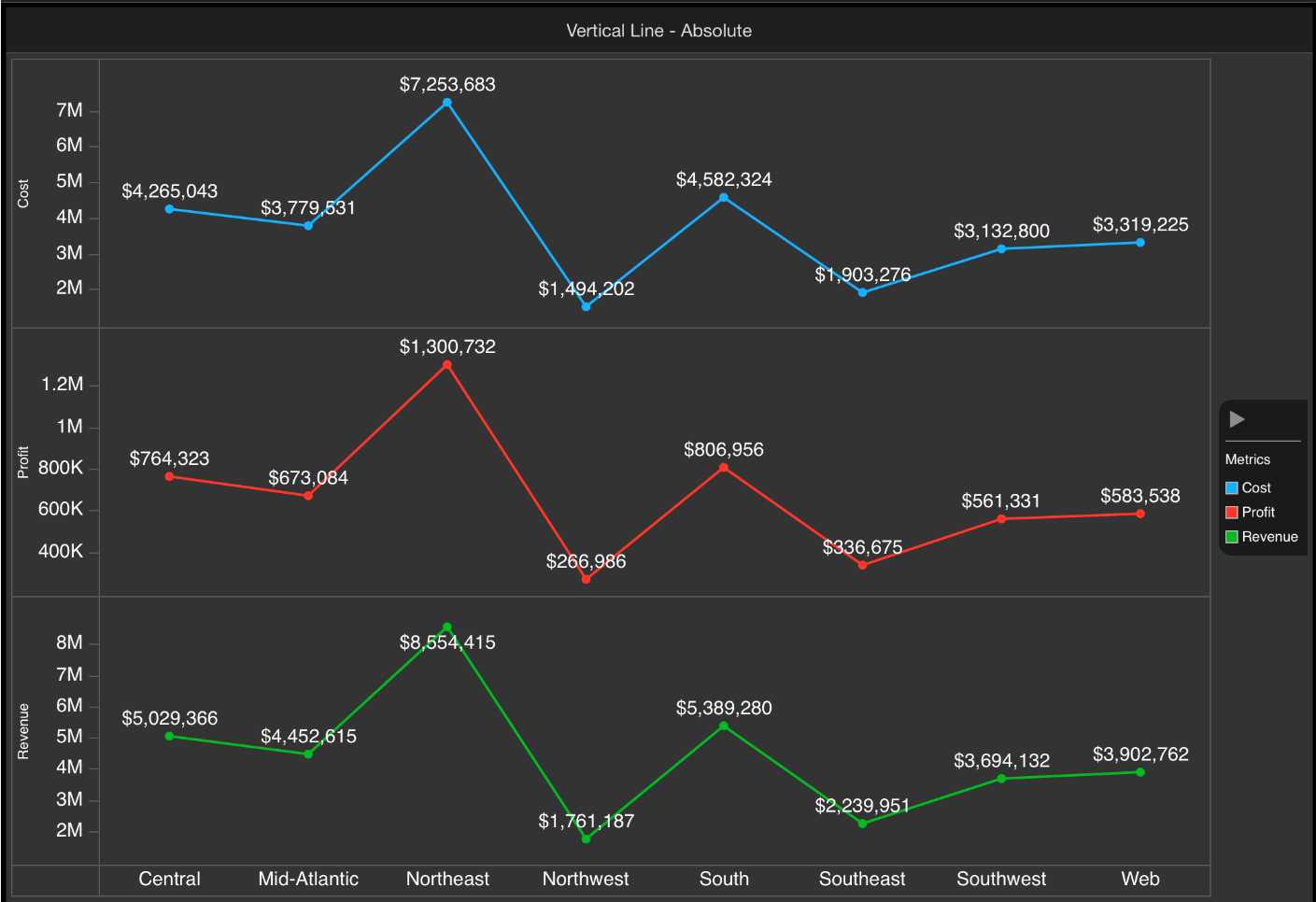
Data labels for line chart display overlapped with the line in VI dashboard in Strategy Mobile 9.5 for iPad
STEPS TO REPRODUCE:
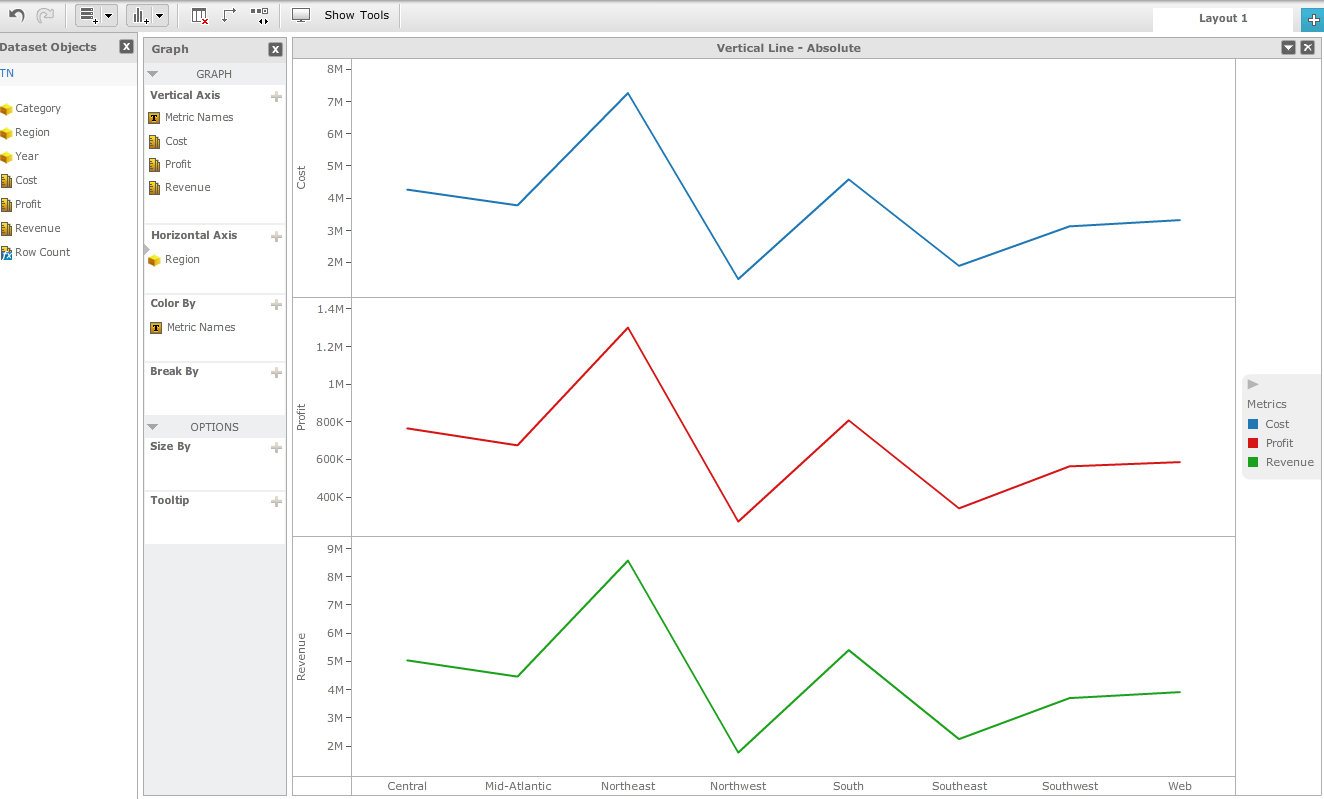
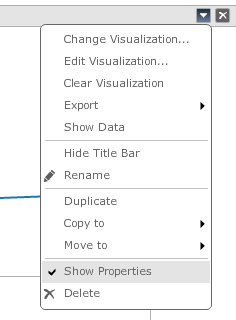
  • On web, create a VI dashboard and choose Vertical Line- Absolute.
  • Add metrics: Revenue, Profit and Cost to Vertical Axis. Add Region in Horizontal Axis.
ka04W000001MKkgQAG_0EM440000002A0V.jpeg
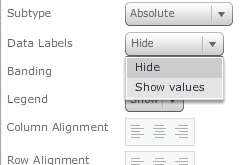
  • From “Show Properties”, enable Data Labels                                                                                                                                                                
ka04W000001MKkgQAG_0EM440000002A0T.jpeg
ka04W000001MKkgQAG_0EM440000002A0A.jpeg
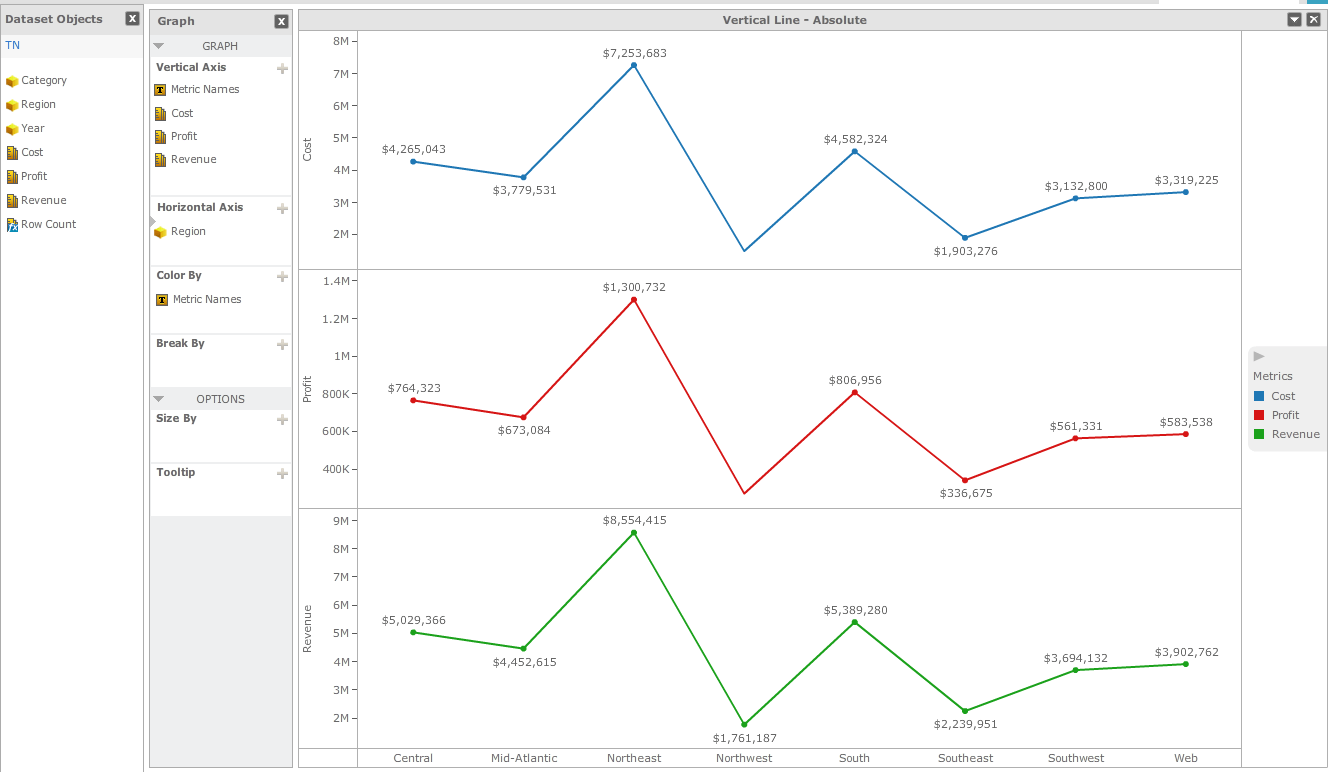
  • On Web, it displays correctly:
ka04W000001MKkgQAG_0EM440000002A0P.jpeg
  • On mobile, the data labels overlap with lines:
ka04W000001MKkgQAG_0EM440000002A0C.jpeg

CAUSE:
This is a known issue of Strategy Mobile 9.5 for iPad.
 
ACTION:
This is fixed in Strategy Mobile 10 application for iPad.


Comment

0 comments

Details

Knowledge Article

Published:

April 10, 2017

Last Updated:

April 10, 2017