EducationSoftwareStrategy.com
StrategyCommunity

Knowledge Base

Product

Community

Knowledge Base

TopicsBrowse ArticlesDeveloper Zone

Product

Download SoftwareProduct DocumentationSecurity Hub

Education

Tutorial VideosSolution GalleryEducation courses

Community

GuidelinesGrandmastersEvents
x_social-icon_white.svglinkedin_social-icon_white.svg
Strategy logoCommunity

© Strategy Inc. All Rights Reserved.

LegalTerms of UsePrivacy Policy
  1. Home
  2. Topics

KB226671: Password not kept in the app after password change in Microstrategy Mobile 9.4.1 Update 6


Community Admin

• Strategy


When using MicroStrategy Mobile 9.4.1 Update 6 and 9.5, the password is not stored in the app after the password changes, and user is prompted to log in every time.

SYMPTOM:
When using Strategy Mobile 9.4.1 Update 6, the password is not stored in the app after the password changes, and user is prompted to log in every time.
 
STEPS TO REPRODUCE:
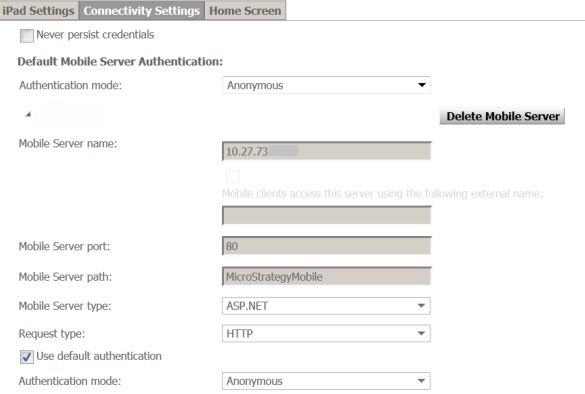
  • Create a mobile configuration with standard authentication for the Intelligence Server and anonymous for the Mobile Server.
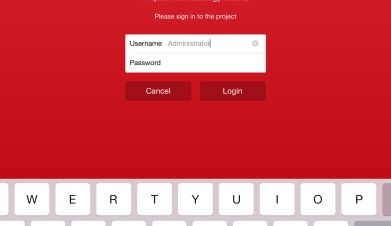
ka04W000000OfUgQAK_0EM440000002A0D.jpeg
  • Apply the URL on mobile device.
  • User is prompted to enter credentials.
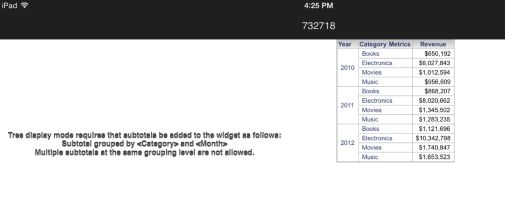
  • Enter Administrator and see the home page document.
ka04W000000OfUgQAK_0EM440000002A0B.jpeg
  • Kill the app and re-enter. User is not re-prompted as expected.
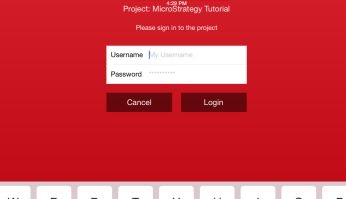
ka04W000000OfUgQAK_0EM440000002A0E.jpeg
  • In Developer, change the password of the Administrator
  • Kill the app and re-enter. User is prompted to enter credentials.
  • After the document is rendered, kill app and re-enter. User is still prompted to enter login.
ka04W000000OfUgQAK_0EM440000002A09.jpeg
  • Try step 8 many times, user is always prompted to enter credentials.

 
CAUSE:
This is a known issue with Strategy Mobile 9.4.1 Update 6 and 9.5.
 
ACTION:
This issue has been addressed in Strategy Mobile 10. Update the app to that version or to take advantage of the fix.
 
The Strategy Internal Reference Number for the issue discussed in this technical note is 1013657.


Comment

0 comments

Details

Knowledge Article

Published:

April 7, 2017

Last Updated:

April 7, 2017