This technical note outlines an issue experienced when attempting to add a Strategy Health Agent to a Strategy Health Center Repository.
When attempting to add a Strategy Health Agent to a Strategy Health Center System, the following error is returned:
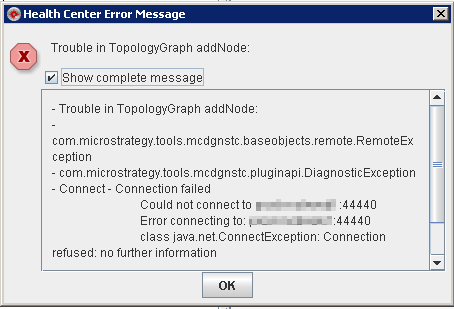
Trouble in TopologyGraph addNode:
- Trouble in TopologyGraph addNode:
- com.Strategy.tools.mcdgnstc.baseobjects.remote.RemoteException
- com.Strategy.ctools.mcdgnstc.pluginapi.DiagnosticException
- Connect - Connection failed
            Could not connect to <machine_name>:44440
            Error connecting to <machine_name>:44440
            class java.net.ConnectionException: Connection refused: no further information

            Failed to connect to <machine_name>:44440
This is due to a network issue. Either the Strategy Health Agent machine or the port designated in the Strategy Health Agent process are blocking any incoming requests. To verify this is the issue, one can use the telnet command on Windows or Linux/UNIX to see if the port is open:
telnet machine_name port#
An example of an unsuccessful run will display the following error message:

Follow up with your network administrator to further troubleshoot this issue.
