EducationSoftwareStrategy.com
StrategyCommunity

Knowledge Base

Product

Community

Knowledge Base

TopicsBrowse ArticlesDeveloper Zone

Product

Download SoftwareProduct DocumentationSecurity Hub

Education

Tutorial VideosSolution GalleryEducation courses

Community

GuidelinesGrandmastersEvents
x_social-icon_white.svglinkedin_social-icon_white.svg
Strategy logoCommunity

© Strategy Inc. All Rights Reserved.

LegalTerms of UsePrivacy Policy
  1. Home
  2. Topics

KB229563: Certain users do not appear in the Shared recipient list when creating an email subscription in MicroStrategy 10.x.


Community Admin

• Strategy


This document describes an issue that can occur in Distribution Services 10.x whereby users are unable to see other users in the Shared Recipient List when creating email subscriptions.

SUMMARY:
This document describes an issue that can occur in Distribution Services 10.x whereby users are unable to see other users in the Shared Recipient List when creating email subscriptions.
 
DESCRIPTION:
When creating an email subscription in Strategy Web 10.x, users are unable to see another user or users in the list of available recipients for the subscription in the Shared Recipient List.
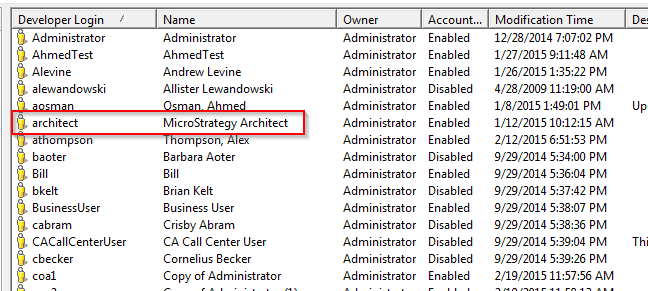
For example, notice that the Strategy Architect user seen in the user editor does not show up in the Shared Recipient List.
ka04W000001MKrYQAW_0EM4400000029Gw.jpeg


ka04W000001MKrYQAW_0EM4400000029H0.jpeg

CAUSE:
For a user to appear in the Shared Recipients List the following requirements must be met:
 

  • The user must have a physical address configured under Delivieries->Addresses in the user editor
ka04W000001MKrYQAW_0EM4400000029Gs.jpeg
  • The user who is creating the subscription must have "View" permissions to the user who is being subscribed. So in this example, the user creating the subscription would need to have “View” permissions to the Strategy Architect user.
    If either of these requirements are not met the user will not show up in the Shared Recipients List.

 
ACTION:
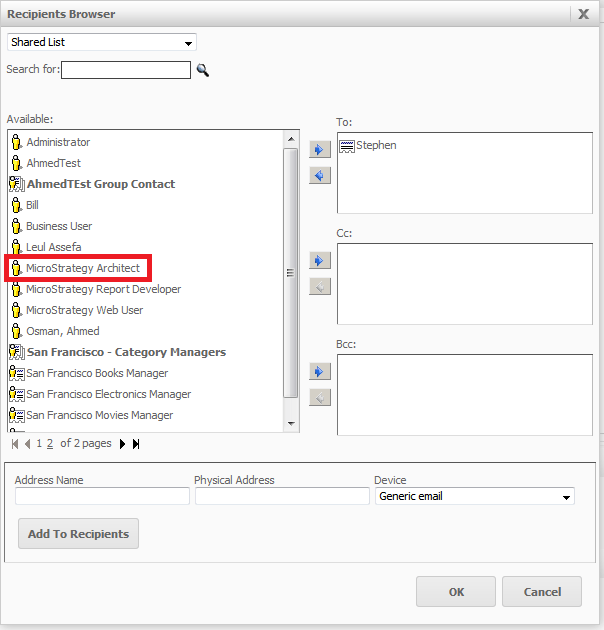
Configure a physical address for the user who is to be subscribed and confirm that the user creating the subscriptions has "View" permissions to the user who is to be subscribed. After doing this the user will show up in the list of Shared recipients as desired.
ka04W000001MKrYQAW_0EM4400000029Gu.jpeg


Comment

0 comments

Details

Knowledge Article

Published:

April 5, 2017

Last Updated:

April 5, 2017