SUMMARY:
This technical note describes "Error: GTK version 2.8.0 required" and "Installation of package 'RGtk2' had non-zero exit status" errors that can be encountered when installing the R Integration Pack on Linux. This error is encountered due to the "gtk2-deve" package not being available.
SYMPTOM:
Per the instructions in KB201798: How to install R Integration Pack on Linux in MicroStrategy 9.x?, when installing the Strategy 9.4.1 R Integration Pack on Linux, part of the procedure involves installing the "StrategyR" package through the R console. This package has several dependency packages that must be installed first (and will be installed automatically when performing the "install.packages("StrategyR")" command). These dependency packages have system library dependencies that must be installed before the packages will install successfully. As discussed in the R Integration Pack Technical Note, one such dependency is the GTK+/GTK2 package. The installation procedure for the StrategyR dependency packages will check for the presence of the GTK libraries on the system, and fail the installation procedure if the libraries cannot be found.
(in R Console)
install.packages("StrategyR")
(in R Console)
install.packages("RGtk2")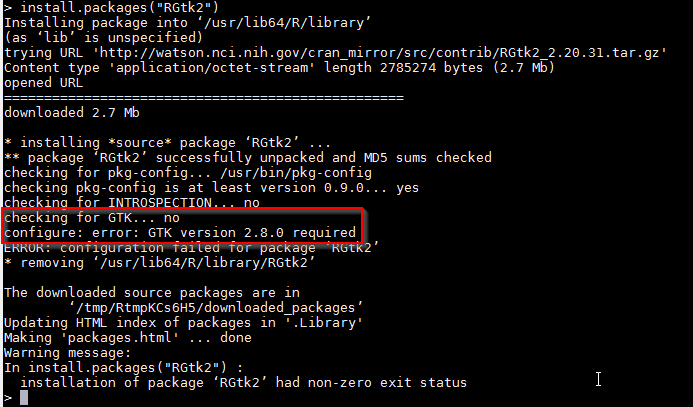
In some situations, the installation procedure may fail with an error message about GTK not being found even when the GTK library has already been installed. The presence of GTK can be verified on an RHN-enabled system with the command:
yum list gtk2

CAUSE:
The installation of dependent package "RGtk2" may also require the presence of the "gtk2-devel" package on the system. This package should be available on any repository that provides the regular "gtk2" package.
yum list gtk2-devel

ACTION:
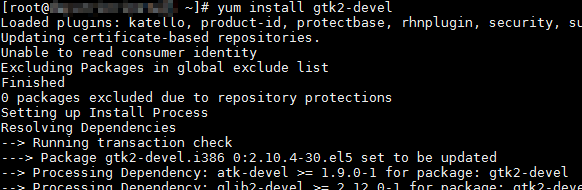
After installing the "gtk2-devel" package, the installation for the "RGtk2" R package (and thus the "StrategyR" package) can pass the check for GTK and continue with the installation.
yum install gtk2-devel
(in R Console)
install.packages("RGtk2")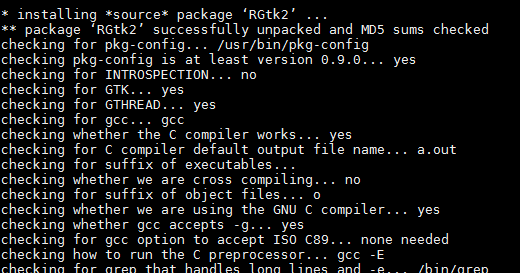
Third Party Software Installation Warning:
The third-party product(s) discussed in this technical note is manufactured by vendors independent of Strategy. Strategy makes no warranty, express, implied or otherwise, regarding this product, including its performance or reliability.
