SUMMARY:
This technical note explains what user privileges are required in Strategy Analytics Enterprise 9.x & 10.x in order to access and modiy the Project Status.
QUESTION:
What privileges does a user need in order to be able to modify the Project Status?
ANSWER:
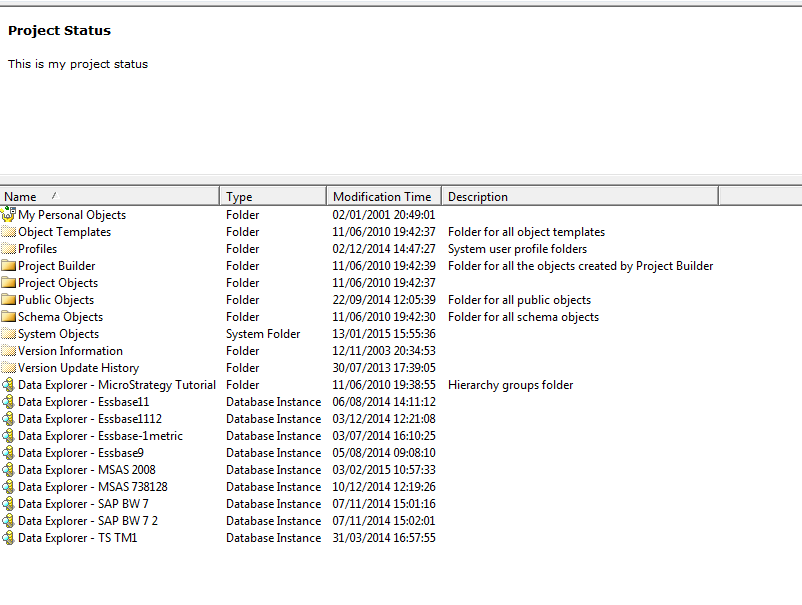
The Project Status is displayed in Strategy Web and Developer project homepage. This is how it looks in Strategy Developer 9.x & 10.x:
Project Status can be modified from Strategy Developer, by accessing Administration menu > Projects > Project Status:
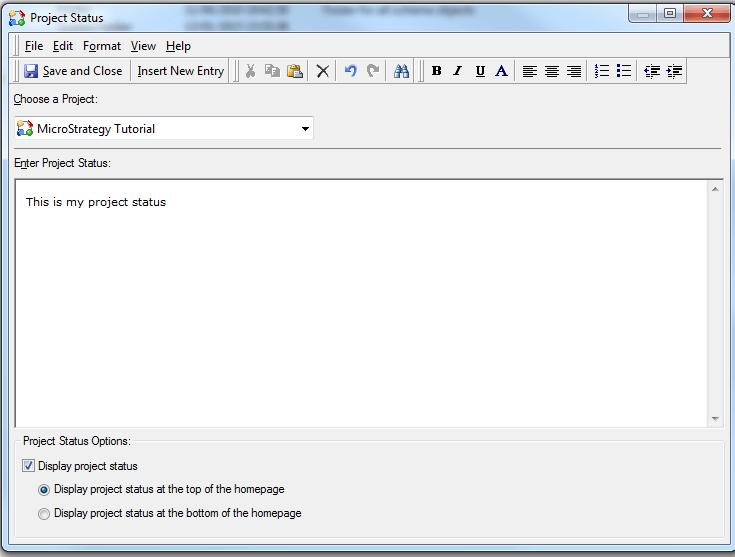
In order for a user to be able to modify the Project Status, the following privileges have to be granted through the User Manager:
1. Edit Project Status.
2. Either Bypass all objects security access checks or Bypass schema objects security access checks.
The fact that other privileges are needed apart from "Edit Project Status" is a known issue in Strategy Developer 9.x & 10.x and is currently under investigation.
The Strategy Internal Reference number for the issue discussed in this technical note is 987189.
