SUMMARY:
In Strategy, a Database instances can be created through the Data Import feature in Strategy Web. When creating the DSN Database Connection in Web, the database connection and database login are given default names, whereas outside of this feature the user specifies these values.
Different properties of a database instance, including Data Import database instances, can be modified manually through the Database Instance Editor in Developer, including the database connection name and login information. Command Manager scripts are available to modify different aspects of a database connection, database instance, and database login. However, certain commands do not work for database instances created through Data Import.
SYMPTOM:
When attempting to run one of the following commands:
ALTER DBCONNECTION
ALTER DBLOGIN

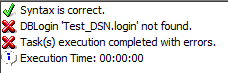
DBConnection ‘XXXXX.conn' not found.
DBLogin 'XXXXX.login' not found.

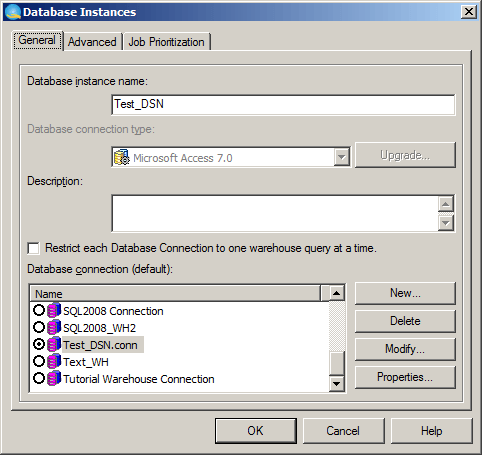

ALTER DBCONNECTION "Test_DSN.conn" NAME "Test_Connection";
ALTER DBLOGIN "Test_DSN.login" NAME "Test_Login";
