EducationSoftwareStrategy.com
StrategyCommunity

Knowledge Base

Product

Community

Knowledge Base

TopicsBrowse ArticlesDeveloper Zone

Product

Download SoftwareProduct DocumentationSecurity Hub

Education

Tutorial VideosSolution GalleryEducation courses

Community

GuidelinesGrandmastersEvents
x_social-icon_white.svglinkedin_social-icon_white.svg
Strategy logoCommunity

© Strategy Inc. All Rights Reserved.

LegalTerms of UsePrivacy Policy
  1. Home
  2. Topics

KB233490: "Drill Anywhere" in reports is not available in MicroStrategy Mobile iOS 9.4.1 U5 and above when the mobile device is connected to an External Display or AirPlay


Community Admin

• Strategy


This document discusses about a known issue that "Drill Anywhere" in reports is not available in MicroStrategy Mobile iOS application when the mobile device is connected to an External Display or AirPlay.

Summary

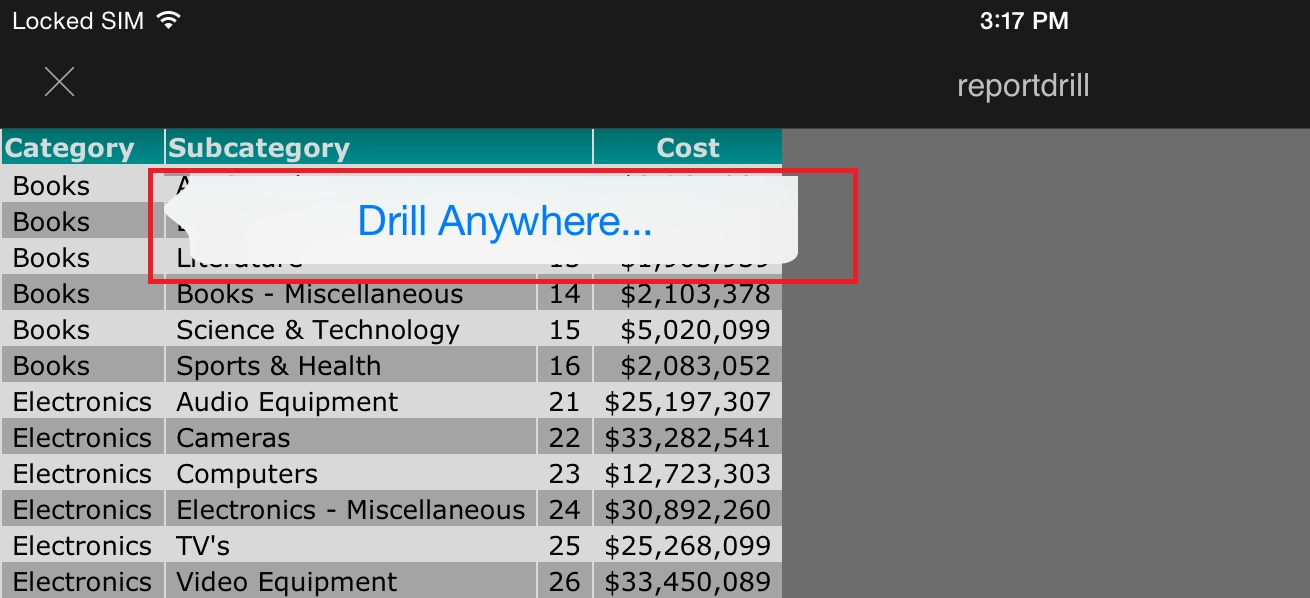
Strategy Mobile 9.4.1 enables users with drilling capabilities on reports viewed in a mobile device as shown below:
ka04W000000OfnhQAC_0EM440000002A01.jpeg

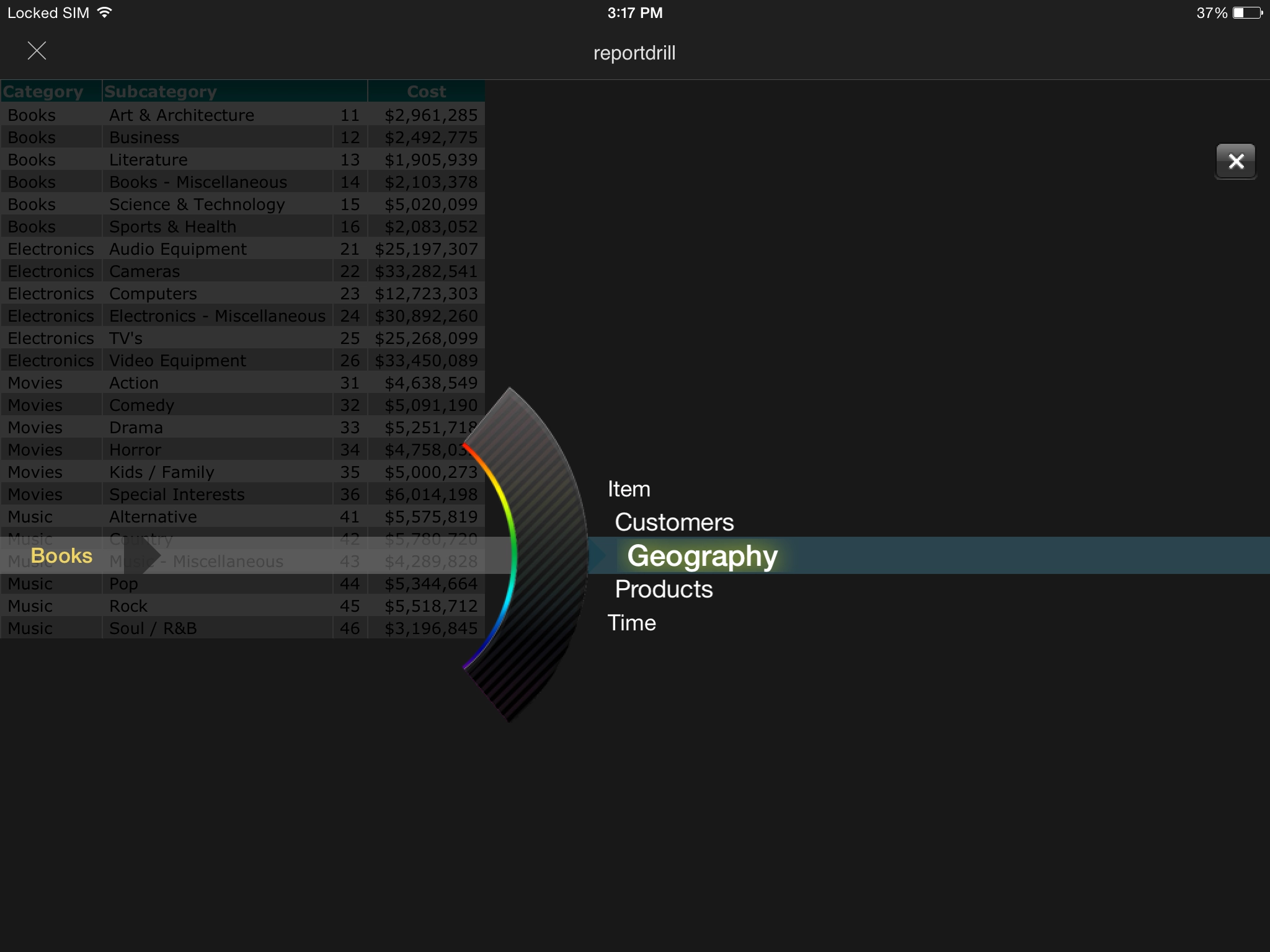
Selecting "Drill Anywhere" will show the user a choice of attributes to continue the analysis:
ka04W000000OfnhQAC_0EM4400000029zz.jpeg


Symptom

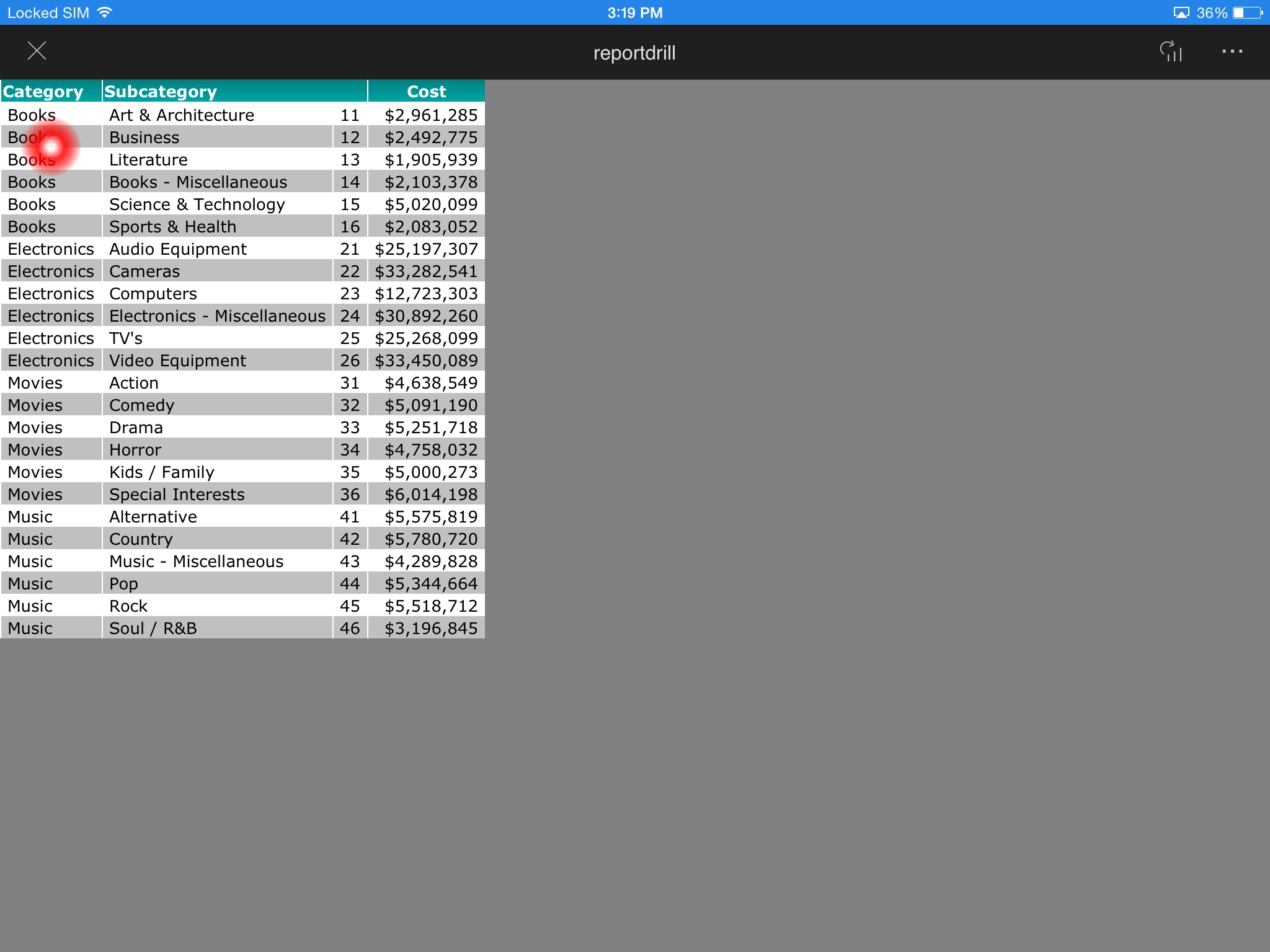
The option to "Drill Anywhere" will not show when using a Strategy Mobile device with 9.4.1 Update 5 or later projected on an external display using AirPlay. A red pointer will be shown instead as shown below:
ka04W000000OfnhQAC_0EM440000002A04.jpeg

In the image above, AirPlay has been enabled in the device and has been set to "Mirror" as shown below:

ka04W000000OfnhQAC_0EM4400000029zk.jpeg

Cause

This is a known issue with Strategy Mobile 9.4.1 U5 and later when using Airplay. 
 

Action

Contact Strategy Technical Support for an update on this known issue. 
 

Workaround

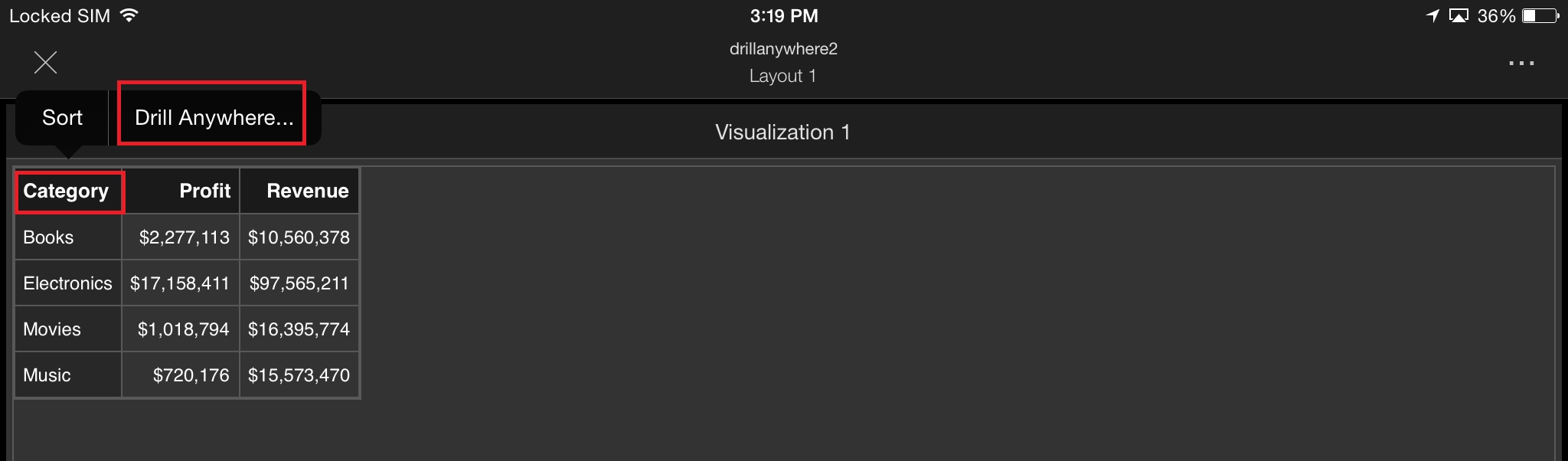
Strategy Mobile offers drilling capabilities in Visual Insight as well. Visual Insight drilling will work in combination with AirPlay as shown below:
1. In a Visual Insight Dashboard, configure a grid visualization that looks similar to the desired report.
2. Execute in Strategy Mobile. Tap and Hold on the attribute header where the drilling will be performed.
3. Select "Drill Anywhere" and continue as normal as demonstrated below:
ka04W000000OfnhQAC_0EM440000002A03.jpeg

 
The Strategy Internal Reference Number for the issue discussed in this technical note is 1014618


Comment

0 comments

Details

Knowledge Article

Published:

April 11, 2017

Last Updated:

July 21, 2017