SUMMARY:
This issue has been classified as a defect by Strategy. The impact is limited to Strategy Architect 9.x, when attribute names created in Architect using automatic column recognition. A possible workaround is adding a suffix to the column name. A solution/code fix for this issue is not available in current releases but is being reviewed for a future Strategy release.
SYMPTOM:
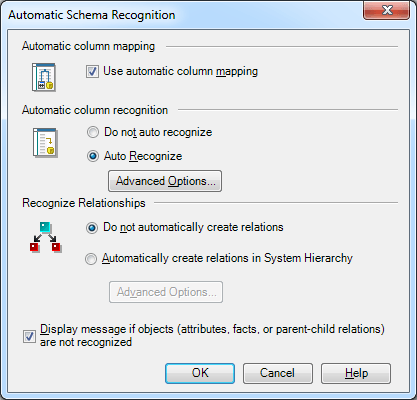
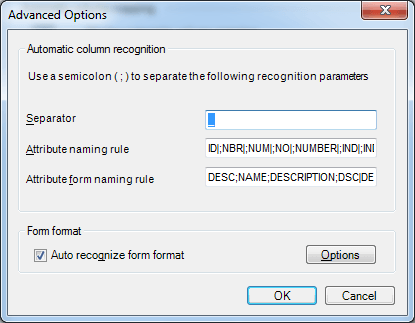
In Strategy Architect 9.x, attributes are sometimes misspelled because strings in the attribute naming rule field are removed from the column name. For example, “BidValue” becomes “Bvalue” because the string “id”, which is in the naming rule, is removed from the column name.
STEPS TO REPRODUCE
In this example, a test table was created in Strategy Tutorial Access warehouse and was used int he Strategy Tutorial project.

ACTION:
Currently this issue is still being reviewed for feasibility by our Technology team and it is not scoped for any upcoming scheduled Strategy release.
WORKAROUND:
A possible workaround is adding a suffix to the column name. For example “Bidding_No” becomes “Bidding”, so the “id” isn’t removed in this case.
