EducationSoftwareStrategy.com
StrategyCommunity

Knowledge Base

Product

Community

Knowledge Base

TopicsBrowse ArticlesDeveloper Zone

Product

Download SoftwareProduct DocumentationSecurity Hub

Education

Tutorial VideosSolution GalleryEducation courses

Community

GuidelinesGrandmastersEvents
x_social-icon_white.svglinkedin_social-icon_white.svg
Strategy logoCommunity

© Strategy Inc. All Rights Reserved.

LegalTerms of UsePrivacy Policy
  1. Home
  2. Topics

KB234437: "Error fetching the list of reports from the external source" display when access Salesforce.com reports in Microstrategy Web Data Import


Community Admin

• Strategy


This knowledge base article describes that the error "Error fetching the list of reports from the external source" when importing data from Salesforce can indicate a connectivity issue between Intelligence Server and Salesforce.

SYMPTOM
In Strategy Web 9.3.0 and higher, when fetching report from Salesforce.com using data import feature, user get following error message:


Uh-Oh, Error fetching the list of reports from the external source
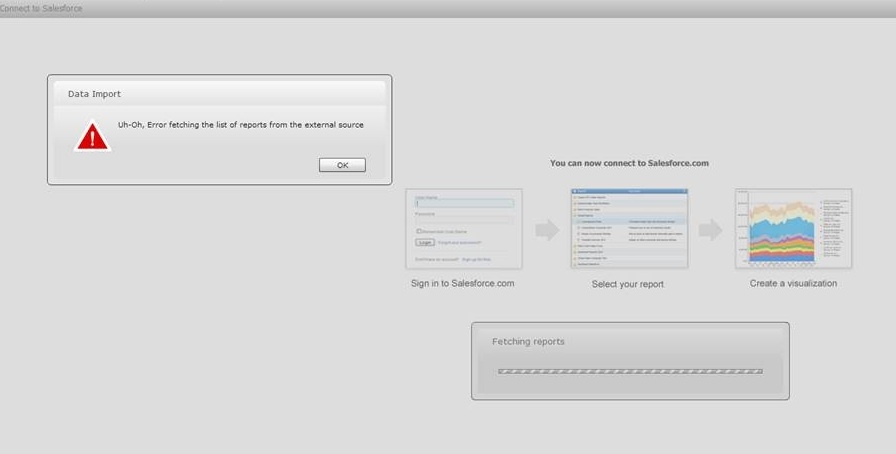
 
As shown in below image:

ka04W00000147vjQAA_0EM4400000025iM.jpeg

 
For more information regarding configuring Salesforce.com for importing data, refer to below Technical Note:
KB42459: How to import data from Salesforce in MicroStrategy Web 9.4.1 and 9.5.x
 
In DssErrors log, entries like below could be found: 


[Database Classes][Error] mstr-rest: post() failed. HTTP error encountered while trying to access a REST service. 
Error type: XQuery Engine error. couldn't connect to host. Connection String: XQUERY;SERVER_URL=https://ap1.salesforce.com;MULTITHREAD;. Connection String: XQUERY;SERVER_URL=https://ap1.salesforce.com;MULTITHREAD;.

[Kernel][Error][0x8004180E] Error in accessing information from the external data source (Database Instance: null, Error: mstr-rest: post() failed. HTTP error encountered while trying to access a REST service. Error type: XQuery Engine error. couldn't connect to host. Connection String: XQUERY;SERVER_URL=https://ap1.salesforce.com;MULTITHREAD;.)


CAUSE:
One of the possible cause for this issue is firewall in Intelligence Server machine blocks the communication between Intelligence Server and Salesforce.
 
ACTION:
Allow communication between Intelligence Server and Salesforce.com in Firewall.


Comment

0 comments

Details

Knowledge Article

Published:

June 13, 2017

Last Updated:

January 31, 2018