SUMMARY
Sorting is not correctly applied to a data displayed in Information Window embedded in an ESRI map widget in Strategy 9.4.x.
SYMPTOM
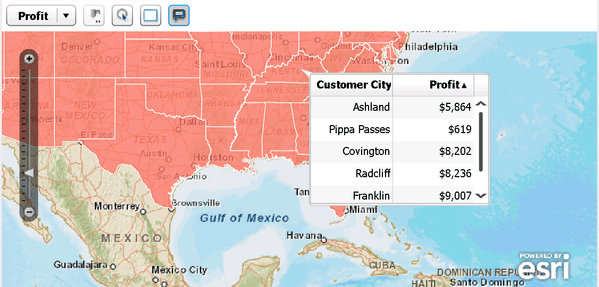
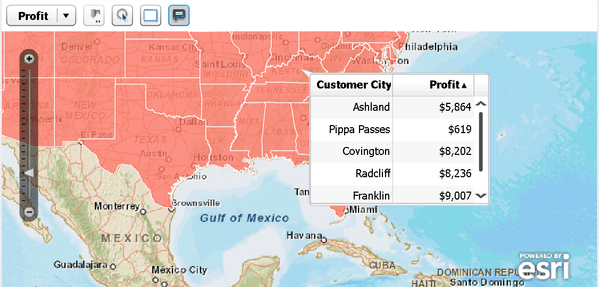
A user has created an ESRI map using area maps. If the user clicks an area, an information window will display. If the user tries to sort the information window by clicking the metric header, the sorting will not be correct:
STEPS TO REPRODUCE
1. In the Strategy Tutorial project, create a report with the Customer State and Customer City attributes and the Profit metric
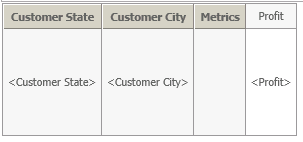
2. Create a document and add the report as a grid
3. Configure the grid to run as an ESRI map
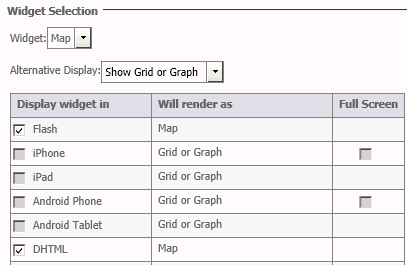
4. In the map properties, select Show areas, for the attribute select Customer State and for the Shape File select US States Names

5. Run the document in Flash mode
6. Click a state and the information window will display
7. Click the Profit metric header on the information window to sort the metric values. The metric values will not sort correctly.
CAUSE
This is a known defect in Strategy 9.4.x.
UPDATE / WORK AROUND:
In Strategy 10.x a user can apply a sort on the metric before executing the document in presentation mode. This will correctly display the metric in the tooltip. NOTE: The tool tip is not interactive like the flash ESRI Map.
TO LEARN MORE
KB45064: How to activate Cloud based ESRI for Strategy Analytics Enterprise 9.4.1.
KB46526: What are the connection requirements and data flow for the ESRI Maps in Strategy Web
KB46182: How to set up ESRI and Google Maps when updating to Strategy Analytics Enterprise 9.4.1
000001746
