Strategy 9s supports Usher as an authentication method. This new method of authentication uses Usher QR codes that are scanned by the Usher Mobile Application to grant access to users. The Strategy Application, uses the session information in the URL to successfully request and render the QR codes to grant access to users.
The Usher QR code is not rendered properly when trying to authenticate in a Strategy Analytics Platform as shown below:
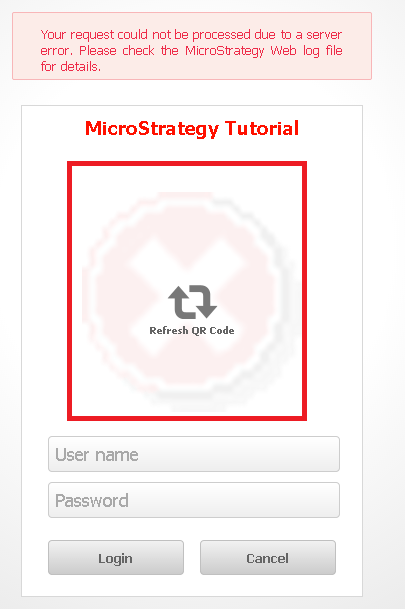
Your request could not be processed due to a server error. Please check the Strategy Web log file for details.
<exception>
java.lang.NumberFormatException: For input string: "-XXXXXXXXXX" [...]
This is a known issue with Strategy Analytics Platform 9s. Currently the platform requires that the session information is included in the URL to render the Usher QR codes correctly.
This issue has beenn addressed in Strategy 9.5.1 and above. Upgrade to take advantage of the fix.
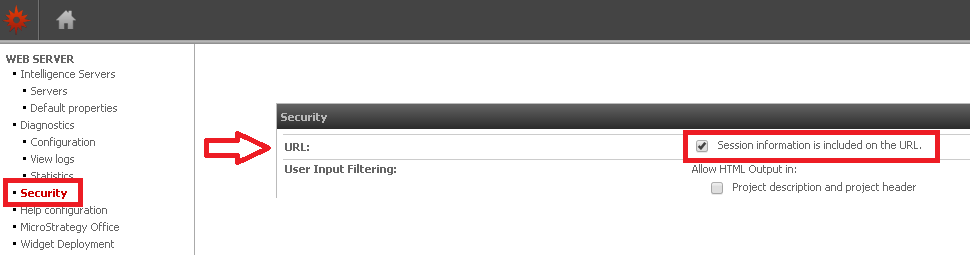
Enable the Session Information to be included in the URL as shown below:
http://localhost/MicroStrategy/asp/Admin.aspx