EducationSoftwareStrategy.com
StrategyCommunity

Knowledge Base

Product

Community

Knowledge Base

TopicsBrowse ArticlesDeveloper Zone

Product

Download SoftwareProduct DocumentationSecurity Hub

Education

Tutorial VideosSolution GalleryEducation courses

Community

GuidelinesGrandmastersEvents
x_social-icon_white.svglinkedin_social-icon_white.svg
Strategy logoCommunity

© Strategy Inc. All Rights Reserved.

LegalTerms of UsePrivacy Policy
  1. Home
  2. Topics

KB235940: How to troubleshoot the registering of the device token for Apple Push Notifications generated in MicroStrategy Mobile 9.4.1 and later


Community Admin

• Strategy


This document shows how to troubleshoot the registering of the device token for Apple Push Notifications generated in MicroStrategy Mobile 9.4.1 and later

SYMPTOM:
When troubleshooting Push Notification with Strategy Mobile 9.4.1 and later, as described in tech note KB218841: Common Troubleshooting steps for Apple Push Notifications with MicroStrategy Mobile 9.4.1 and later, users may encounter a problem related to registering the mobile device with the Strategy Intelligence Server, this is section 4 in this tech note, specifically after step 7:
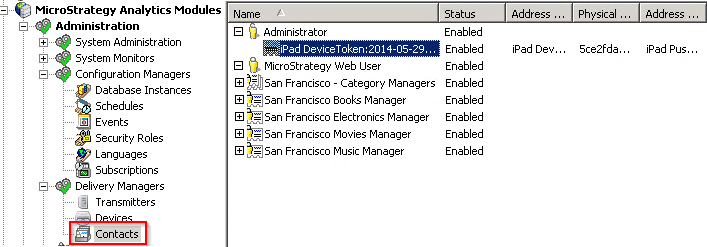
"Log into the Strategy Mobile 9.4.1 application to register the device with the user. Confirm the device was registered correctly in the list of contacts, as shown below."
ka04W000000OaZaQAK_0EM4400000029y9.jpeg

 
For Push Notifications to work in Strategy Mobile 9.4.1, a mobile device token must be registered in the Strategy Intelligence Server 9.4.1 that corresponds to the Strategy user. 
 
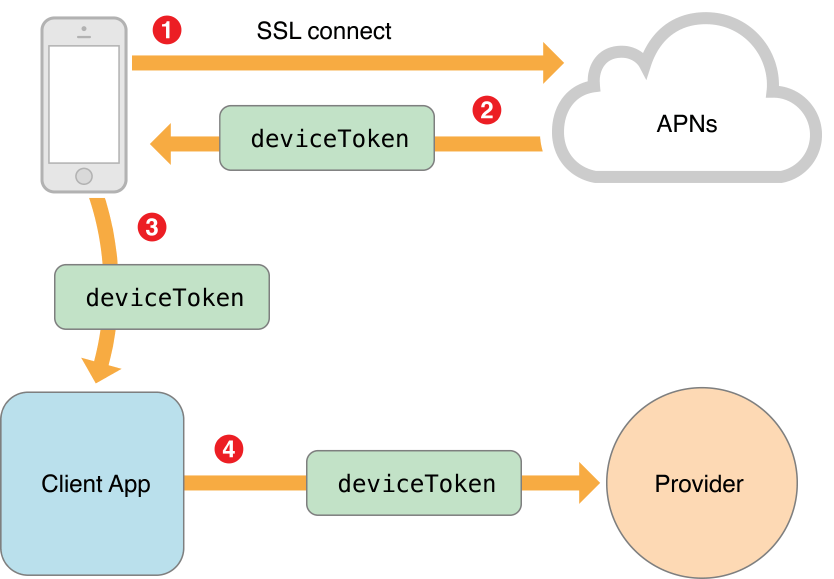
The generic registration process for Apple Push notifications is shown in the image below:
 

ka04W000000OaZaQAK_0EM4400000029y8.jpeg


  1. The device sends a token request to the APNS server.
  2. The server sends back a device token.
  3. The application receives the token, in this case, the Strategy Mobile 9.4.1 application.
  4. The application sends the token to the provider, in this case, the Strategy Intelligence Server.

Below are more detailed steps that apply specifically to the Strategy Mobile 9.4.1 application:
 

  1. The application retrieves the device token upon installation, that is, the Strategy Mobile 9.4.1 application fetches the device ID when it is installed on the mobile device. The mobile device itself has already registered with the Apple Push Notification Server (APNS).
  2. When Strategy Mobile user logs into the Strategy Mobile 9.4.1 application, the application sends this device token to the Strategy Intelligence Server through the Strategy Mobile server.
  3. The Intelligence Server registers the Strategy user with that device token.

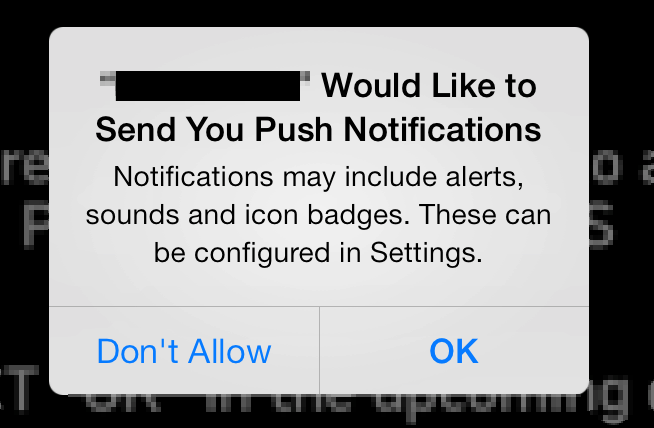
These steps should all be completed upon initial installation and login, and the user may or may not be prompted to allow push notifications for Strategy Mobile, as shown below:
ka04W000000OaZaQAK_0EM4400000029yE.jpeg

Note that this does not have to appear to generate the device token registration process.
 
ACTION:
If the device token does not appear under the user in Contacts, there are four parts of the process that could have failed on the Strategy side:
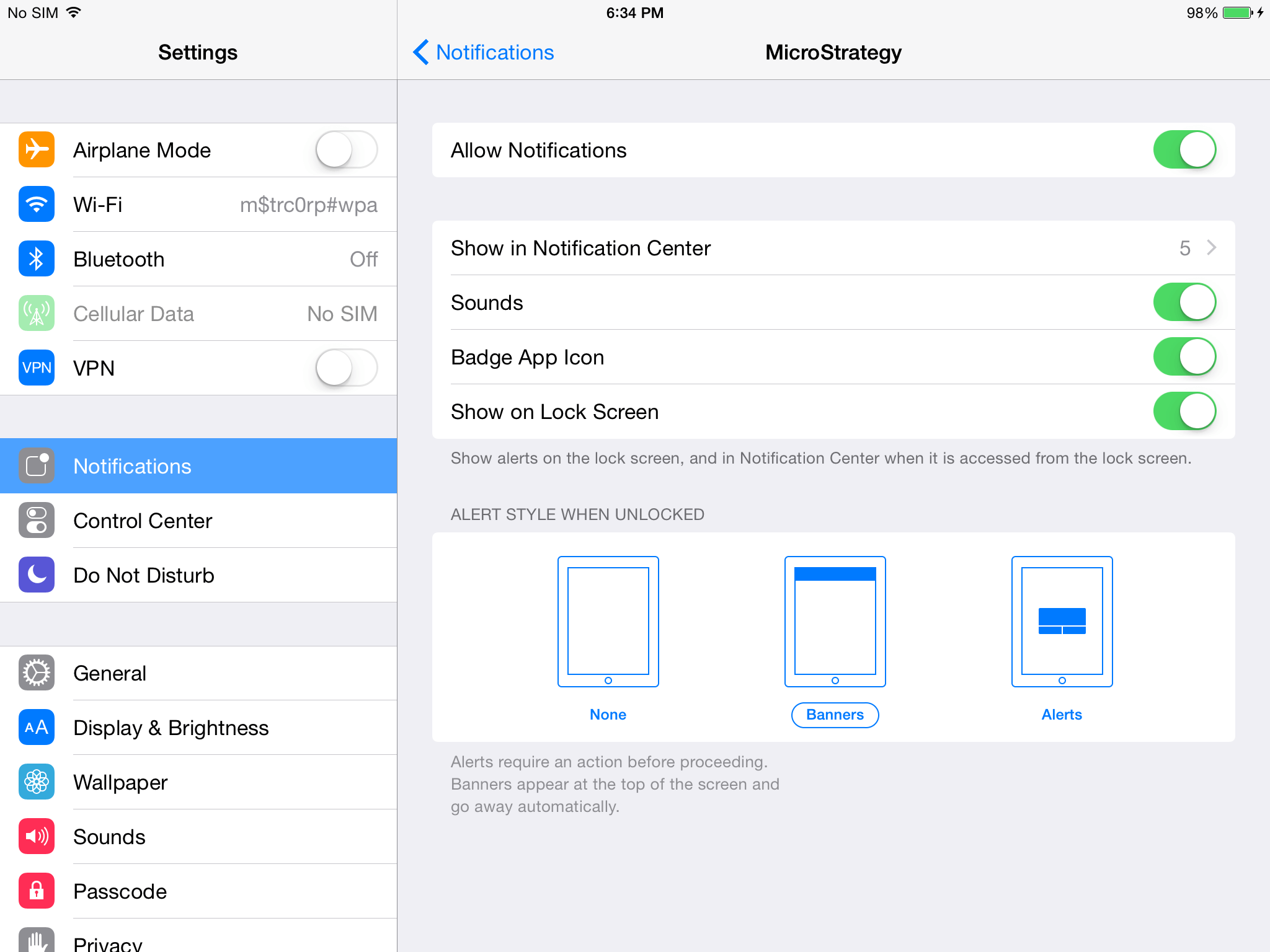
  • Notifications are not turned on for the Strategy Mobile application on the iOS device. This is in Settings > Notifications.
ka04W000000OaZaQAK_0EM4400000029yA.jpeg
  • The registration with APNS failed, so no device token was returned. This would be shown as an error in the Strategy Mobile device log.
  • If #2 succeeded, and a device token was generated, the Strategy Mobile 9.4.1 application could fail to send out the device token to the Strategy Mobile server. This would be shown as an error in the Strategy Mobile device log.
  • The device token was sent to the Strategy Intelligence Server, but the server failed to save it to a contact. This would be shown as an error in the DSS Errors log.

Comment

0 comments

Details

Knowledge Article

Published:

April 10, 2017

Last Updated:

February 14, 2018