EducationSoftwareStrategy.com
StrategyCommunity

Knowledge Base

Product

Community

Knowledge Base

TopicsBrowse ArticlesDeveloper Zone

Product

Download SoftwareProduct DocumentationSecurity Hub

Education

Tutorial VideosSolution GalleryEducation courses

Community

GuidelinesGrandmastersEvents
x_social-icon_white.svglinkedin_social-icon_white.svg
Strategy logoCommunity

© Strategy Inc. All Rights Reserved.

LegalTerms of UsePrivacy Policy
  1. Home
  2. Topics

KB236034: New feature in MicroStrategy Web 10: Create Multi-form Attributes during Data Import


Community Admin

• Strategy


In Strategy Web 9.x, during data import, each column is imported as an attribute. It is not possible to import two or more columns into one attribute.
In Strategy Web 10, it is possible to import multiple columns and treat them as multiple attribute forms for a single attribute.
 
STEPS TO REPRODUCE:
Follow below steps to use this feature with Strategy Tutorial project:
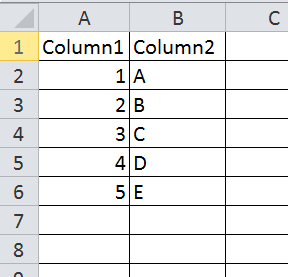
  • Prepare data with multiple columns represent one single attribute, as shown below:
ka04W000000OdZOQA0_0EM4400000025k2.jpeg
  • Use "Access External Data" feature in Strategy Web 10 to import data.
  • Click "Prepare data" to enter Data Preview page.
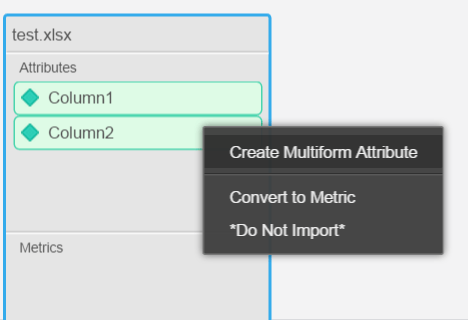
  • In Data Preview page, use ctrl or shift key to select multiple columns, and right mouse click, choose "Create Multiform Attribute" function, as shown below:
ka04W000000OdZOQA0_0EM4400000025k0.jpeg
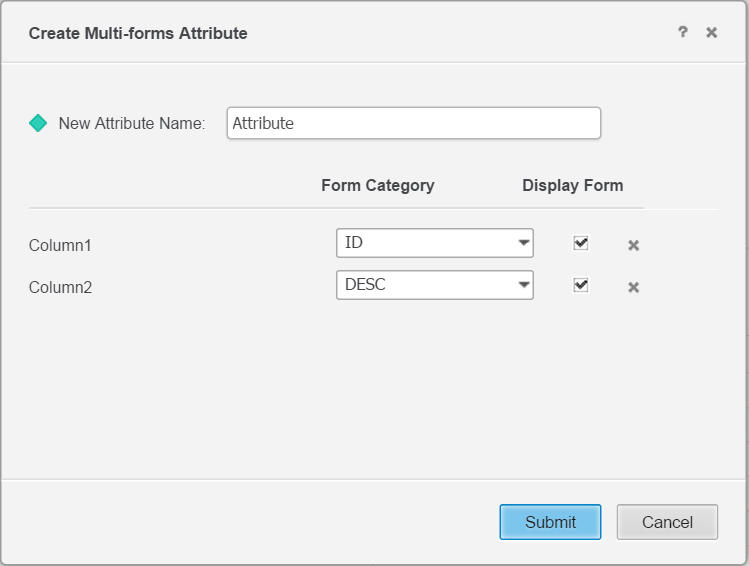
  • In the Create Multi-form Attribute window, assign Form Category for each column, as shown below:
ka04W000000OdZOQA0_0EM4400000025k3.jpeg
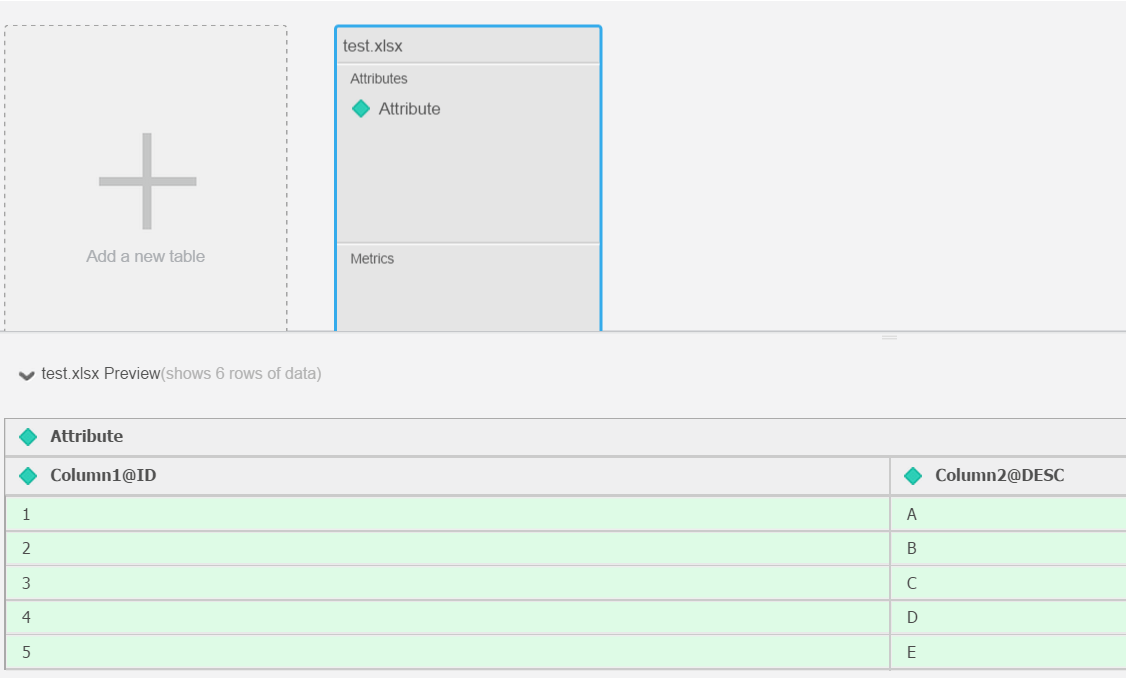
  • The two columns become one attribute and stored in Intelligent Cube:
ka04W000000OdZOQA0_0EM4400000025k4.jpeg

Comment

0 comments

Details

Knowledge Article

Published:

April 12, 2017

Last Updated:

April 12, 2017