EducationSoftwareStrategy.com
StrategyCommunity

Knowledge Base

Product

Community

Knowledge Base

TopicsBrowse ArticlesDeveloper Zone

Product

Download SoftwareProduct DocumentationSecurity Hub

Education

Tutorial VideosSolution GalleryEducation courses

Community

GuidelinesGrandmastersEvents
x_social-icon_white.svglinkedin_social-icon_white.svg
Strategy logoCommunity

© Strategy Inc. All Rights Reserved.

LegalTerms of UsePrivacy Policy
  1. Home
  2. Topics

KB236259: "The object name and description cannot exceed the maximum length of 250 characters.” error message is returned in MicroStrategy Command Manager when adding/modifying the description of an object.


Community Admin

• Strategy


This technical note describes an error message encountered with the alter statements in Command Manager when altering new descriptions. It outlines a possible cause and action to take when this message is returned.

SUMMARY
This technical note describes an error message encountered with the alter statements in Command Manager when altering new descriptions. It outlines a possible cause and action to take when this message is returned.
 
DESCRIPTION
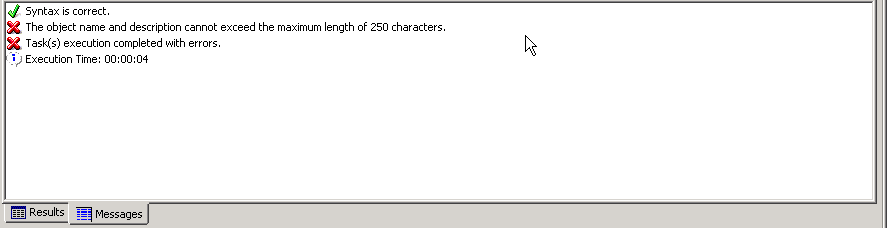
If a user tries to alter a metric’s description using Strategy Command Manager, they will run into an issue if the new description is 250 characters or more.  If this is the case, the following error will be seen:
ka04W000000OfmtQAC_0EM440000002C7A.jpeg


The object name and description cannot exceed the maximum length of 250 characters.

 
CAUSE
This is working as designed, as currently there is a hard coded limit of 250 characters that can be used in the description field. 
ACTION
If a user is unable to limit the number of characters they are using in the description of an object, they should use the long description field instead.  In Strategy Command Manager the script should be modified to look similar to the below command:

ALTER METRIC "<metric name>" IN FOLDER "\Path of metric" LONGDESCRIPTION "<desired description>" FOR PROJECT "<project name>";


Comment

0 comments

Details

Knowledge Article

Published:

June 9, 2017

Last Updated:

July 21, 2017