EducationSoftwareStrategy.com
StrategyCommunity

Knowledge Base

Product

Community

Knowledge Base

TopicsBrowse ArticlesDeveloper Zone

Product

Download SoftwareProduct DocumentationSecurity Hub

Education

Tutorial VideosSolution GalleryEducation courses

Community

GuidelinesGrandmastersEvents
x_social-icon_white.svglinkedin_social-icon_white.svg
Strategy logoCommunity

© Strategy Inc. All Rights Reserved.

LegalTerms of UsePrivacy Policy
  1. Home
  2. Topics

KB236280: The "Annotate and Share" option still displays on a document when disabling the user privilege "Email Screen Shot from Device" in MicroStrategy Mobile 9.4.1 and 10.x


Community Admin

• Strategy


In MicroStrategy Mobile 9.4.1 and 10.x, 3 settings will control whether a user can share a dashboard via the MicroStrategy Mobile app. These settings are outlined in this article.

SYMPTOM:
In Strategy Mobile 9.4.1 and 10.x, 3 settings will control whether a user can share a dashboard via the Strategy Mobile app:

  • The user privilege "Email Screen Shot From Device" as shown below.
ka04W000000OdX9QAK_0EM4400000029y6.jpeg
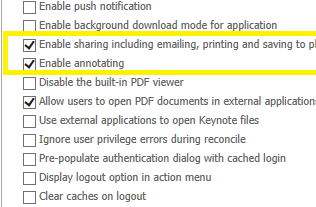
  • The settings in the Strategy Mobile Admin page "Enable sharing including emailing, printing and saving to pictures" and "Enable Annotating", as shown below.
ka04W000000OdX9QAK_0EM4400000029y5.jpeg

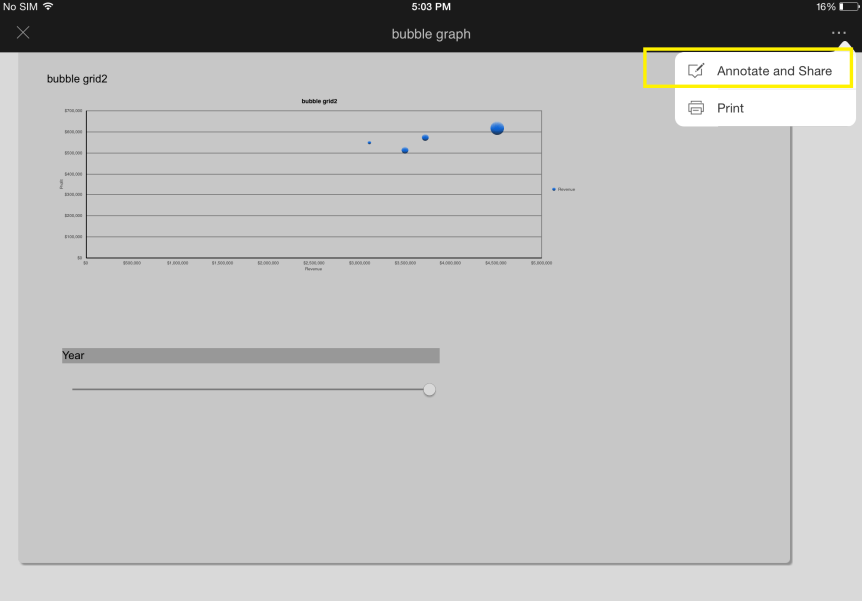
When disabling the privilege "Email Screen Shot From Device" for a user, if the mobile configuration still allows the user to enable annotating, the option in the Strategy Mobile device will still say "Annotate and Share", as shown below:
ka04W000000OdX9QAK_0EM4400000029y4.jpeg

 
This seems to be contradicting, as the user shouldn't have access to emailing or "sharing" the dashboard.
 
CAUSE:
This is working as designed in Strategy Mobile 9.4.1 and 10.x The name of the option is "Annotate and Share", because the user is still able to "Save to Photos" and "Print", as shown below.

ka04W000000OdX9QAK_0EM4400000029y7.jpeg

 
ACTION:
Currently this issue is still being reviewed for feasibility by our Technology team and it is not scoped for any upcoming scheduled Strategy release.
 
The Strategy Internal Reference Number for the issue discussed in this technical note is 1008633.


Comment

0 comments

Details

Knowledge Article

Published:

April 7, 2017

Last Updated:

April 7, 2017