SUMMARY
This technical note describes an issue where an invalid file name error is encountered in System Manager. It outlines a possible cause and solution for this invalid file name error.
DESCRIPTION
In System Manger when using the rename file operation, an invalid message is returned in the process feedback of the console
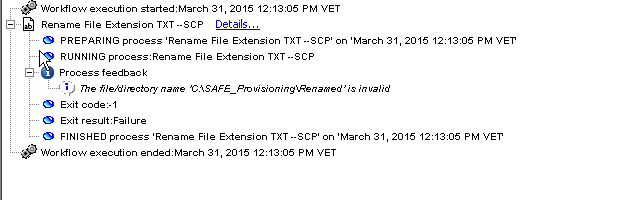
"The file/directory name 'XXXXXXX' is invalid"
CAUSE
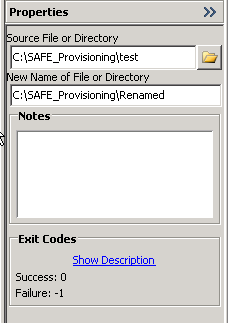
If the "New Name of File or Directory" field, in the properties pane contains a file path with the new file name, then an invalid message will be returned.
One possible reason this invalid message occurs is when a file path, with the desired new file name, is entered into the “New Name of File or Directory" field for the rename file operation.
ACTION
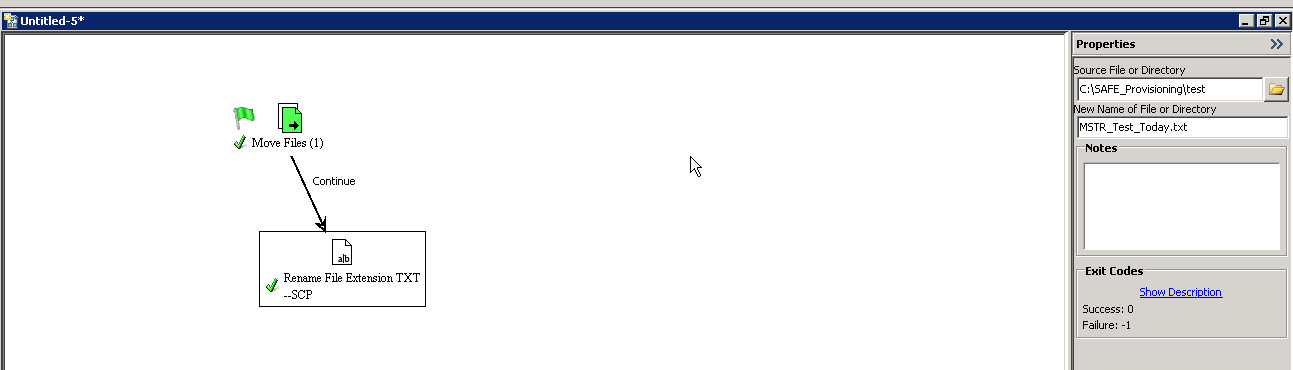
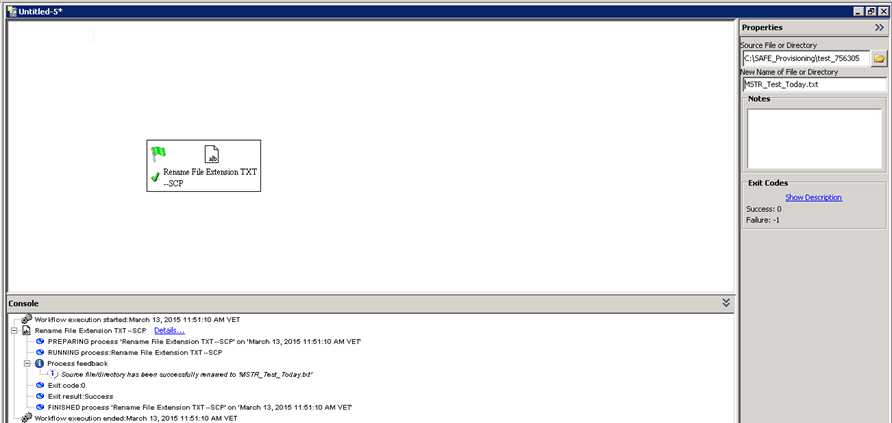
There are two ways to resolve this issue. The first is in the properties pane for the "New Name of File or Directory" field, only the desired file name should be entered. The rename file operation within the workflow will locate the desired file and rename it. Below is an image of the rename file operation successfully renaming the file.
If the desired result is to move the file and rename it, then the user needs to include the "Move file" and "Rename file" operations in the workflow. The screenshot below displays the setup of how to move a file as well as renaming it within the workflow.