SYMPTOM
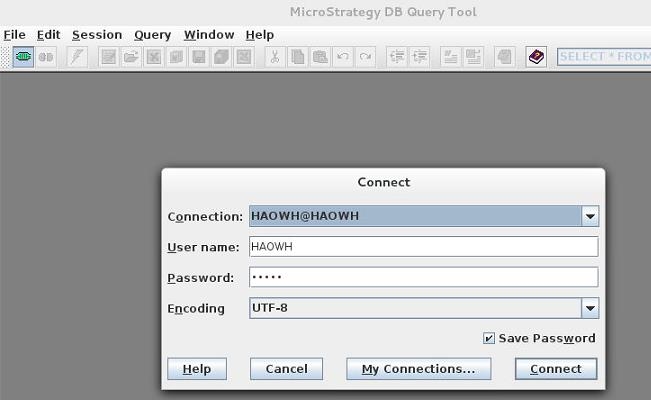
When opening Strategy DB Query Tool 10 on Linux RedHat 7, users will find that the close button on the upper right corner and the window button on the upper left corner are missing as shown below:
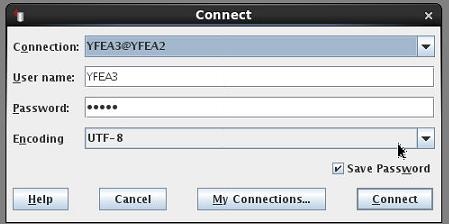
The following screenshot shows how the window should look:
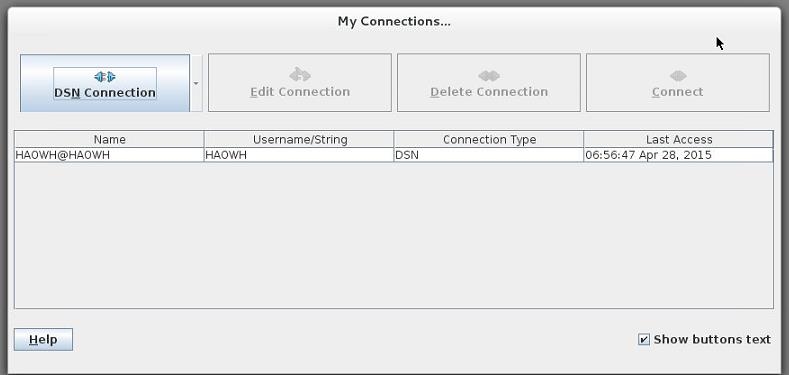
This problem is also seen in the "My Connections..." panel as shown below:
CAUSE
The issue is caused due to compatibility issues between JDK 7 and Linux RedHat Linux 7.0
WORKAROUND
Users can click cancel to exit the "Connect" panel. In order to exit the "My Connections..." panel, users can will need to terminate the Strategy DB Query Tool process.
The internal Strategy case number for this issue is DE4717
KB241580
