SYMPTOM:
In the Strategy Web 9.4.1 Admin page > Security, there is a setting to Prevent clickjacking by adding an X-Frame-Options header to page responses.
Note: Refer to tech note KB45652 for more information regarding the clickjacking options.
When the "Set X-Frame-Options to DENY" is used, seen below, parts of the Strategy Web 9.4.1 GUI interface are unresponsive.

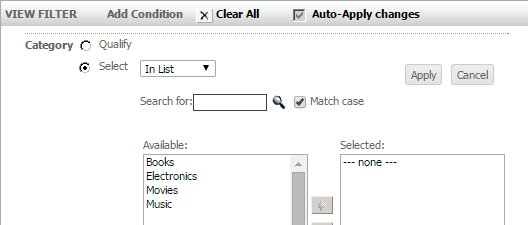
For example, View Filters cannot be used because the settings do not appear when trying to filter on an attribute or metric.
When "Set X-Frame-Options to DENY" is enabled.

Expected behavior.
STEPS TO REPRODUCE:
CAUSE:
This is a known issue in Strategy Web 9.4.1.
ACTION:
This issue has been addressed in Strategy Web 10. Upgrade to this version to take advantage of the fix. In Strategy Web 10 the option to set the X-Frame-Options header as DENY will no longer be available to prevent the problem. The solution, both in Strategy 9.4.1 and 10 is to use the "Set X-Frame-Options to SAMEORIGIN" setting.
