In some business scenarios, users may wish to delete old data from Intelligent Cubes by utilizing the Incremental Refresh option as explained in KB45837. This knowledge base article assumes that the user has a month attribute whose format is YYYYMM as shown below and s/he wants to delete more than 12 months’ worth of old data.
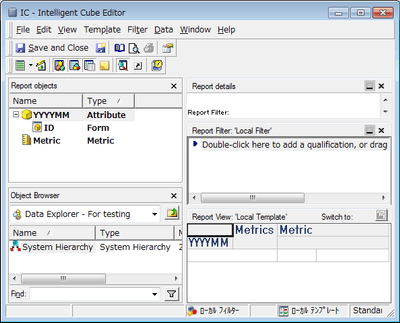
Incremental Refresh Option
Step 1: Create a filter object with the following definition.
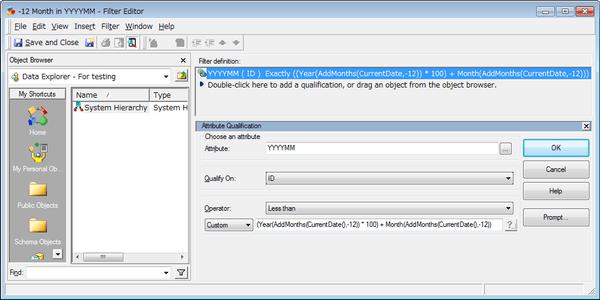
<Whole definition>
Year(AddMonths(CurrentDate(),-12))*100+Month(AddMonths(CurrentDate(),-12))
<Breakdown 1: Year(AddMonths(CurrentDate(),-12))*100>
Extract the year part from -12 month date and then multiply it by 100. For example, if today is 5/15/2015, this definition gives you 201400.
<Breakdown 2: Month(AddMonths(CurrentDate(),-12))>
Extract the month part from -12 month date. For instance, if today is 5/15/2015, the definition returns the value of 5. Hence, with the value of Breakdown 1, the whole definition will have the value of 201405.
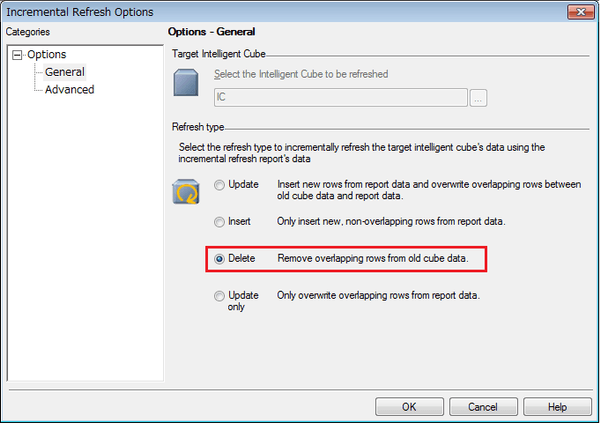
Step 2: Choose “Delete” from the Incremental Refresh options and use the filter object created in Step 1 to define the definition.
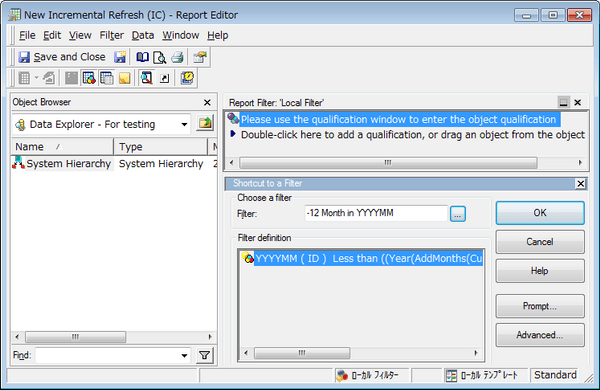
Execution of the Incremental Refresh Report
Executed on 5/15/2015
Before After
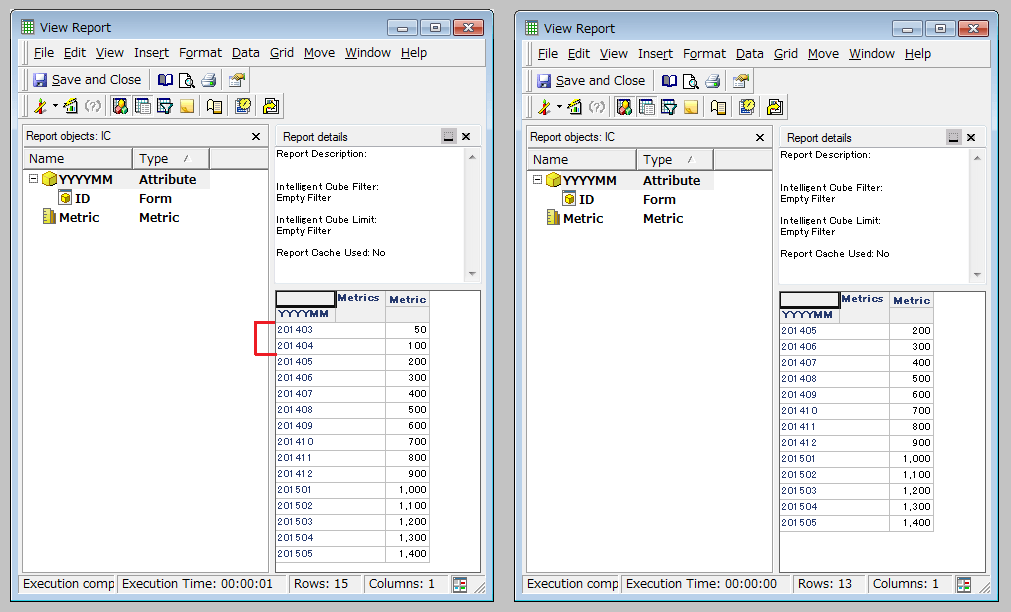
Executed SQL
Delete from CUBE IC
where [YYYYMM]@[Date_ID] < ((Year(AddMonths(CurrentDate(), -12)) * 100) + Month(AddMonths(CurrentDate(), -12)))
