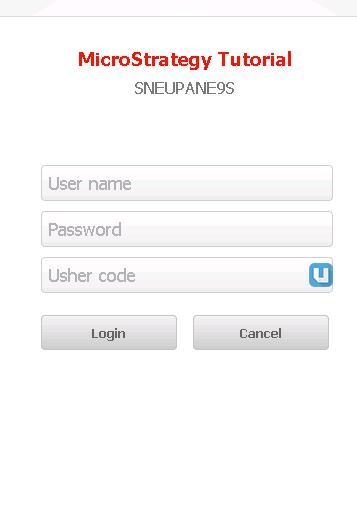
Summary: The UI change with the Usher QR code means that Usher second factor authentication with standard username and password is not instantly visible when authenticating users in 9.5.1. This document explains how to get to the screen to enter username and password and Usher code for authentication purpose.
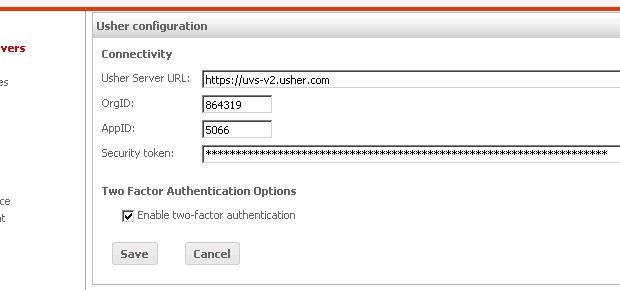
With MSTR 9.5.1, "Enable two-factor authentication" option needs to be checked off and "Security token" needs to be entered in order to activate the second factor authentication.
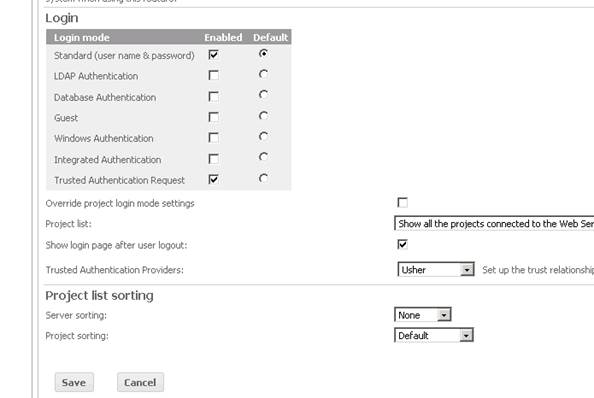
Then, under the login option for server, you would enable "Standard" and "Trusted Authentication Request" and make "Standard" the default option and save the setting. Note that "Trusted Authentication Providers" needs to point to "Usher".
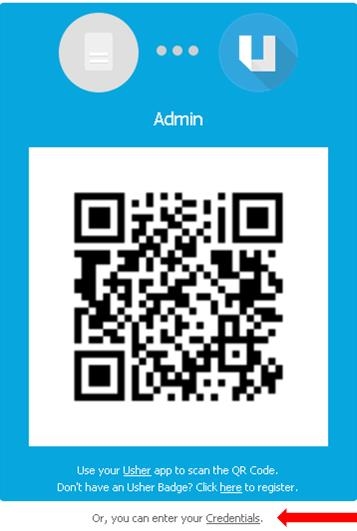
Once this setting is saved, when you try to login, you will see QR codes as shown below. This is different from 9.5. In order to user second factor Authentication, the link at the bottom "Or Enter your credentials" needs to be clicked.
Then the option for two-factor authentication is displayed.