SYMPTOM:
During the installation process for Strategy 10.0 in a Linux/UNIX environment, the installer utility will not progress past the "Select Components" screen.

When the user clicks the Next button, a small window pops up with a progress bar for "Setup is checking for component requirements".
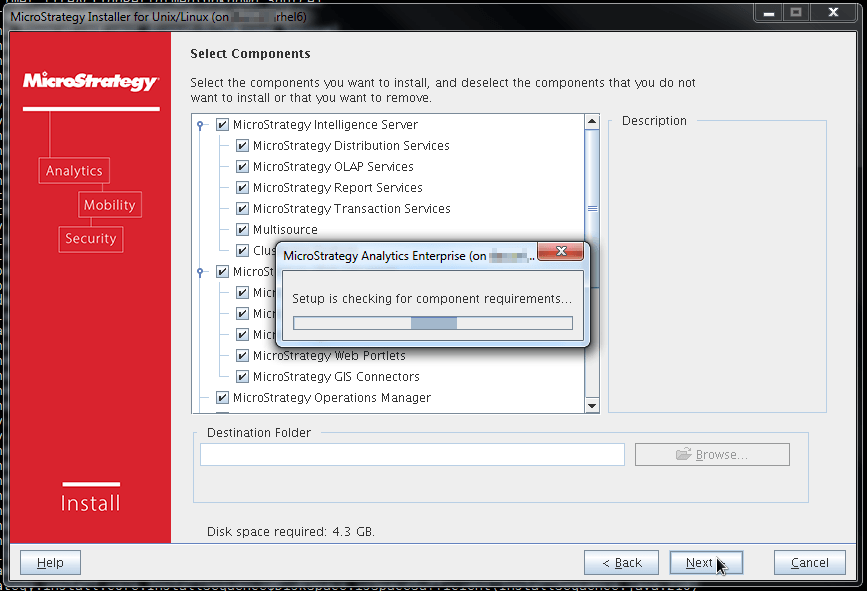
Normally when this process finishes the installer would advance to the next screen, but in this case the popup disappears and the installer returns to the "Select Components" screen.

If the installer was run from a terminal window, the following java error can be seen in the terminal:
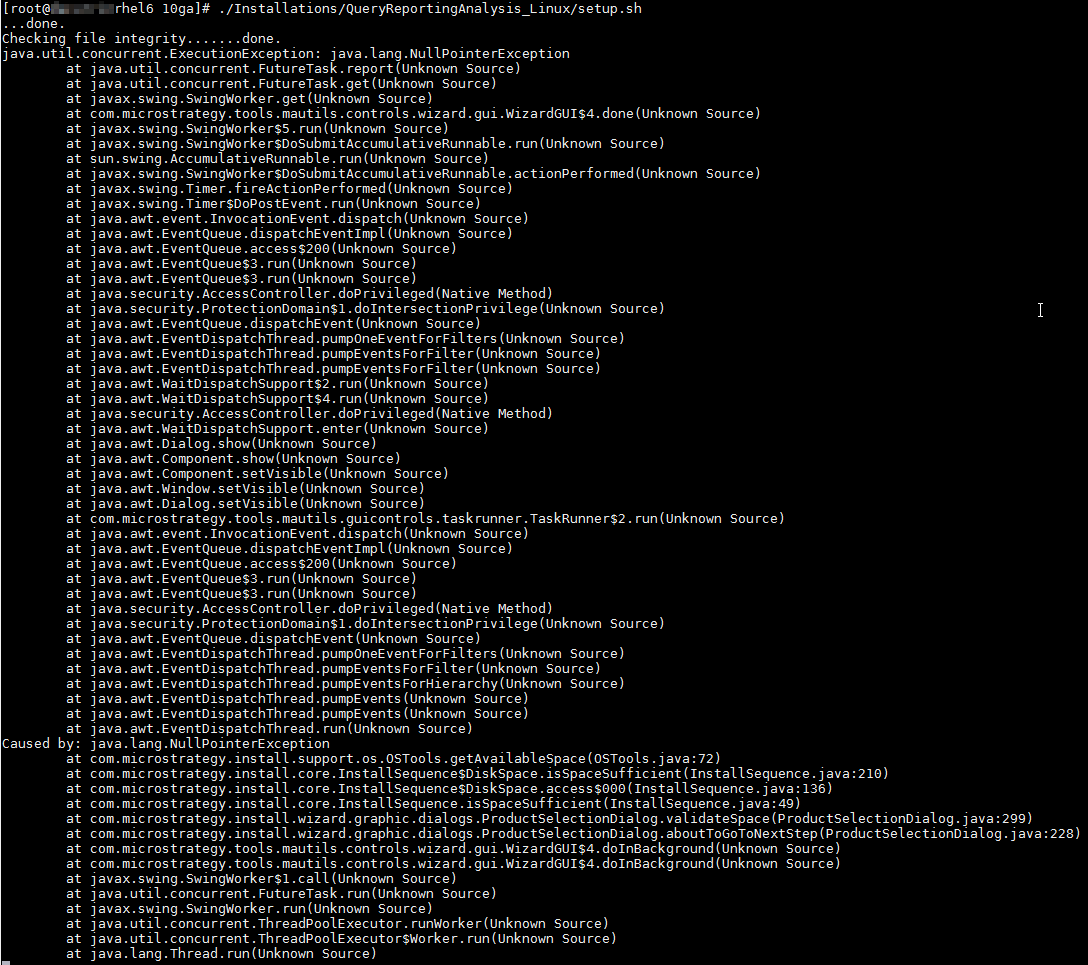
java.lang.NullPointerException
        at com.Strategy.install.support.os.OSTools.getAvailableSpace(OSTools.java:72)
        at com.Strategy.install.core.InstallSequence$DiskSpace.isSpaceSufficient(InstallSequence.java:210)
        at com.Strategy.install.core.InstallSequence$DiskSpace.access$000(InstallSequence.java:136)
        at com.Strategy.install.core.InstallSequence.isSpaceSufficient(InstallSequence.java:49)
        at com.Strategy.install.wizard.graphic.dialogs.ProductSelectionDialog.validateSpace(ProductSelectionDialog.java:299)
        at com.Strategy.install.wizard.graphic.dialogs.ProductSelectionDialog.aboutToGoToNextStep(ProductSelectionDialog.java:228)
        at com.Strategy.tools.mautils.controls.wizard.gui.WizardGUI$4.doInBackground(Unknown Source)
        at com.Strategy.tools.mautils.controls.wizard.gui.WizardGUI$4.doInBackground(Unknown Source)
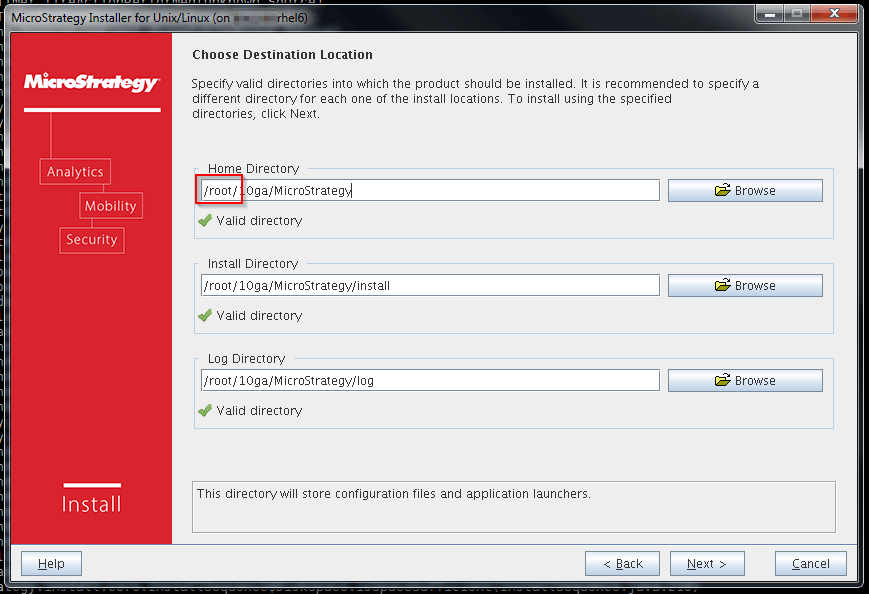
While this is a valid shortcut in the Linux/Unix terminal, the installer is not able to resolve the shortcut to the actual directory. In spite of this limitation, the installer still indicates that the path specified is acceptable as a valid directory.
ACTION:
Specify a path for installation that does not include the "~" character. If installation to a user's home directory is desired, provide the full path to that directory rather than using the "~" shortcut. The installer will now proceed normally.