SYMPTOM:
In Strategy 10 Secure Enterprise Platform, user can create data refresh schedule for an Intelligence Cube, as shown below:
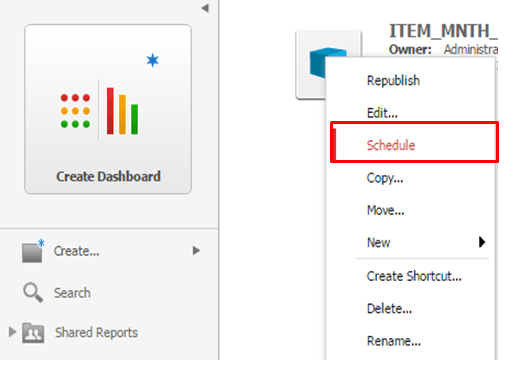
It is also a new feature to set Refresh Filter and Refresh Policy for the cube.
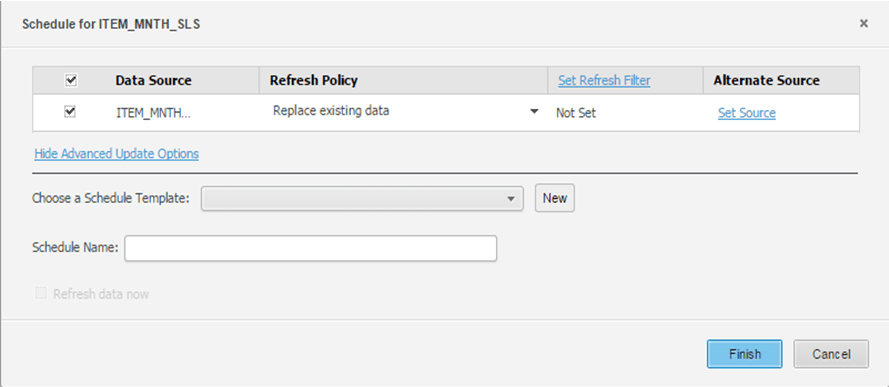
Once it is saved, user choose Schedule again by right click same cube, a new create Schedule window is opened, which is same as above. The previous defined schedule is not listed.
CAUSE:
This is working as expected, the "Schedule" button in Right click context menu by default open a new window to create new schedule.
ACTION:
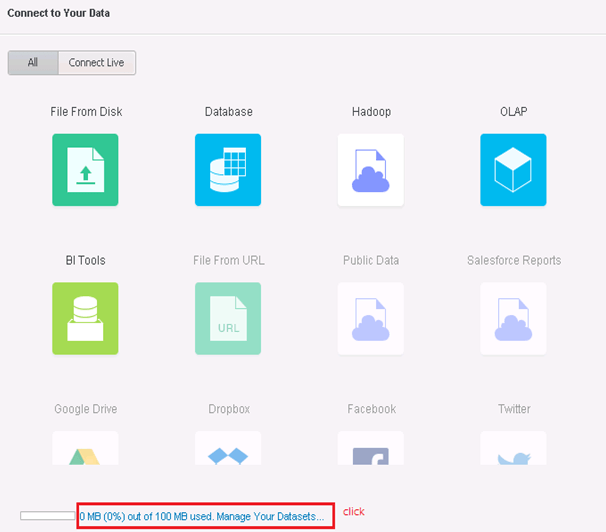
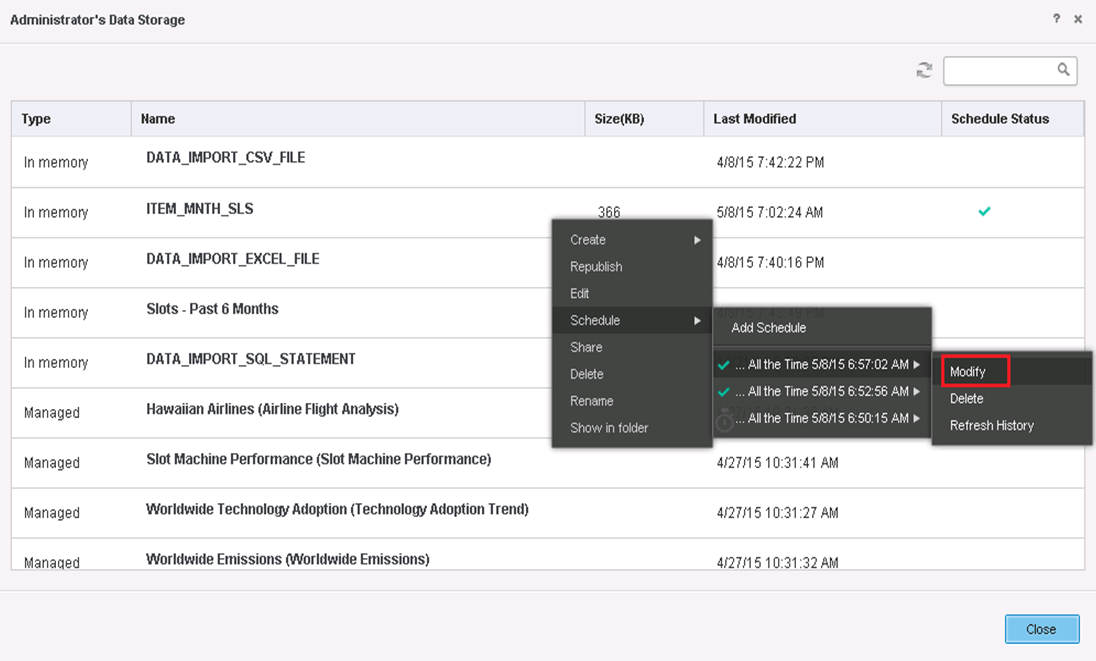
Follow steps below to modify existing schedules:
NOTE:
An enhancement request has been logged to have better workflow.
Strategy will continue to investigate and post updates as soon as they are available.
