EducationSoftwareStrategy.com
StrategyCommunity

Knowledge Base

Product

Community

Knowledge Base

TopicsBrowse ArticlesDeveloper Zone

Product

Download SoftwareProduct DocumentationSecurity Hub

Education

Tutorial VideosSolution GalleryEducation courses

Community

GuidelinesGrandmastersEvents
x_social-icon_white.svglinkedin_social-icon_white.svg
Strategy logoCommunity

© Strategy Inc. All Rights Reserved.

LegalTerms of UsePrivacy Policy
  1. Home
  2. Topics

KB248519: How to set maximum and minimum values for Y-axis in Waterfall widget in MicroStrategy Web 9.4.1


Community Admin

• Strategy


How to set maximum and minimum values for Y-axis in Waterfall widget in MicroStrategy Web 9.4.1

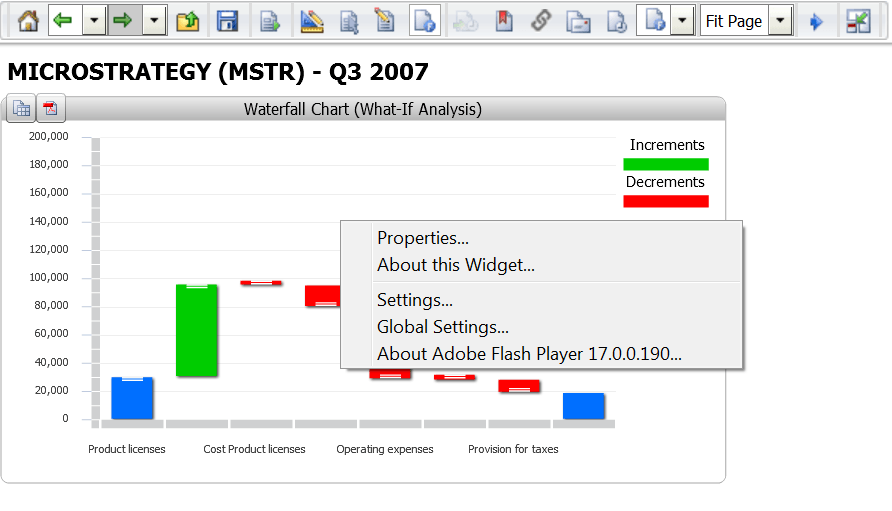
Follow the below actions to set maximum and minimum values for Y-axis in Waterfall widget in Strategy Web 9.4.1
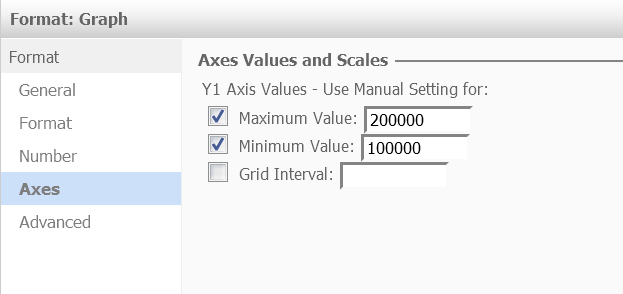
In Editable mode, in Format Graph, set the Min/Max values for Y-axis.
ka04W000000OdteQAC_0EM4400000025fY.jpeg

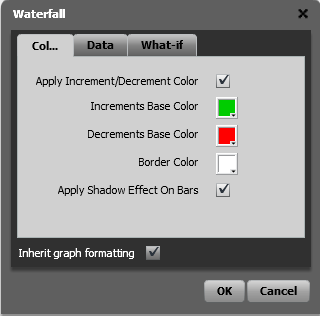
In Flash mode, in widget properties, choose "inherit graph formatting".
ka04W000000OdteQAC_0EM4400000025fV.jpeg
ka04W000000OdteQAC_0EM4400000025fa.jpeg

Comment

0 comments

Details

Knowledge Article

Published:

June 15, 2017

Last Updated:

June 15, 2017