INTRODUCTION
In Strategy 10.x and 11.x, users can import reports or entire modules from third-party Salesforce accounts to build Strategy reports, visualizations, and dashboards via the Data Import tool. To import data from a Salesforce account, certain connectivity settings must be configured. In addition, Strategy Web version 10.x uses a different Salesforce API to interact with Salesforce accounts than previous versions of Web. This API requires that the Salesforce account is a developer account. Follow the steps below to enable Salesforce connectivity through Strategy Web.
Note: The steps in this article apply only to Strategy Web 10.x and 11.x. To configure Salesforce for use with Strategy Web 9.3.x – 9.5.x, refer to KB42459: How to import data from Salesforce in MicroStrategy Web 9.4.1 and 9.5.x
PREREQUISITES
STEPS TO CONNECT TO SALESFORCE
Configuring the Salesforce account
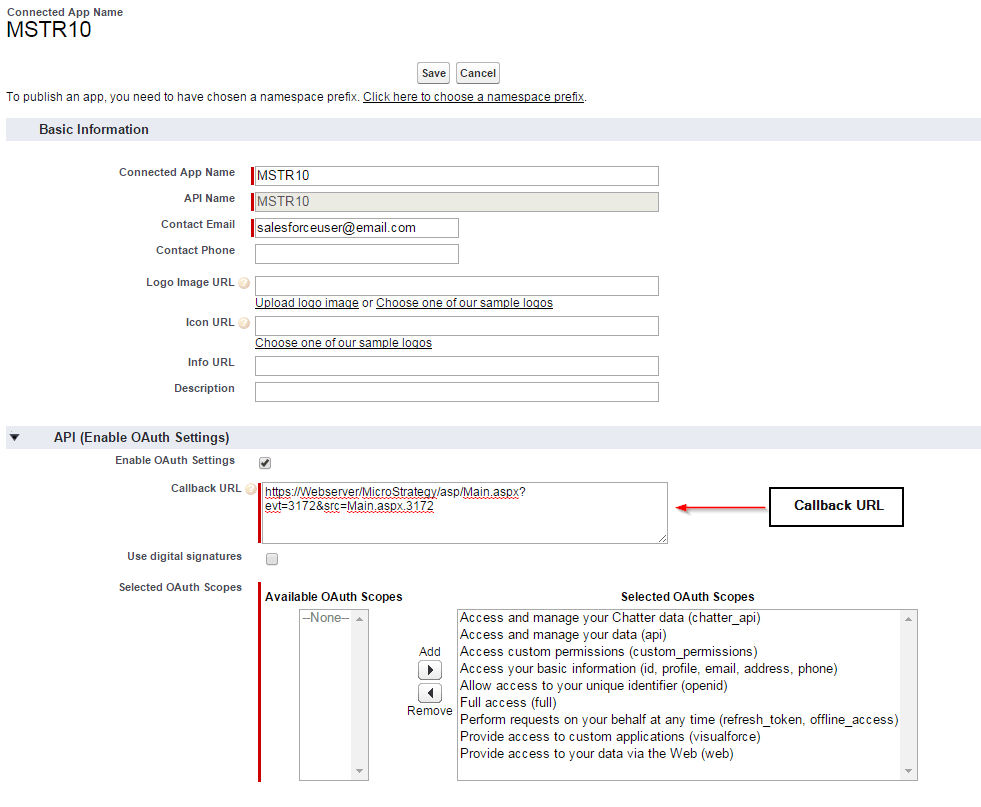
ASP: https://WebServer/MicroStrategy/asp/Main.aspx?evt=3172&src=Main.aspx.3172

JSP: https://WebServer/MicroStrategy/servlet/mstrWeb?evt=3172&src=mstrWeb.3172
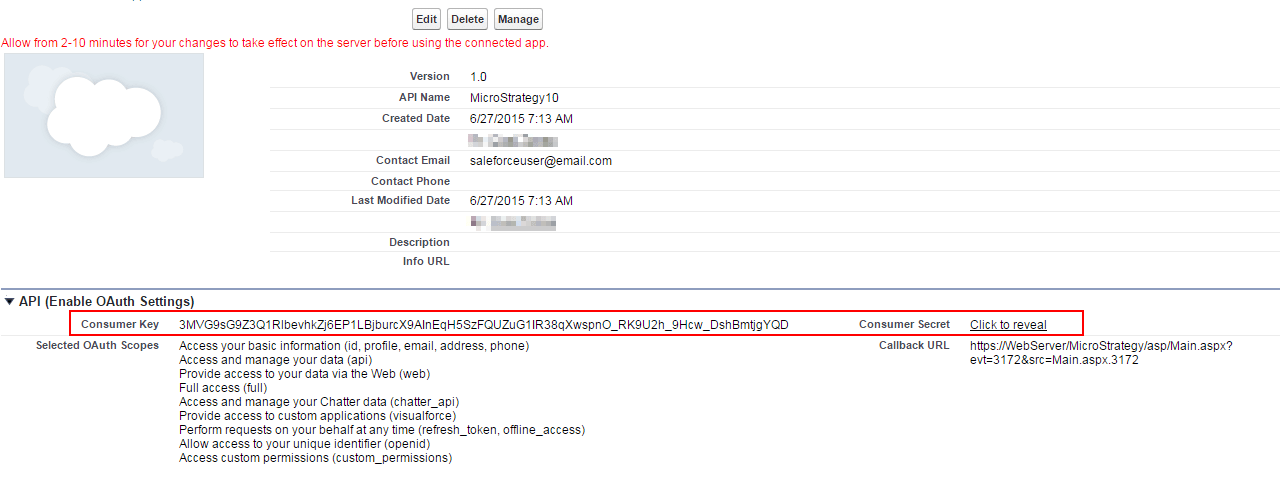
Configuring Strategy Web
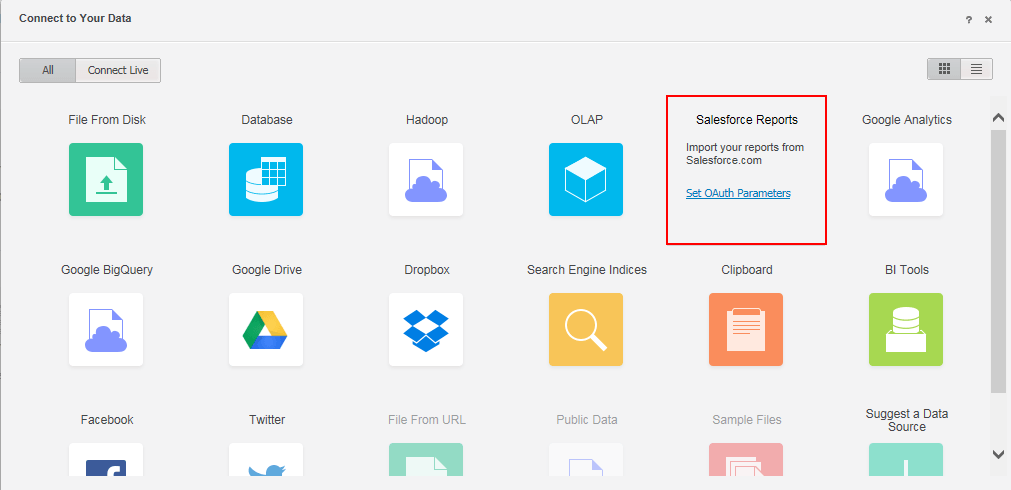
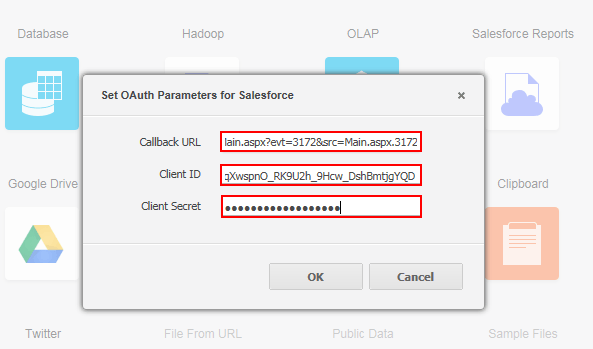
Third Party Software Installation Warning:
The third-party product(s) discussed in this technical note is manufactured by vendors independent of Strategy. Strategy makes no warranty, express, implied or otherwise, regarding this product, including its performance or reliability.
KB248845
