SYMPTOM:
When using MongoDB as a data warehouse, when collections (tables) are updated outside Strategy 10 with new fields in the data warehouse, no changes are shown in the tables in Strategy 10.
Steps to reproduce:
1. Create a mongodb database instance with ODBC using the Simba 32 bit driver.
2. Add the collections (seen as tables) in the data warehouse.
3. Outside Strategy, add a new field in an existing collection (similar to add a new field in an existing table)
4. Outside Strategy, add a new collection (similar to add a new table)
5. In Strategy, in schema --> Data warehouse --> update the collections (seen in Strategy as tables). This can also be done in architect.
6. Outside Strategy, in an existing collection, add a new dupla (similar to add new row to a table)
Result:
1. New fields in existing collections (seen in Strategy as tables) are not seen.
2. New collection (similar to add a new table) can be seen as expected.
CAUSE:
For Mongodb, when creating a DSN, we have to define a schema path in the DSN configuration where all the mongodb related properties, table mapping and data are stored. When testing the connectivity for the first time with the DSN, this information would be written and will not get refreshed automatically during the next time the connectivity is established.
For example, lets define the schema path to c:\mongodb\eat_wh1, then the table mapping information in file c:\monfodb\eat_wh1.MONGODB.MAP
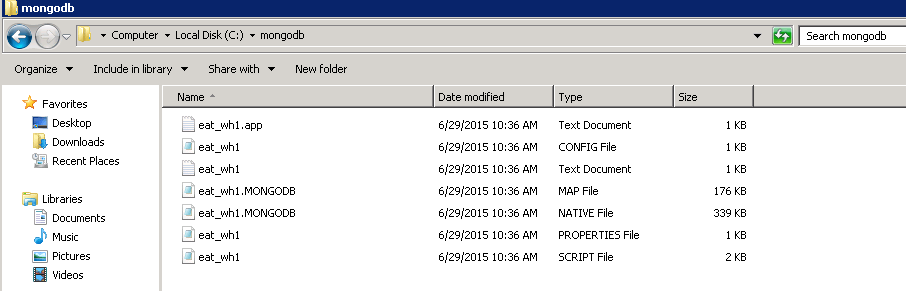
Consequently, after the first time of connectivity, all the existing tables(collections) and columns (fields) are mapped locally, even if new collection/field are updated in Mongodb server side, it will not get refreshed and Strategy 10 can only read the old ones.
ACTION:
Cleanup everything in the schema path folder and re-test the connectivity. In this case, new files will be generated and anything different will be re-mapped locally.
