EducationSoftwareStrategy.com
StrategyCommunity

Knowledge Base

Product

Community

Knowledge Base

TopicsBrowse ArticlesDeveloper Zone

Product

Download SoftwareProduct DocumentationSecurity Hub

Education

Tutorial VideosSolution GalleryEducation courses

Community

GuidelinesGrandmastersEvents
x_social-icon_white.svglinkedin_social-icon_white.svg
Strategy logoCommunity

© Strategy Inc. All Rights Reserved.

LegalTerms of UsePrivacy Policy
  1. Home
  2. Topics

KB249250: The Main.aspx page displays blank after configuring ESRI Maps in MicroStrategy Web


Community Admin

• Strategy


After configuring ESRI Maps, following the instructions in tech note KB45064, when trying to access the MicroStrategy Web Main.aspx page, it displays as a blank white page with no content in the page source

SYMPTOM:
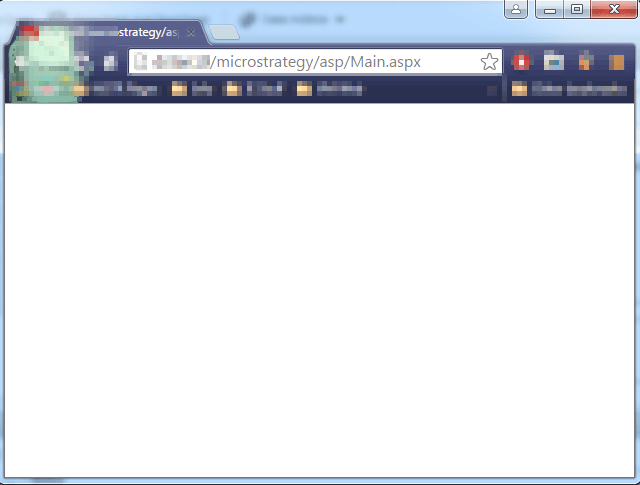
After configuring ESRI Maps, following the instructions in tech note KB45064, when trying to access the Strategy Web 10.x Main.aspx page, it displays as a blank white page with no content in the page source, as shown below:
ka04W00000148Q8QAI_0EM4400000025cc.jpeg

CAUSE:
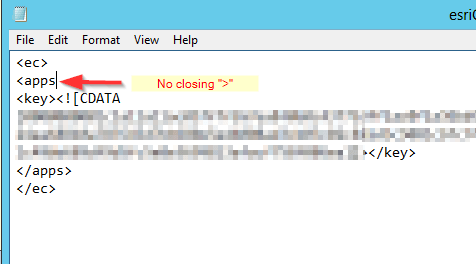
This is an identified defect in Strategy Web 10.x, caused by leaving an open XML element after modifying the esriConfig.xml file.  An example is shown below:
ka04W00000148Q8QAI_0EM4400000025cd.jpeg

ACTION:
Revise the esriConfig.xml file created following the steps in tech note KB45064  and fix any XML syntax errors. Make sure all XML elements are properly closed.  
The Strategy Internal Reference Number for this case is 1016399.
KB249250


Comment

0 comments

Details

Knowledge Article

Published:

April 26, 2017

Last Updated:

July 13, 2022