EducationSoftwareStrategy.com
StrategyCommunity

Knowledge Base

Product

Community

Knowledge Base

TopicsBrowse ArticlesDeveloper Zone

Product

Download SoftwareProduct DocumentationSecurity Hub

Education

Tutorial VideosSolution GalleryEducation courses

Community

GuidelinesGrandmastersEvents
x_social-icon_white.svglinkedin_social-icon_white.svg
Strategy logoCommunity

© Strategy Inc. All Rights Reserved.

LegalTerms of UsePrivacy Policy
  1. Home
  2. Topics

KB249274: “Unable to create Server Configuration” error message appears when configuring a metadata shell for a Microsoft Access database in MicroStrategy 10


Community Admin

• Strategy


The issue described in this document has been classified as a defect by MicroStrategy. The issue occurs in MicroStrategy 10 when using Configuration Wizard to configure a metadata shell for a Microsoft Access database. A workaround is available in the current document. A solution/code fix for this issue is not available in current releases, but is being reviewed for a future MicroStrategy release.

SUMMARY:
The issue described in this document has been classified as a defect by Strategy. The issue occurs in Strategy 10 when using Configuration Wizard to configure a metadata shell for a Microsoft Access database. A workaround is available in the current document. A solution/code fix for this issue is not available in current releases, but is being reviewed for a future Strategy release.
 
DESCRIPTION / SYMPTOM:
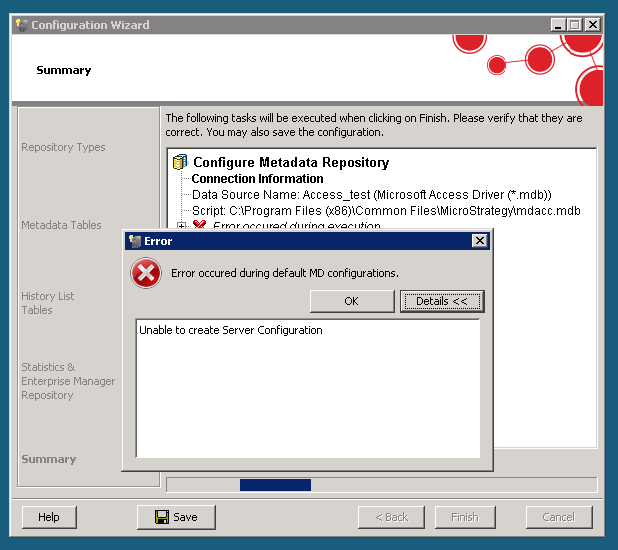
In Strategy 10 when a user tries to configure a metadata shell for a Microsoft Access database using Connectivity Wizard, the following error message may appear:
ka04W000000Of5aQAC_0EM440000002C54.jpeg


Error occurred during default MD configurations.
Unable to create Server Configuration.
 
CAUSE:
This is an identified defect in Configuration Wizard in Strategy 10 when configuring a metadata shell for a Microsoft Access database.
 
ACTION:
Currently this issue is still being reviewed for feasibility by our Technology team and it is not scoped for any upcoming scheduled Strategy release.
 
WORKAROUND:
The issue only occurs when using the Microsoft Access Driver (*.mdb). The issue does not occur when using the Microsoft Access Driver (*.accdb).
 
The Microsoft Access Driver (*.mdb, *.accdb) can be downloaded from the following link:
http://www.microsoft.com/en-us/download/confirmation.aspx?id=23734
 
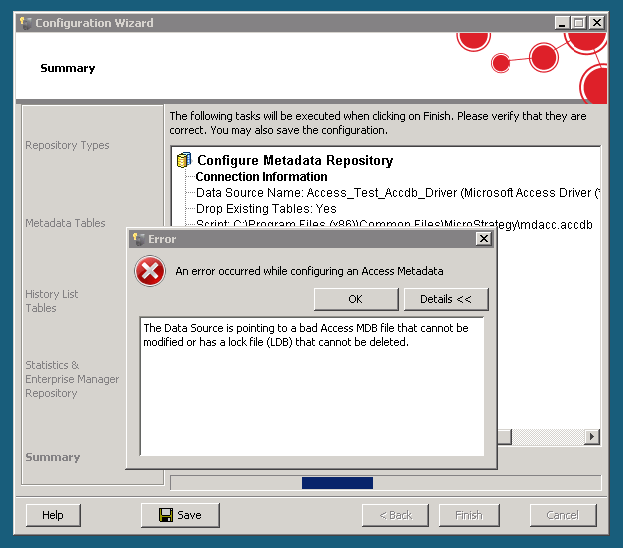
Note: After trying to configure the metadata shell using the Microsoft Access Driver (*.mdb), users will need to create a new Microsoft Access database to configure the metadata shell. If users try to configure the metadata shell with the Microsoft Access Driver (*.mdb, *.accdb) after first trying to configure the metadata shell using the Microsoft Access Driver (*.mdb), the following error message may appear:

ka04W000000Of5aQAC_0EM440000002C4z.jpeg


An error occurred while configuring an Access Metadata.
The Data Source is pointing to a bad Access MDB file that cannot be modified or has a lock file (LDB) that cannot be deleted 


Comment

0 comments

Details

Knowledge Article

Published:

June 8, 2017

Last Updated:

June 8, 2017