EducationSoftwareStrategy.com
StrategyCommunity

Knowledge Base

Product

Community

Knowledge Base

TopicsBrowse ArticlesDeveloper Zone

Product

Download SoftwareProduct DocumentationSecurity Hub

Education

Tutorial VideosSolution GalleryEducation courses

Community

GuidelinesGrandmastersEvents
x_social-icon_white.svglinkedin_social-icon_white.svg
Strategy logoCommunity

© Strategy Inc. All Rights Reserved.

LegalTerms of UsePrivacy Policy
  1. Home
  2. Topics

KB249305: 'ACL option on replacing objects' option is blank when creating a package on the fly in MicroStrategy Object Manager


Community Admin

• Strategy


'ACL option on replacing objects' option is blank when creating a package on the fly in MicroStrategy Object Manager

SYMPTOM:
When creating a package or configuration package using drag and drop in Strategy Object Manager 9.4.1, 'ACL option on replacing objects' option shows blank.
 
STEPS TO REPRODUCE:
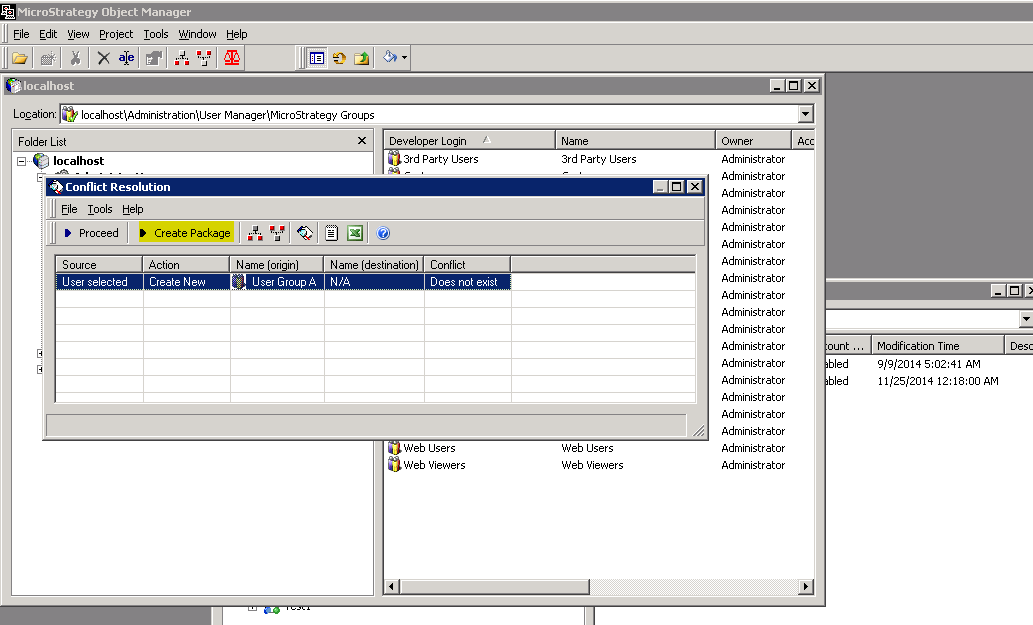
  • Create a configuration package using drag and drop, as shown below:
ka04W000000OecAQAS_0EM440000002C3m.jpeg
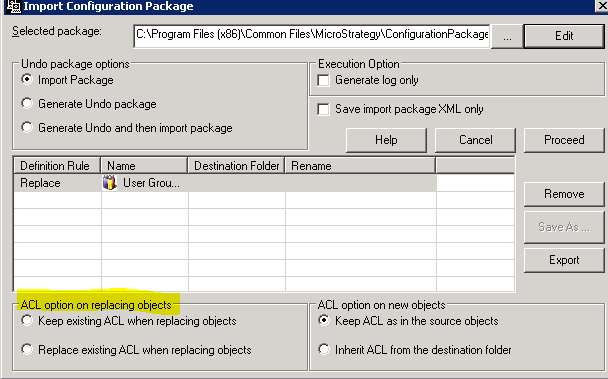
  • Import the package into another environment using “Import Configuration Package” option, selecting “edit” option to edit the package, notice that there is no option checked in “ACL existing ACL when replacing objects”, as shown below:
ka04W000000OecAQAS_0EM440000002C3t.jpeg
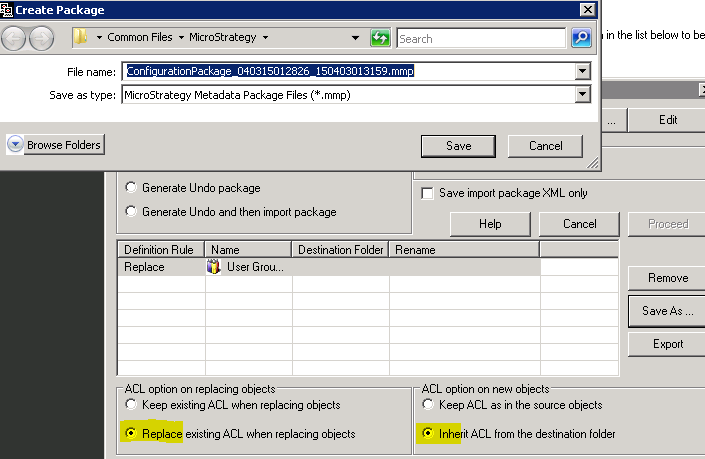
  • Modify this ACL option and save it as a new package, as shown below:
ka04W000000OecAQAS_0EM440000002C3o.jpeg
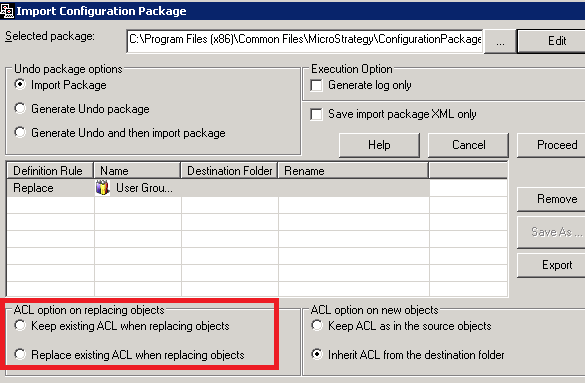
  • Import the newly saved package. Notice that the “ACL option on replacing objects” still blank out.
ka04W000000OecAQAS_0EM440000002C3r.jpeg

CAUSE:
This is a known issue in Strategy Object Manager 9.4.1. Using "Create configuration package" /"Create package" option can avoid this issue.
 
ACTION:
Currently this issue is still being reviewed for feasibility by our Technology team and it is not scoped for any upcoming scheduled Strategy release.
 
Strategy Internal Reference Number for the issue discussed in this technical note is 1015057.


Comment

0 comments

Details

Knowledge Article

Published:

June 8, 2017

Last Updated:

June 8, 2017