EducationSoftwareStrategy.com
StrategyCommunity

Knowledge Base

Product

Community

Knowledge Base

TopicsBrowse ArticlesDeveloper Zone

Product

Download SoftwareProduct DocumentationSecurity Hub

Education

Tutorial VideosSolution GalleryEducation courses

Community

GuidelinesGrandmastersEvents
x_social-icon_white.svglinkedin_social-icon_white.svg
Strategy logoCommunity

© Strategy Inc. All Rights Reserved.

LegalTerms of UsePrivacy Policy
  1. Home
  2. Topics

KB249757: "This widget is no longer supported" error occurs for Flash-based DHTML widgets in MicroStrategy Web 10.


Community Admin

• Strategy


This article discusses the "This widget is no longer supported" error

SYMPTOM:
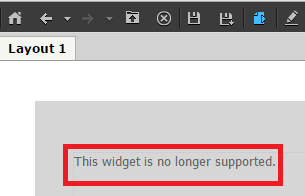
In Strategy Web 10, users may encounter an error for Flash-based DHTML widgets, as shown below:
ka04W000000OblhQAC_0EM4400000025Zk.jpeg


This widget is no longer supported.

 
STEPS TO REPRODUCE:

  • Create a DHTML Widget using any of the Flash-based widgets, such as the Gauge widget.
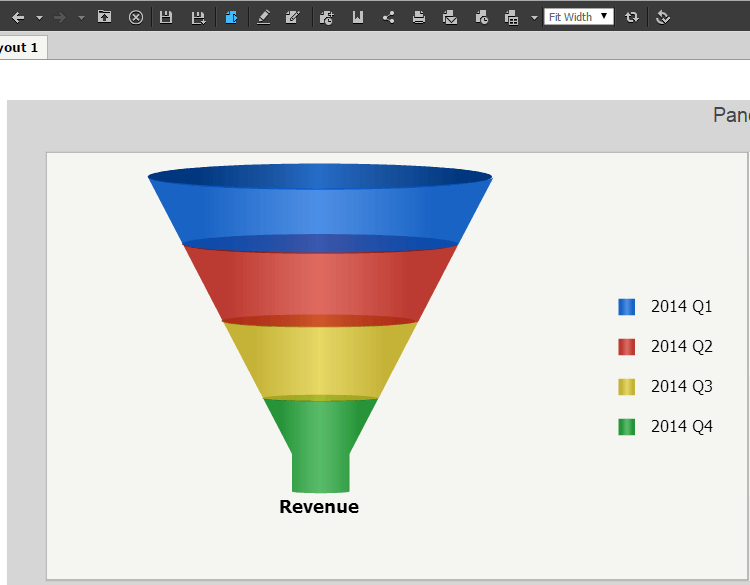
  • Run the document in Express Mode. Notice the widget works, as shown below:
ka04W000000OblhQAC_0EM4400000025Zm.jpeg
  • Go back to Design mode.
  • Right-click an attribute and click "Insert New Attribute" to show the Derived Attributes Editor, or
  • Right-click an attribute to Link to another attribute in another dataset.
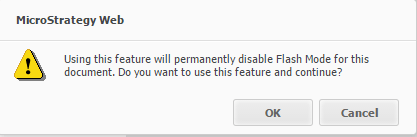
  • The following message appears:
ka04W000000OblhQAC_0EM4400000025Zn.jpeg
  •  
    
    “Using this feature will permanently disable Flash Mode for this document. Do you want to use this feature and continue?” 


  • Press OK, then finish linking attributes or creating a derived metric.
  • Run the document in Express Mode. Notice the widget now displays an error message.

 
CAUSE:
This is working as designed in Strategy Web 10.0. This issue only occurs after linking attributes between datasets, or using the Attribute Editor to create a derived attribute. Both of these features, permanently disable the usage of Flash. All widgets in Report Services Documents are based on flash and rendered loading a flash-based frame inside the DHTML page. It is then expected for the Flash-based widgets to no longer work after disabling Flash for the document. However, a request has been logged to determine a way to use the Attribute Editor or to link attributes without disabling Flash for the document.
 
ACTION:
Currently this issue is still being reviewed for feasibility by our Technology team and it is not scoped for any upcoming scheduled Strategy release.
 
The Strategy Internal Reference Number for the issue discussed in this technical note is 1016301.


Comment

0 comments

Details

Knowledge Article

Published:

May 10, 2017

Last Updated:

May 10, 2017