SYMPTOM:
In Strategy Web 10.0, when opening any window within a Visual Insight dashboard that includes a scroll bar, there is a noticeable delay where the scroll bar will not move until a second or two after the user's scrolling manipulation. This occurs when the user clicks on and drags the scroll bar up and down to scroll, as well as when a user makes use of the mouse wheel for scrolling both up and down.
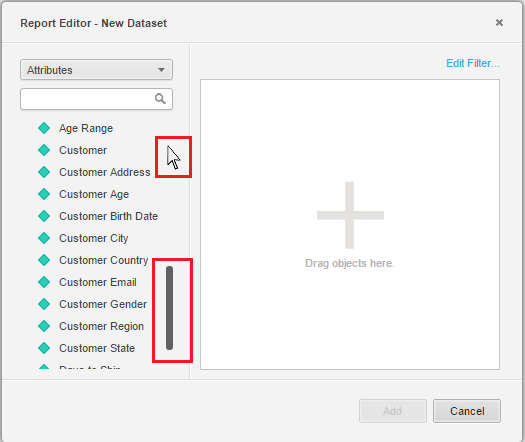
Notice how the cursor and the scroll are not in the same location. This occurred after scrolling down, then scrolling back up. The scroll bar only refreshes its position until after the user releases the bar.
STEPS TO REPRODUCE:
CAUSE:
This is a known issue in Strategy Web 10.0 - 10.2.
ACTION:
This issue was addressed in Strategy Web 10.3. Upgrade to take advantage of the fix.
WORKAROUND:
If possible, use another supported browser.
