SUMMARY:
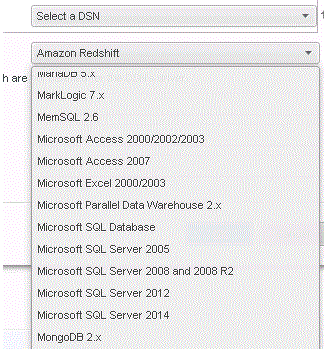
This article shows a known issue that "Object with ID 'XXX' and type 57 (DBMS) is not found in Metadata. It may have been deleted." error appears when importing .mstr file into Strategy 10 Desktop. This is because Strategy connection type Microsoft SQL Server 2008 is not available in Strategy 10 Desktop. The resolution is to change connection type of data source in Strategy Express to Microsoft SQL Server 2012 and change it back to Microsoft SQL Server 2008 and 2008 R2 after migrating it into Strategy 10 Desktop.
SYMPTOM:
Suppose Strategy Express user has one report which queries data against Microsoft SQL Server 2008. If this user exports it into one .mstr file and then import this file into Strategy 10 Desktop, "Object with ID 'XXX' and type 57 (DBMS) is not found in Metadata. It may have been deleted." error would appear as shown below:
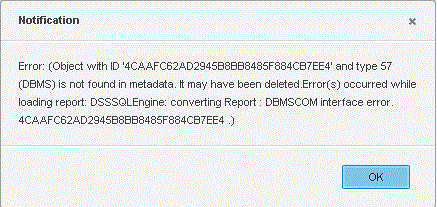
Object with ID 'XXX' and type 57 (DBMS) is not found in Metadata. It may have been deleted. Error(s) occurred while loading report: DSSSSQLEngine: converting Report: DBMSCOM interface error.
ACTION:
