EducationSoftwareStrategy.com
StrategyCommunity

Knowledge Base

Product

Community

Knowledge Base

TopicsBrowse ArticlesDeveloper Zone

Product

Download SoftwareProduct DocumentationSecurity Hub

Education

Tutorial VideosSolution GalleryEducation courses

Community

GuidelinesGrandmastersEvents
x_social-icon_white.svglinkedin_social-icon_white.svg
Strategy logoCommunity

© Strategy Inc. All Rights Reserved.

LegalTerms of UsePrivacy Policy
  1. Home
  2. Topics

KB249826: The log scale is ignored when exporting a Visual Insight Dashboard to PDF in MicroStrategy Web 10.


Community Admin

• Strategy


The log scale is ignored when exporting a Visual Insight Dashboard to PDF in MicroStrategy Web 10.

SYMPTOM:
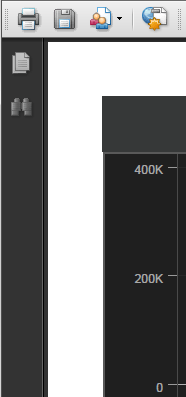
When exporting a Visual Insight Dashboard to PDF in Strategy Web 10, the log scale is ignored.
In Visual Insight:
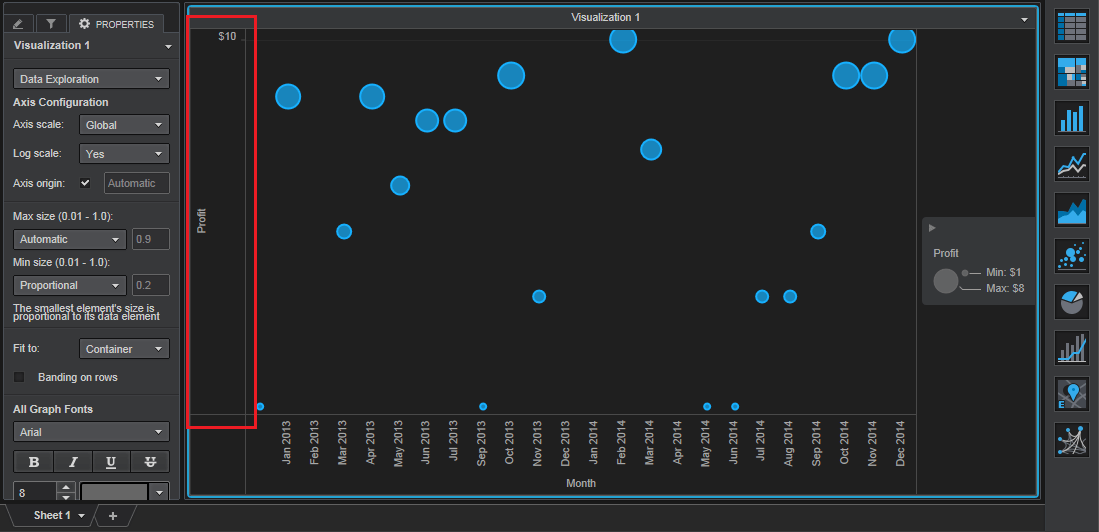
ka04W000000OgeHQAS_0EM4400000025Z9.jpeg

After exporting to PDF:
 

ka04W000000OgeHQAS_0EM4400000025Z5.jpeg

 
STEPS TO REPRODUCE:

  • Create a report with Month and Profit.
  • Create a Visual Insight Dashboard based off the report.
  • Add a bubble chart visualization with Profit on the vertical axis and Month on the horizontal axis.
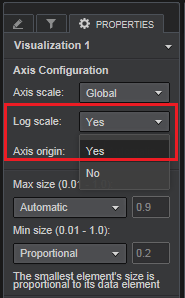
  • In the Properties pane, set the log scale to "Yes", as shown below:
ka04W000000OgeHQAS_0EM4400000025Z3.jpeg
  • Export to PDF.
  • Notice the export does not keep the log scale.

 
CAUSE:
This is an identified defect in Strategy Web 10.
 
ACTION:
Currently this issue is still being reviewed for feasibility by our Technology team and it is not scoped for any upcoming scheduled Strategy release.
 
The Strategy Internal Reference Number for the issue discussed in this technical note is 1016314.


Comment

0 comments

Details

Knowledge Article

Published:

June 13, 2017

Last Updated:

June 13, 2017