EducationSoftwareStrategy.com
StrategyCommunity

Knowledge Base

Product

Community

Knowledge Base

TopicsBrowse ArticlesDeveloper Zone

Product

Download SoftwareProduct DocumentationSecurity Hub

Education

Tutorial VideosSolution GalleryEducation courses

Community

GuidelinesGrandmastersEvents
x_social-icon_white.svglinkedin_social-icon_white.svg
Strategy logoCommunity

© Strategy Inc. All Rights Reserved.

LegalTerms of UsePrivacy Policy
  1. Home
  2. Topics

KB252121: 'Error when answering the prompt. Please review your answers' message is displayed when attempting to apply a threshold using an Advanced Threshold editor in VI dashboard in MicroStrategy Web 10.0


Community Admin

• Strategy


This article details how the following: In MicroStrategy Web 10.0, 'Error when answering the prompt. Please review your answers' message is displayed when attempting to apply a threshold using an Advanced Threshold editor in VI dashboard

SYMPTOM:
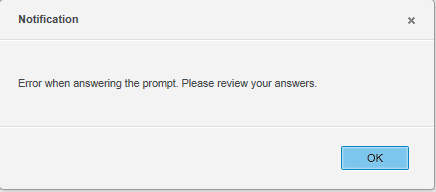
 In Strategy Web 10.0, 'Error when answering the prompt. Please review your answers' message is displayed when attempting to apply a threshold using an Advanced Threshold editor in VI dashboard as shown in the image below:
 

ka04W000000ObJEQA0_0EM4400000025dO.jpeg

 
STEPS TO REPRODUCE:
Follow the steps below to reproduce the issue with the Strategy Tutorial project:
  • Create an Intelligent Cube with Region attribute and Revenue metric.
  • Create a view report based off the report.
  • Create a VI dashboard and use the view report as a dataset report.
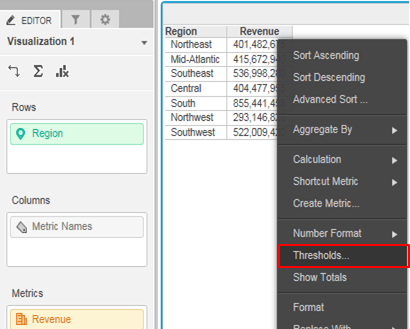
  • Right mouse click on the metric and select ‘Thresholds..’ as shown in the image below:
ka04W000000ObJEQA0_0EM4400000025dQ.jpeg
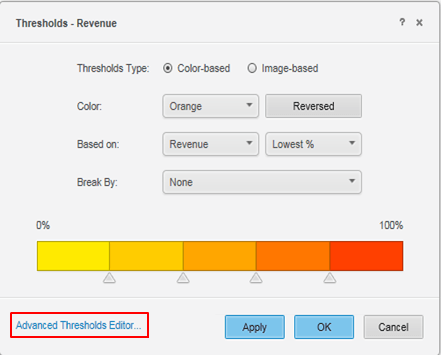
  • Switch to Advanced Thresholds Editor.
ka04W000000ObJEQA0_0EM4400000025dW.jpeg
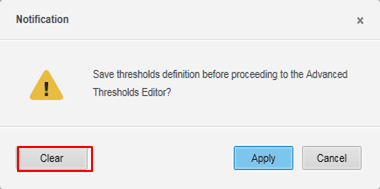
  • Click ‘Clear’ when the following notification pops up.
ka04W000000ObJEQA0_0EM4400000025dU.jpeg
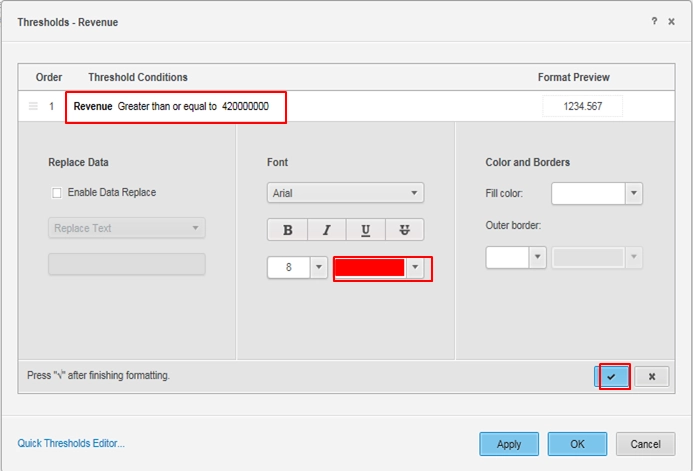
  • Add a condition in an advanced thresholds editor.
ka04W000000ObJEQA0_0EM4400000025dT.jpeg
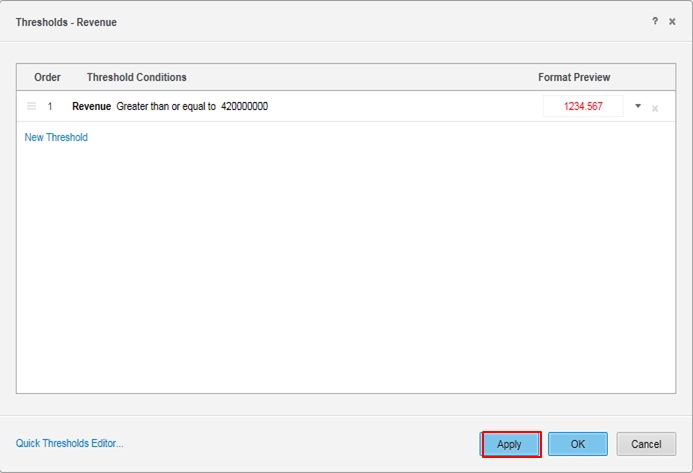
  • The error message appears after clicking ‘Apply’.
ka04W000000ObJEQA0_0EM4400000025dM.jpeg

CAUSE:
This is a known issue with Strategy Web 10.0.
 
ACTION:
This issue has been addressed with Strategy Web 10.2. Upgrade to take advantage of the fix.
The Strategy Internal Reference Number for the issue discussed in this technical note is DE20661.
252121


Comment

0 comments

Details

Knowledge Article

Published:

May 10, 2017

Last Updated:

March 31, 2019