EducationSoftwareStrategy.com
StrategyCommunity

Knowledge Base

Product

Community

Knowledge Base

TopicsBrowse ArticlesDeveloper Zone

Product

Download SoftwareProduct DocumentationSecurity Hub

Education

Tutorial VideosSolution GalleryEducation courses

Community

GuidelinesGrandmastersEvents
x_social-icon_white.svglinkedin_social-icon_white.svg
Strategy logoCommunity

© Strategy Inc. All Rights Reserved.

LegalTerms of UsePrivacy Policy
  1. Home
  2. Topics

KB253626: “Class does not support Automation or does not support expected interface” error occurs when creating, editing, or running HTML Documents in MicroStrategy Developer 10 Hotfix 1


Stefan Zepeda

Salesforce Solutions Architect • Strategy


“Class does not support Automation or does not support expected interface” error occurs when creating, editing, or running HTML Documents in MicroStrategy Developer 10 Hotfix 1

SUMMARY:
This article describes a known issue in Strategy Developer 10 Hotfix 1 with creating, editing, or running HTML Documents. This issue is currently being reviewed by Strategy for a potential code fix in an upcoming release.
 
SYMPTOM:
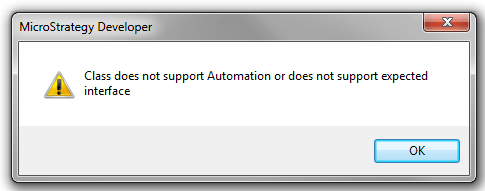
In Strategy Developer 10 Hotfix 1, users receive the following error message when attempting to create, edit, or run HTML Documents:
 

ka02R000000kcXSQAY_0EM440000002C4v.jpeg


Class does not support Automation or does not support expected interface.

 
CAUSE:
This issue is classified as a defect in Strategy Developer 10 Hotfix 1. This issue does not occur in Strategy Developer 10 GA.
 
ACTION:
Currently this issue is being reviewed by Strategy for a potential code fix in an upcoming Strategy release.
 
 WORKAROUND:
Uninstall hotfix 1 from the machine which has Strategy Developer installed.
 
The Strategy Internal Reference Number for the issue discussed in this technical note is 1016722.


Comment

0 comments

Details

Knowledge Article

Published:

April 14, 2017

Last Updated:

April 14, 2017