In Strategy 10.0 Hotfix1, a few fixes have been made to the Impala 2.x, IBM Netezza 6.0.x, IBM Netezza 7.0.x and Denodo 5.x database objects and as such, users need to modify their database instance to make the new changes take effect.
ACTION

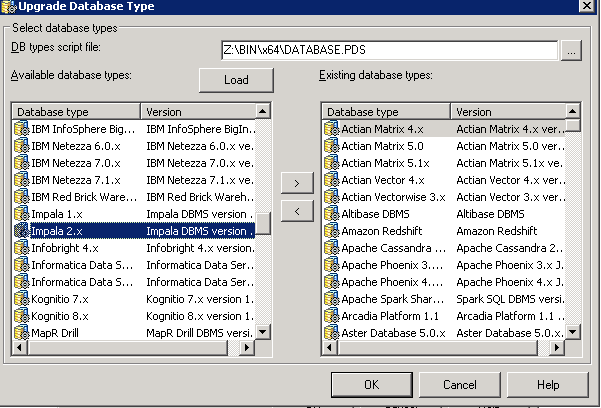
3. In text field labelled “DBtypes script file”, user can see the PDS file ”[Microstrate Folder]\Common Files\ Strategy\Database.PDS”.
4. Click “Load” to load all database types
5. Choose “Impala 2.x” and then click “>” to add it to existing database types.
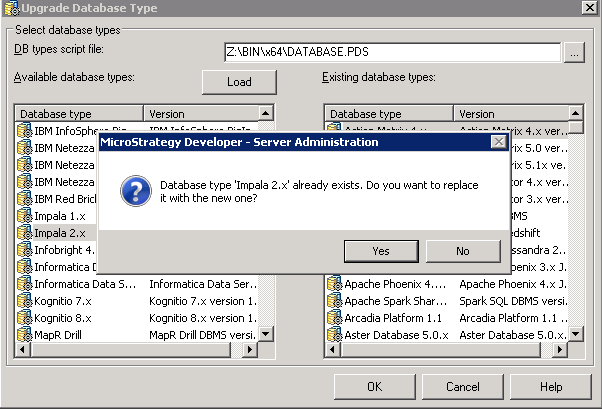
6. Click "Yes" to replace the existing one.
7. Repeat step 5 and 6 for “IBM Netezza 6.0.x”, “IBM Netezza 7.0.x”, “IBM Netezza 7.1.x”, “Denodo 5.x” if necessary.
8. Click on “OK” to finish saving the changes.
